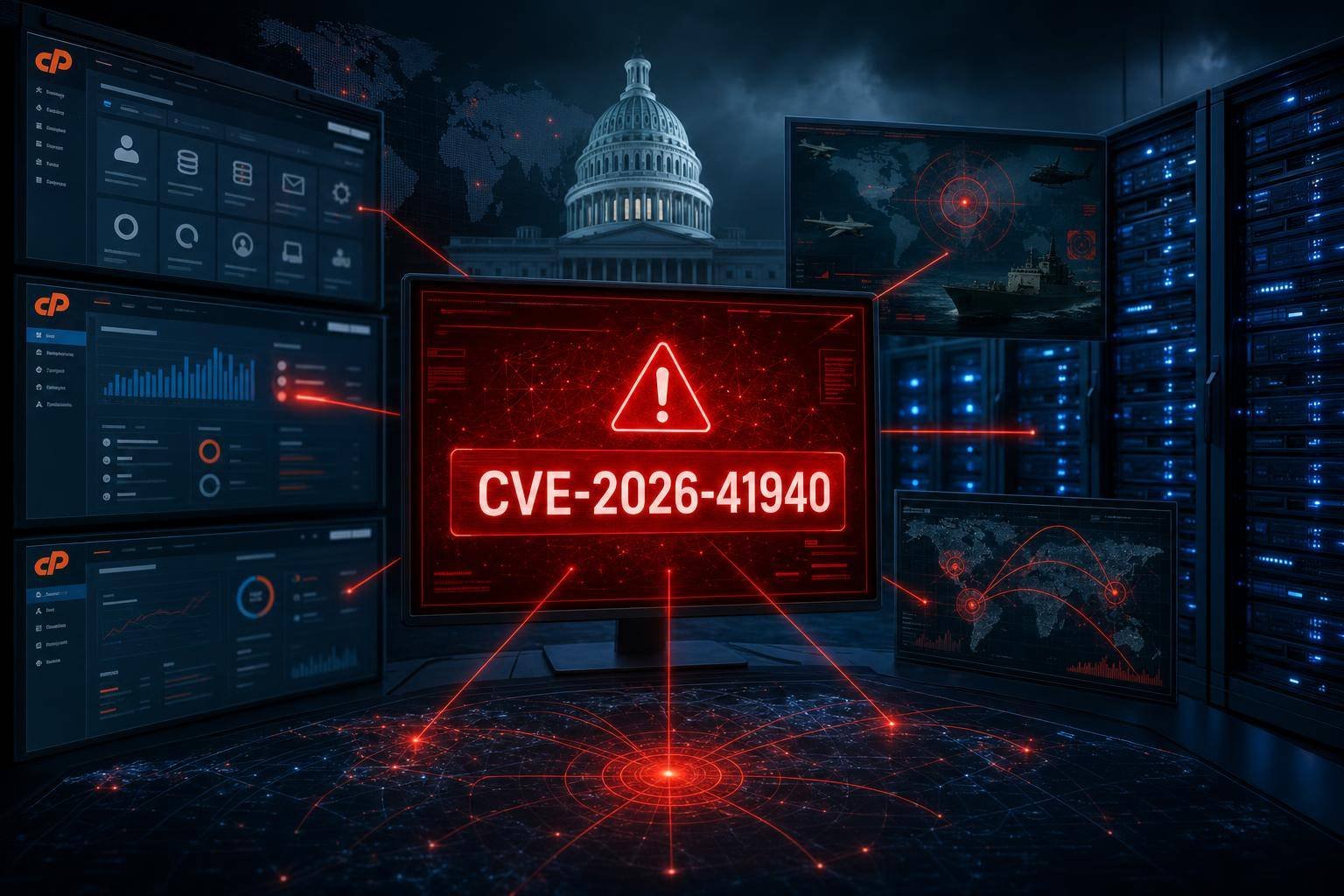
Critical cPanel RCE (CVE-2026-41940) Weaponized in 24 Hours: What Government, Military, and Hosting Teams Must Do Now
A critical cPanel vulnerability tracked as CVE-2026-41940 was turned into an active weapon within a day of disclosure. Attackers used an army of roughly 44,000 compromised IPs to scan and brute-force honeypots, before activity tapered to about 3,540 by May 3. The primary targeting appeared to focus on Southeast Asian government and military entities, as well as managed service providers (MSPs) and hosting firms in the Philippines, Laos, Canada, South Africa, and the United States.
This matters for a simple reason: internet-exposed management consoles are now among the fastest paths to enterprise compromise. The flaw enables unauthenticated remote code execution (RCE), turning cPanel/WHM into an instant beachhead for data theft and lateral movement. With public proof-of-concept (PoC) code accelerating exploitation, organizations have far less time to react than they did even a few years ago.
This guide explains what happened, how this cPanel vulnerability likely translates to real-world impact, and—most importantly—how to triage, patch, hunt, harden, and plan for the next “disclose-to-exploit” sprint. Whether you’re running shared hosting nodes, a government web presence, or a multi-tenant MSP stack, the response patterns are remarkably consistent.
What We Know So Far: Timeline, Targets, and Tactics
Reports indicate CVE-2026-41940 moved from disclosure to mass scanning and exploit attempts in under 24 hours. Shadowserver Foundation telemetry observed approximately 44,000 IPs engaging in scanning and brute-force behavior against honeypots on April 30, falling to roughly 3,540 by May 3. The wave focused on cPanel/WHM endpoints and associated ports, suggesting a high degree of automation and pre-packaged tooling.
Key points: – Zero-day-to-exploit window: within 24 hours of public disclosure. – Target verticals and regions: government and military orgs in Southeast Asia; MSPs and hosting companies in the Philippines, Laos, Canada, South Africa, and the U.S. – Likely outcomes of successful exploitation: remote code execution as the cPanel/WHM service user; webshell deployment; credential theft; lateral movement; potential exfiltration of hosted data; use of the compromised server as a launchpad for downstream attacks.
While early waves often look like wide-net scanning, the risk for targeted follow-on intrusions is significant—especially in environments where cPanel/WHM has elevated privileges and broad access to email, databases, file systems, and customer workloads.
For context on internet-scale scanning and honeypot observations, Shadowserver maintains public resources explaining their measurement projects and methodology. See: Shadowserver’s honeypot measurement overview.
How an Unauthenticated RCE in cPanel Becomes a Beachhead
Remote code execution (RCE) means an attacker can run arbitrary commands on your server. Unauthenticated RCE means they can do it without valid credentials. In the cPanel/WHM world, that’s particularly dangerous because: – cPanel and WHM commonly run on well-known ports (e.g., 2082/2083 for cPanel, 2086/2087 for WHM, and 2095/2096 for webmail), making internet-wide scans trivial. – The management tier often has broad control over services (web, mail, databases), enabling rapid data access or defacement. – A successful exploit can drop a webshell, modify scheduled tasks, pivot internally, or harvest secrets and API keys from the filesystem.
From an adversary tradecraft perspective, the attack chain often maps cleanly to MITRE ATT&CK: – Initial Access: Exploitation of Public-Facing Application (ATT&CK T1190). – Execution: Command and Scripting Interpreter (ATT&CK T1059).
Post-exploitation, attackers may escalate privileges, move laterally (e.g., to database or backup servers), and exfiltrate data—especially if the control panel resides in a flat network segment shared with critical systems.
Why Weaponization Is Accelerating—and Why It Changes Your Playbook
In the past, defenders often had days or weeks before a new vulnerability was broadly exploited. Today, the combination of: – rapid PoC publication, – automated scanning frameworks, – commoditized botnets, and – widely deployed, high-value targets
means the “safe window” is collapsing to hours. Publicly disclosed and/or widely used internet-exposed software—like cPanel—sits in the crosshairs by default.
Agencies have tried to force a culture shift. CISA’s Known Exploited Vulnerabilities (KEV) catalog formalized prioritization expectations for U.S. federal agencies and guides many private-sector SLAs. Meanwhile, incident response guidance like NIST’s SP 800-61 Computer Security Incident Handling Guide emphasizes fast containment and eradication.
The takeaway: when a critical internet-exposed management panel vulnerability drops, the right answer is not “patch this quarter.” It’s “patch this day”—with compensating controls immediately if patching lags. Your vulnerability operations must be engineered for that tempo.
Who Is Affected by the cPanel Vulnerability (CVE-2026-41940)?
- cPanel and WHM installations that are internet-accessible.
- Organizations that rely on MSPs, hosting providers, or third-party administrators who manage cPanel/WHM on their behalf.
- Multi-tenant hosting nodes, where compromise can put hundreds or thousands of customer sites and mailboxes at risk.
- Any environment that allows control panel access from the open internet without network-level restrictions or zero-trust access.
If your org uses shared hosting or a managed provider, your exposure depends on how that provider manages patch rollouts and access restrictions. If you operate servers in-house, your risk hinges on whether your cPanel/WHM endpoints are accessible from everywhere, and how quickly you can apply vendor fixes.
Immediate Response: A 24-Hour Checklist for cPanel/WHM
When a critical cPanel vulnerability is being mass-exploited, act in parallel across patching, detection, and containment. Here’s a practical, time-bounded playbook.
1) Identify your exposure surface – Inventory all cPanel/WHM endpoints, including management and webmail ports (2082/2083, 2086/2087, 2095/2096). – Confirm which hosts are internet-exposed and reachable from anywhere. – Flag business-critical workloads running on the same nodes.
2) Patch or mitigate immediately – Use cPanel/WHM’s update channels to apply the latest security fixes. Ensure automatic updates are enabled for security tiers where possible. – If you cannot patch within hours, restrict access (see step 3) and prioritize patch windows.
3) Restrict access—now – Temporarily allow-list only trusted admin IPs for cPanel/WHM ports via firewall rules or a reverse proxy. – Preferably move panel access behind a VPN or a Zero Trust access broker. Cloud-delivered access control platforms help you remove exposure entirely without breaking workflows. For reference, review Cloudflare’s Zero Trust Access documentation.
4) Enforce strong authentication – Require multi-factor authentication wherever supported. cPanel provides built-in 2FA functionality for WHM and cPanel logins. See cPanel’s Two-Factor Authentication documentation. – Disable password-only root logins for SSH; use keys with passphrases.
5) Monitor for known-bad patterns and IPs – Baseline and then monitor traffic spikes to cPanel/WHM ports. – If you have access to intelligence on scanning IP ranges observed in this wave, add temporary block or rate-limit rules while you patch. – Use cPHulk or equivalent to throttle brute-force attempts. cPanel’s cPHulk Brute Force Protection can limit repeated failures, though it will not stop RCE exploitation.
6) Threat hunting and forensics triage – Search logs for anomalous POSTs to cPanel/WHM endpoints, unusual user creation/modification events, and suspicious command execution. – Review: – cPanel/WHM logs: /usr/local/cpanel/logs/access_log, /usr/local/cpanel/logs/error_log, and login_log. – Web server logs for hosted sites (e.g., /var/log/httpd/ or /var/log/nginx/). – Cron entries and at-jobs for new or modified tasks. – Look for webshell indicators (unexpected PHP, Perl, or Python scripts in writable directories) and recent changes to .htaccess files. – If you find signs of execution, assume credential compromise and proceed to step 7.
7) Credential and key hygiene – Rotate root passwords, API tokens, and any credentials stored on the host. – Reissue TLS certificates if private keys might have been read. – Audit SSH authorized_keys and disable unfamiliar entries.
8) Containment and rebuild decision – For confirmed compromises, isolate the host immediately. – If attackers likely gained persistent access, plan for a clean rebuild from known-good images and re-deploy content from verified backups.
9) Report and align stakeholders – Notify internal leadership and, if applicable, customers on affected nodes. – Follow your incident response plan aligned with frameworks like NIST SP 800-61.
10) Retrospective improvements – Update your vulnerability management SLAs for internet-exposed services to “within 24 hours” for critical issues that enable unauthenticated access or code execution. – Add tabletop exercises focused on “control panel zero-day” scenarios.
Detection and Threat Hunting: Where and How to Look
Even if you’ve patched, assume some exploit attempts predate your fixes. A focused hunt reduces dwell time.
Log sources to prioritize – cPanel/WHM logs: – /usr/local/cpanel/logs/access_log (HTTP/S requests to cpsrvd/whostmgrd) – /usr/local/cpanel/logs/error_log – /usr/local/cpanel/logs/login_log – Web server logs for hosted sites (Apache/Nginx) – System auth logs (/var/log/secure or /var/log/auth.log) – Cron logs (/var/log/cron) and user crontabs – Process accounting and bash history (where available)
Suspicious patterns and artifacts – Spikes in POST requests to cPanel/WHM endpoints, especially from previously unseen IPs, unusual user-agents, or without typical referrers. – Unexpected creation of new admin-level cPanel/WHM accounts or sudden privilege changes. – Webshell-like filenames (randomized names, images with embedded PHP, files in uploads/tmp directories). – New or modified cron jobs shortly after suspicious HTTP requests. – Outbound connections to unfamiliar command-and-control infrastructure. – Sudden mail queue anomalies (e.g., spam relays via exim), indicating abuse post-compromise.
ATT&CK mapping helps structure your hunt. Initial access typically aligns to T1190. Once in, look for command interpreters and scripts (T1059), persistence via cron or systemd, and lateral movement indicators (credential dumping attempts, new SMB/SSH sessions).
Threat hunting tips – Correlate first-seen IPs on cPanel ports with server-side activity (new processes, filesystem writes, cron edits) within 1–10 minutes of access. – Compare access patterns against known administrative IP ranges and maintenance windows. – If you use EDR on Linux, search for shell spawns attributed to cpsrvd/whostmgrd processes.
If you identify probable compromise, preserve forensic artifacts and escalate to your incident response team. Rebuilds may be faster and safer than attempting surgical cleanup on heavily modified hosts.
Hardening Internet-Exposed Management Panels (cPanel, WHM, and Beyond)
One root cause behind rapid exploitation is the broad exposure of management interfaces. You can materially reduce risk with layered controls that don’t require product changes or vendor timelines.
Network and identity controls – Remove public exposure where possible. Place cPanel/WHM behind a VPN or a zero-trust access proxy. Build an allow-list of admin IPs as a fallback. – Enforce MFA for all administrative access. See cPanel’s 2FA documentation. – Disable password-based SSH where feasible; require SSH keys. Avoid shared accounts.
Service configuration – Confirm only TLS-enabled panel ports are open externally (e.g., prefer 2083/2087 over 2082/2086). Redirect or block plaintext ports. – Bind services to internal interfaces when possible; require jump hosts for management. – Implement strict rate limiting on login endpoints. Tools like cPHulk help slow brute-force attempts but are not a substitute for patching. See cPHulk’s documentation.
Application and workload hygiene – Keep cPanel/WHM on a stable, auto-updating release tier for security updates. – Apply the principle of least privilege to databases, file permissions, and backups. – Standardize on a clean base image. Avoid drift by using configuration management.
Perimeter inspection and WAF – If you must expose panel endpoints, front them with a reverse proxy and apply strict, panel-specific rules (block non-admin geos, suspicious user-agents, or unexpected methods). – Consider access brokers that integrate identity and device posture checks. Reference architectures like Cloudflare Zero Trust illustrate this pattern for internet-accessible apps.
Reference frameworks – For broader secure design guidance, OWASP’s Top 10 and ASVS provide guardrails for identity, session management, and input handling at the application layer.
The result you’re aiming for is simple: the next time a critical management-panel vulnerability drops, you’re not directly exposed to the internet. You’ve reduced your time-to-mitigate from days to minutes by flipping an access policy, even before a patch is ready.
Strategic Implications for Governments, MSPs, and Hosting Providers
Government and defense organizations face direct targeting because their panels often control sensitive web properties and mail. MSPs and hosting companies are multiplier targets: compromising one panel potentially opens access to hundreds of downstream tenants.
For both groups, the strategic priorities converge: – Asset inventory parity: Maintain an authoritative inventory of all internet-exposed management endpoints, not just web apps and VPNs. – Patch-to-policy loop: Integrate vulnerability intel directly into access control policies (e.g., dynamic blocklists, instant geo restrictions) to buy time while you patch. – Tenant isolation: Reduce blast radius by isolating customer workloads and minimizing shared secrets across nodes. – Incident rehearsals: Tabletop “control panel zero-day” with tech lead, comms, legal, and customer support. Pre-draft customer notices for rapid dissemination. – Vendor alignment: Require providers to demonstrate their 24-hour patch pipeline for critical internet-facing software. Validate with SLAs.
Organizations can also leverage regional threat intel and standards. ENISA’s annual threat landscape reports contextualize trends in exploitation and attacker tooling; see ENISA Threat Landscape for strategic overviews helpful in planning.
Build a 24-Hour Patch Pipeline for Internet-Facing Software
Fast patching isn’t just a tooling problem; it’s a process and accountability problem. Engineer for speed on the software you expose to the internet.
A blueprint: 1) Classify assets by exposure and privilege – Tier 1: Internet-exposed admin interfaces (cPanel/WHM, hypervisor consoles, VPNs, SSO, email gateways). – Tier 2: Internet-exposed apps with authentication. – Tier 3: Internal-only systems.
2) Define clear SLAs by tier – Tier 1: Patch critical unauthenticated RCEs within 24 hours. Apply compensating controls immediately (network restrictions, zero trust) while patching. – Tier 2: 72 hours for criticals if no known exploitation; faster if in KEV. – Tier 3: Business-driven cadence.
3) Automate discovery and alerting – Continuously scan for exposed services and compare against inventory. – Subscribe to vendor advisories for Tier 1 software and route alerts to an on-call security owner.
4) Streamline change approvals for emergencies – Pre-authorize emergency changes for Tier 1 vulnerabilities that meet criteria (unauthenticated RCE, public exploit, active scanning). – Use maintenance windows that can be invoked at short notice.
5) Patch orchestration and testing – Maintain staging environments that mirror production for control panels and critical admin software. – Pre-test update playbooks frequently to avoid surprises under pressure.
6) Compensating controls on tap – Maintain ready-to-deploy firewall and reverse-proxy templates for rapid allow-listing/restrictions. – If using a zero-trust platform, preconfigure an “emergency lockdown” policy for Tier 1 apps.
7) Validation and rollback – Post-patch, verify service health and scan for residual exposure. – Keep rollback plans if an update breaks critical functionality—but don’t rely on rollback as a reason to delay patching.
Frameworks like NIST’s Secure Software Development Framework (SSDF) provide upstream guidance to reduce vulnerability density, but the operational side—rapid patch deployment, mitigations, and monitoring—must be institutionalized to meet today’s exploit timelines.
Common Mistakes to Avoid With cPanel and Other Admin Consoles
- Leaving panels open to the world “for convenience,” even with MFA.
- Treating control panels like commodity web apps instead of Tier 1 admin interfaces.
- Relying solely on WAFs or brute-force protection to stop RCEs.
- Centralizing too many privileges or secrets on the same node.
- Failing to rotate keys and credentials after suspected compromise.
- Assuming an MSP or hosting partner will patch as fast as you would—without verifying.
Policy and Governance: Turn KEV Into a Daily Driver
For organizations subject to regulatory mandates or public-sector guidance, align your internal priority queue to exploited conditions and authoritative lists. CISA’s Known Exploited Vulnerabilities catalog is a global touchstone, and many private organizations voluntarily adopt it. When a relevant entry lands—especially for internet-exposed software—treat it as a P0.
Keep your incident response aligned to best-practice frameworks such as NIST SP 800-61. That includes clear criteria for escalation, communication, and decision-making speed.
Practical Example: Minimal-Change Hardening for a Single cPanel Host
If you operate a single cPanel server for a small business or department and need to harden in hours without major re-architecture:
- Move WHM and cPanel behind a VPN or a zero-trust access proxy. If that’s not possible today, restrict access to your office IP and a secure home IP.
- Force MFA for all panel accounts. Remove unused users and ensure strong, unique passwords.
- Enforce key-based SSH for the root or admin user; disable password logins.
- Close plaintext management ports externally (allow only 2083 and 2087 over HTTPS).
- Enable cPHulk to slow brute-force attempts, and add temporary rules to throttle suspicious geographies until activity subsides.
- Patch cPanel/WHM through the vendor’s update channels and verify version after update.
- Hunt your logs for suspicious requests and recent file changes in public web directories.
- Back up critical data offline (databases, mail, configs), then set a policy to perform monthly restore tests.
These steps alone dramatically reduce your attack surface and give you breathing room when the next zero-day lands.
FAQ
Q: Is my server affected by CVE-2026-41940 if cPanel isn’t exposed to the internet? A: Your risk is much lower, but not zero. If an attacker already has internal access or can pivot from a public-facing workload, they could still reach the panel. Patch anyway and restrict management access to known admin paths.
Q: How fast should I patch a critical cPanel vulnerability like this? A: Treat unauthenticated RCEs on internet-exposed management software as a 24-hour patch SLA. If patching will take longer, immediately restrict access (VPN/zero trust/allow-list) to reduce the blast radius.
Q: Should I take cPanel/WHM offline until I can patch? A: If you cannot lock down access quickly, temporarily taking management ports offline is a defensible choice, especially if you see active exploit attempts. Prioritize business continuity by coordinating with stakeholders and scheduling brief maintenance windows.
Q: What indicators suggest my cPanel server was compromised? A: Look for unusual POST requests to cpsrvd/whostmgrd, new admin accounts, modified cron jobs, unfamiliar web files (webshells), spikes in outbound connections, or email abuse via exim. Correlate access logs with file changes and process starts.
Q: Will a WAF or brute-force protection stop an unauthenticated RCE? A: Not reliably. WAFs and rate limiters can reduce noise and block some exploit patterns, but unauthenticated RCEs often bypass these layers. Network restrictions and timely patching are essential.
Q: How can MSPs and hosting providers reduce systemic risk? A: Remove public exposure for admin panels, enforce MFA and device posture checks, patch on a 24-hour SLA for critical internet-exposed software, isolate tenants, and rehearse incident response. Align with exploited-vulnerability prioritization (e.g., CISA KEV).
The Bottom Line on the cPanel Vulnerability
CVE-2026-41940 is a textbook case of how quickly a critical cPanel vulnerability can be weaponized against high-value targets. Within a day, tens of thousands of compromised IPs were scanning and brute-forcing honeypots, with active exploitation reported against government, military, MSP, and hosting environments.
Your next steps are straightforward: – Patch cPanel/WHM immediately via vendor channels. – Pull management access behind a VPN or zero trust, and enforce MFA. – Hunt for indicators of compromise in cPanel and web logs. – Rotate credentials and reissue keys if you suspect exposure. – Institutionalize a 24-hour patch pipeline for internet-exposed admin software.
This is the new normal: the window between disclosure and exploitation is now measured in hours. By reducing your exposure, hardening authentication, and building a fast patch-and-mitigate loop, you put real distance between your critical systems and the next mass-exploitation wave.
References and further reading: – Shadowserver honeypot measurement overview – CISA Known Exploited Vulnerabilities Catalog – NIST SP 800-61: Computer Security Incident Handling Guide – MITRE ATT&CK: Exploit Public-Facing Application (T1190) – MITRE ATT&CK: Command and Scripting Interpreter (T1059) – OWASP Top 10 – Cloudflare Zero Trust Access docs – cPanel Two-Factor Authentication – cPHulk Brute Force Protection – ENISA Threat Landscape 2023
Discover more at InnoVirtuoso.com
I would love some feedback on my writing so if you have any, please don’t hesitate to leave a comment around here or in any platforms that is convenient for you.
For more on tech and other topics, explore InnoVirtuoso.com anytime. Subscribe to my newsletter and join our growing community—we’ll create something magical together. I promise, it’ll never be boring!
Stay updated with the latest news—subscribe to our newsletter today!
Thank you all—wishing you an amazing day ahead!
Read more related Articles at InnoVirtuoso
- How to Completely Turn Off Google AI on Your Android Phone
- The Best AI Jokes of the Month: February Edition
- Introducing SpoofDPI: Bypassing Deep Packet Inspection
- Getting Started with shadps4: Your Guide to the PlayStation 4 Emulator
- Sophos Pricing in 2025: A Guide to Intercept X Endpoint Protection
- The Essential Requirements for Augmented Reality: A Comprehensive Guide
- Harvard: A Legacy of Achievements and a Path Towards the Future
- Unlocking the Secrets of Prompt Engineering: 5 Must-Read Books That Will Revolutionize You