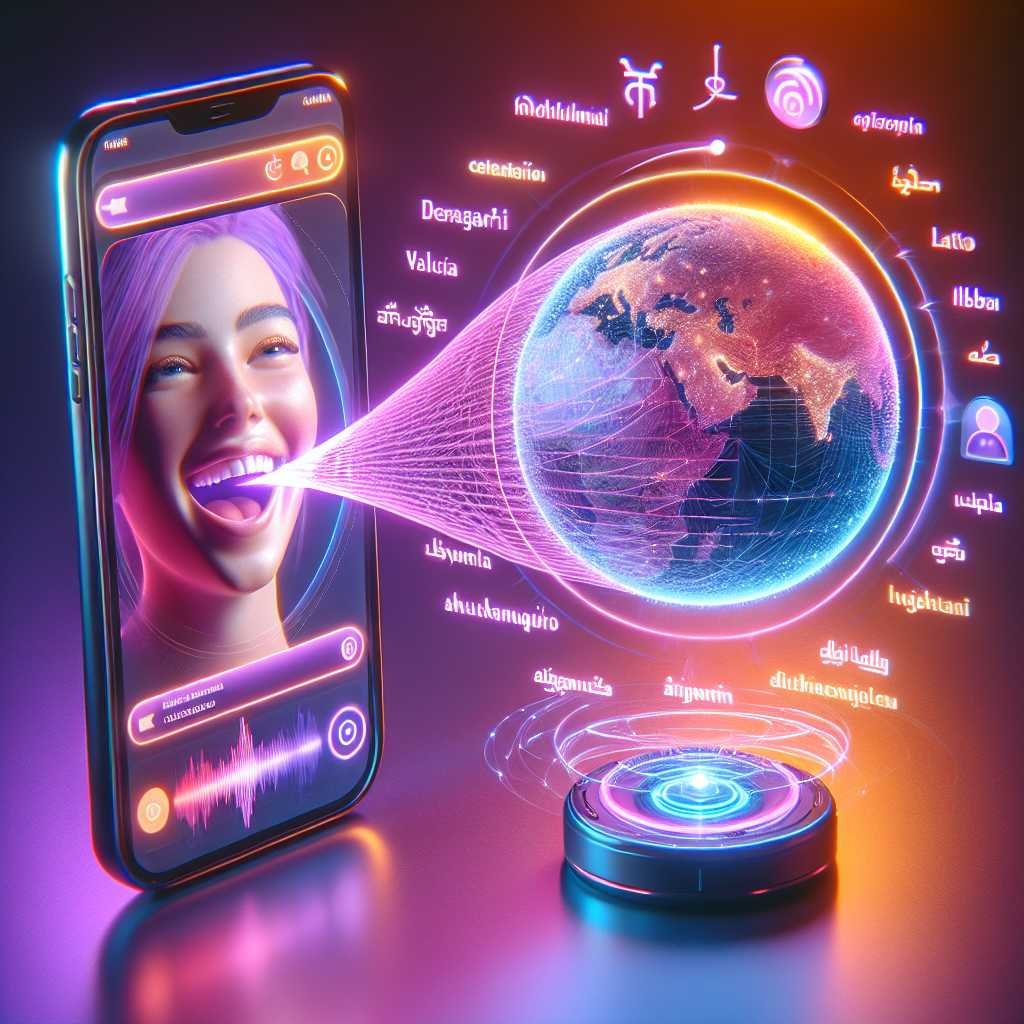
Meta’s AI Voice Translation for Reels: Lip‑Synced Dubs, Real Voices, Bigger Audiences
What if your next viral Reel didn’t stop at your native language? Imagine posting once and connecting with audiences across borders—without sounding like a robot or re-recording a single line. That’s the promise behind Meta’s new AI voice translation for Instagram Reels and Facebook: automatic dubbing that preserves your voice, syncs your lips, and opens the door to real global reach.
Meta has begun rolling out this feature globally (with some regional exclusions), starting with two-way English↔Spanish translations and plans for more languages soon. Early internal tests showed translated content gaining a 20% lift in views. If you’re a creator looking to grow, that matters.
In this guide, you’ll learn what’s new, where it’s available, how it works, how to use it, and—most importantly—how to turn it into growth. Let’s dive in.
What Meta Launched: AI Voice Translation for Instagram Reels and Facebook
Meta’s new tool lets creators dub their Reels into another language while retaining their natural vocal profile. Think: your tone and timbre, in Spanish, synced to your mouth movements.
Key highlights: – Two-way English↔Spanish translations at launch – Your “voiceprint” preserved in the translated audio – Optional lip-sync to align mouth movements with the new language – New per-language analytics to see how dubs perform – Support for up to two speakers (avoid overlapping dialogue) – Best results when the speaker faces the camera and speaks clearly
Meta previewed this at Meta Connect 2024, positioning it as a bridge across language barriers so creators can grow across cultures. That mission tracks with Meta’s broader AI push across its platforms. For context, see Meta’s AI work on speech and translation research: Meta AI blog and Meta Newsroom.
Here’s why that matters: dubbing has historically been time-consuming, expensive, and often awkward. Meta’s system compresses the workflow to a toggle and a preview, and it aims for authenticity by keeping your voice intact. The addition of lip-sync helps the whole experience feel native to viewers—even if they don’t speak your language.
Availability and Eligibility: Where You Can Use It
Meta’s rollout is broad, but not universal. The feature is available to: – All public Instagram accounts (in markets where Meta AI operates) – Facebook creators with 1,000+ followers
Notably excluded at launch: – European Union – United Kingdom – South Korea – Brazil – Australia – Several U.S. states, including Texas and Illinois
Why the carve-outs? Meta hasn’t offered full public detail, but regional AI, privacy, and biometric regulations vary widely. Some jurisdictions maintain strict rules around voice and facial data. Expect availability to evolve as Meta navigates local compliance.
If you’re in an eligible region, check your account features and keep your app updated. Meta often staggers rollouts over days or weeks.
Helpful links: – Meta announcements and product updates: Meta Newsroom – Instagram feature updates: Instagram Creators – Announcements
How to Turn It On: Step-by-Step
You’ll find the feature when uploading a Reel on Instagram or Facebook.
1) Create or select your Reel. 2) Before publishing, tap “Translate your voice with Meta AI.” 3) Choose the target language (currently Spanish↔English). 4) Toggle Lip Sync if desired. 5) Preview the translated version. Listen for pacing, clarity, and any mistranslations. 6) Publish. You can track performance in the updated analytics, broken down by language.
Pro tips for cleaner results: – Face forward. The model aligns on-mouth movement. – Speak clearly. Avoid mumbling or ultra-fast delivery. – Reduce background noise. Bad audio in = bad audio out. – Avoid crosstalk. Up to two speakers are supported—but do not talk over each other. – Keep on-screen text minimal or language-agnostic; add translated captions for clarity.
Under the Hood: What’s Really Happening
Meta’s system does three things: – Transcribes your speech – Translates it – Synthesizes new audio that matches your voice, then aligns lip movements
The voice component is key. Rather than using a generic voice, Meta’s model reproduces your vocal tone and timbre to sound more like you in the target language. The optional lip-sync module aligns your mouth movement to the translated track. That reduces the “dub feels off” problem viewers often notice.
While Meta hasn’t published a full technical paper for this specific feature, their previous research suggests robust work on speech generation and translation. For a taste of Meta’s broader direction, check out Meta’s speech AI research and their Responsible AI principles: Responsible AI at Meta.
Why This Matters for Creators and Brands
This is a big deal for reach. Consider: – English and Spanish audiences are massive. The U.S. alone has tens of millions of Spanish speakers, and Spanish-speaking audiences on Facebook and Instagram are globally significant. – Reels is Meta’s fastest-growing format. Video-first recommendations fuel discovery. – A 20% viewership lift (Meta’s internal testing) compounds with consistent posting.
Real-world wins: – Education creators can reach new learners without remaking content. – Product reviewers can sell across markets without new shoots. – Travel and food creators can connect with locals wherever they go. – Entertainment clips can expand beyond language silos.
Let me explain the deeper advantage: translation is not just about reach. It’s about watch time. If you remove the language barrier, you reduce friction. That improves retention, which helps the algorithm recommend your content more often.
Strategy: A Multilingual Content Playbook for Reels
Treat this like a new channel inside your channel. Here’s a blueprint.
1) Choose the right content to dub – Start with evergreen: tutorials, how-tos, product demos, explainers. – Keep jokes and idioms simple; they can get lost in translation. – Pick videos where your face is visible and speech is clear.
2) Script and pacing – Write with translation in mind. Short sentences. Clear subjects. Avoid slang-heavy lines. – Pause slightly between ideas. This gives translations room to breathe.
3) Visuals and text – Use visuals that transcend language (demonstrations, steps on screen). – Keep on-screen text minimal—or add language-specific versions via captions/stickers. – Avoid talking over dynamic music; let your voice be the primary audio track.
4) Captions and accessibility – Always add captions in the target language. They help comprehension and retention. – Double-check proper nouns, brand names, and technical terms.
5) Publishing and experiments – Publish original and dubbed versions. Compare hook retention, watch time, and shares. – Add in-language hashtags sparingly (but avoid spammy stacking). – Test with and without lip sync to see what your audience prefers.
6) Analytics and iteration – Use Meta’s per-language analytics to see where growth is real. – Track: – Hook retention (first 3 seconds) – Average watch time – Completion rate – Saves and shares – Follower growth by region and language – If Spanish is strong, consider localized CTAs, bios, and highlight covers.
7) Cross-post to Facebook – If you meet the 1,000 follower threshold on Facebook, publish there too. – Spanish-language audiences on Facebook are large and engaged.
8) Community and moderation – Consider replying to comments in the commenter’s language (use AI to draft, then edit). – Pin helpful comments and FAQs in the target language.
9) Collaboration – Co-create with bilingual creators to validate translations and tone. – Share each other’s audiences through collabs and remixes.
10) Scale – If you see sustained lifts, batch-record content aimed at multilingual reach. – Build a lightweight workflow: record → dub → caption → publish → measure → iterate.
Best Practices for Clean Translations (and Fewer Headaches)
- Use names and brand terms consistently so the model can handle them.
- Spell or emphasize unusual words aloud.
- Avoid sudden mid-sentence cuts; they can throw off lip-sync.
- Record in a quiet environment with good lighting and a steady camera.
- Keep intros short and universal. Hooks should work across cultures.
- If the tool mistranslates a phrase often, change how you say it in future takes.
Competitive Landscape: How Meta’s Feature Stacks Up
Meta isn’t alone. YouTube has been testing multilanguage audio and AI-assisted dubbing through Aloud and Creator features. See: YouTube’s multi-language audio help page. Third-party tools like Descript, ElevenLabs, HeyGen, and Papercup also offer high-quality dubbing and voice cloning.
What’s different here is the native, one-tap integration inside Reels and Facebook—plus the lip-sync layer. Seamless setup reduces the friction that kills adoption. And in social, lower friction often means more experiments—and more growth.
Ethics, Safety, and Brand Considerations
AI voice translation is powerful. Use it with care.
- Authenticity: Let viewers know you’re using translation. A simple “Dubbed in Spanish” in the description builds trust.
- Consent: Don’t dub voices you don’t have the rights to use. If you feature guests, get permission for translation too.
- Sensitive topics: Be cautious with medical, legal, or financial guidance. Translation errors can mislead. Add disclaimers where appropriate.
- Regional norms: Avoid idioms or gestures that may not translate culturally.
- Privacy and biometrics: Different regions regulate voice and facial data differently. Learn the rules in your area:
- Illinois BIPA overview: ACLU of Illinois on BIPA
- Texas biometric statute: Texas Business & Commerce Code § 503.001
- Detection and labeling: Expect platforms to add watermarks or disclosures over time as AI-generated media policies evolve.
Here’s why that matters: trust scales content. Clear labeling beats confusion, and ethical use reduces the risk of takedowns or backlash.
What We Still Don’t Know
- Additional language timeline. Meta has promised more languages, but no official dates.
- EU/UK rollout. Regulatory pathways can be slow. Expect caution here.
- Monetization impact. Will dubbed versions affect ad suitability or branded content disclosures? Likely unchanged, but watch updates.
- Editing controls. Expect finer-grained controls over time (e.g., re-timing sentences, voice style, emotion).
Keep an eye on official channels: – Meta Newsroom – Instagram Creators – Announcements
A Quick Start Checklist for Your First Dubbed Reel
- Pick a 15–30 second clip with a clear hook and single speaker.
- Record in a quiet space, facing the camera.
- Upload and toggle “Translate your voice with Meta AI.”
- Choose English↔Spanish and enable Lip Sync.
- Add translated captions and a short, in-language description.
- Publish at a peak time; monitor per-language analytics.
- Respond to comments in the target language (even short replies help).
- Save learnings; repeat with a longer video.
Troubleshooting: Common Issues and Easy Fixes
- Lip sync looks off
- Slow down your speech in future recordings.
- Reduce quick cuts and jumpy edits.
- Try recording with your mouth more visible.
- The translation misses a key term
- Re-record using simpler phrasing.
- Spell the term out or add it as on-screen text.
- Two speakers overlap
- Recut so only one person speaks at a time.
- Add minimal lower-thirds to label speakers.
- Audio sounds artificial or tinny
- Start with cleaner source audio.
- Lower background music levels; prioritize dialogue.
- Engagement is flat
- Tighten the hook. Front-load value in the first 3 seconds.
- Add localized hashtags and a clear CTA in the target language.
- Compare with Lip Sync off to see if your audience prefers it.
Use Cases You Can Copy Today
- Tutorial creators: “3 ways to save time in [tool]” with Spanish dub + captions.
- Local businesses: Menu highlights or product demos in English and Spanish for bilingual neighborhoods.
- Fitness and wellness: Short form routines; number-based instructions translate well.
- Travel and culture: “Do this, not that” tips in the local language of the destination.
- SaaS and B2B: Feature walkthroughs dubbed for key markets in LATAM or the U.S. Hispanic audience.
Responsible Adoption: A Creator’s Code
- Be transparent that you used AI for translation.
- Don’t impersonate. Use your own voice only.
- Correct mistakes quickly; pin clarifications in comments.
- Listen to native speakers; invite feedback.
- Respect cultural nuances; avoid stereotypes.
The Business Angle: Brands and Agencies
For brands and agencies, this unlocks multilingual creative without extra shoots.
- Localize your hero Reels for Spanish-speaking audiences first.
- Coordinate with legal and regional partners on claims and disclosures.
- Track lift in saves, shares, and click-throughs from translated posts.
- Add localized CTAs, promo codes, and landing pages to measure impact.
Pro move: pair translated Reels with geo-targeted ads or Boosted posts to accelerate learning. Then double down on the language-market combo that shows the best retention and conversion.
Related Reading and Resources
- Meta’s AI research on speech generation: Meta AI on Voicebox
- Meta policy and updates: Meta Newsroom
- Instagram product announcements: Instagram Creators – Announcements
- YouTube multilanguage audio (context on competitor tools): YouTube Help – Multi-language audio
FAQs: Instagram Reels AI Voice Translation
Q: How do I enable AI voice translation on Instagram Reels? A: When publishing a Reel, tap “Translate your voice with Meta AI,” choose the language (English↔Spanish for now), toggle Lip Sync if you want it, preview, and publish.
Q: Which languages are supported right now? A: Two-way English and Spanish. Meta has said more languages are coming, but no timeline yet.
Q: Is this available everywhere? A: No. It’s rolling out in markets where Meta AI operates. Excluded at launch: EU, UK, South Korea, Brazil, Australia, and some U.S. states including Texas and Illinois.
Q: Do I need a certain follower count? A: Instagram: available to public accounts. Facebook: available to creators with 1,000+ followers.
Q: Does it cost money? A: Meta hasn’t announced a fee. It’s presented as a native feature, similar to other creation tools.
Q: Can I turn off the lip sync? A: Yes. Lip sync is optional. Some creators may prefer a traditional dub feel; test both.
Q: How accurate is the translation? A: It’s strong for clear, simple speech. Accuracy can dip with slang, fast delivery, or noisy audio. Always preview and adjust.
Q: Will it work with multiple speakers? A: It supports up to two speakers, but they should avoid talking over each other.
Q: Does it clone my voice? A: It preserves your vocal tone and timbre in the translated audio. For details on safeguards and policies, follow Meta’s updates: Responsible AI at Meta.
Q: How do I track performance? A: Meta added language-level analytics so you can see how translated versions perform. Track retention, watch time, saves, and shares by language.
Q: Can I use this for branded content? A: Yes, but keep disclosures and claims accurate in every language. Align with brand and legal teams on translations.
Q: Will this impact monetization? A: Meta hasn’t said. Assume standard monetization rules apply. Watch for updates in Creator dashboards.
The Bottom Line
AI voice translation for Reels is a genuine unlock: your voice, in another language, synced to your lips—ready to meet a new audience. Start simple. Dub your best-performing Reel into Spanish, add captions, and watch the numbers. Use the per-language analytics to see where it lands. If you see lift, build a repeatable workflow and lean in.
Want more practical breakdowns like this as new creator tools roll out? Subscribe to stay ahead and turn platform changes into growth.
Discover more at InnoVirtuoso.com
I would love some feedback on my writing so if you have any, please don’t hesitate to leave a comment around here or in any platforms that is convenient for you.
For more on tech and other topics, explore InnoVirtuoso.com anytime. Subscribe to my newsletter and join our growing community—we’ll create something magical together. I promise, it’ll never be boring!
Stay updated with the latest news—subscribe to our newsletter today!
Thank you all—wishing you an amazing day ahead!
Read more related Articles at InnoVirtuoso
- How to Completely Turn Off Google AI on Your Android Phone
- The Best AI Jokes of the Month: February Edition
- Introducing SpoofDPI: Bypassing Deep Packet Inspection
- Getting Started with shadps4: Your Guide to the PlayStation 4 Emulator
- Sophos Pricing in 2025: A Guide to Intercept X Endpoint Protection
- The Essential Requirements for Augmented Reality: A Comprehensive Guide
- Harvard: A Legacy of Achievements and a Path Towards the Future
- Unlocking the Secrets of Prompt Engineering: 5 Must-Read Books That Will Revolutionize You