World Cup 2026 Scams: Kaspersky Warns of Sophisticated Phishing, Fake Tickets, and Bogus Merch—How to Stay Safe
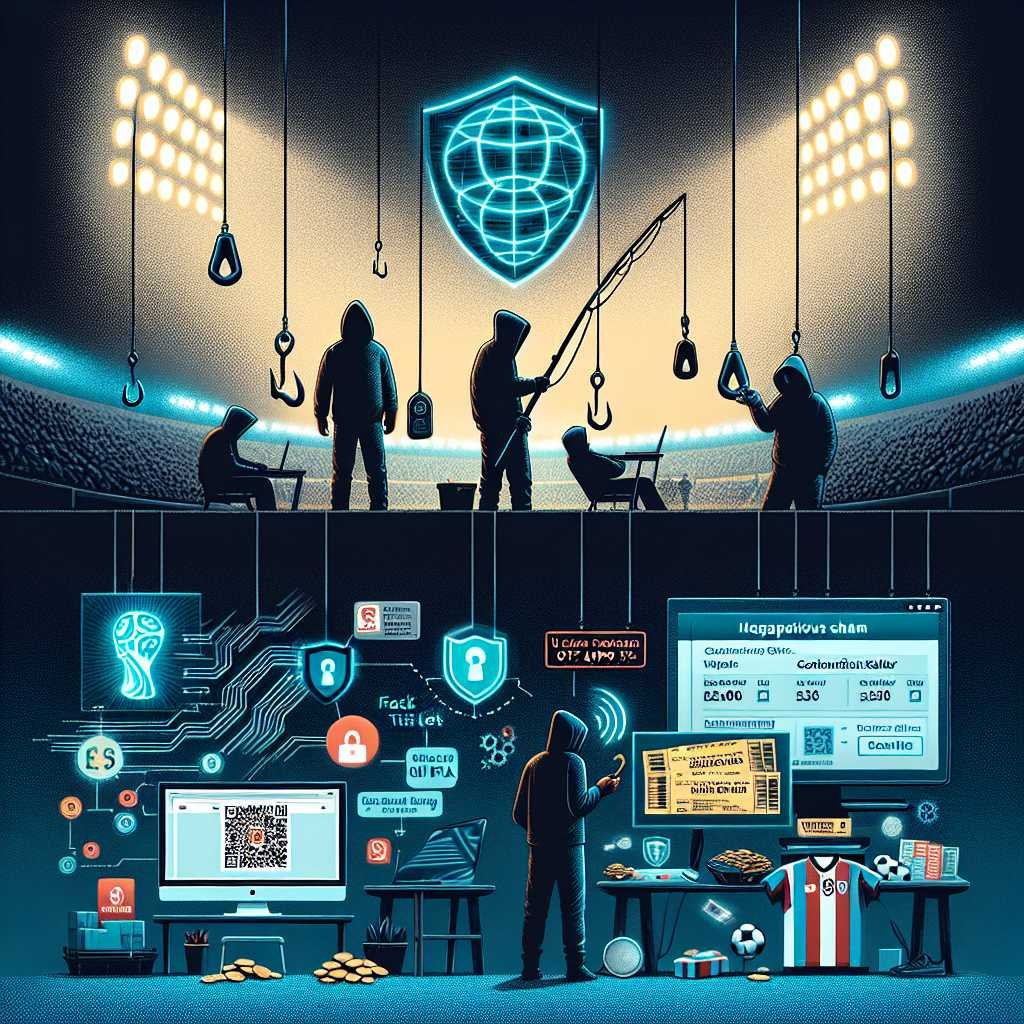
If a “too good to be true” World Cup ticket deal lands in your inbox tomorrow, would you spot the trap? With the 2026 FIFA World Cup drawing near, cybercriminals are turning fan fever into a feeding frenzy—rolling out fake ticket sites, phishing emails that look like official promos, and slick merchandise stores primed to skim your card details. Cybersecurity firm Kaspersky is sounding the alarm, noting a surge in event-themed scams that weaponize excitement, scarcity, and official-looking branding to part fans from their money and data. As reported by The National, fraudsters are already pressing their advantage and will only intensify as kickoff approaches (source).
The good news: you can enjoy the build-up without becoming a statistic. Below, you’ll find the exact scam patterns to expect, how to verify offers in seconds, the protective tools worth using before you buy, and what to do if you slip up. Let’s outplay the scammers before they even step onto the field.
Why cybercriminals love mega-events like the World Cup
Big tournaments aren’t just about goals and glory—they’re a magnet for fraud. Understanding why helps you anticipate the plays.
Scarcity and FOMO drive risky clicks
- Limited seats, limited time, limited drops—scarcity nudges even savvy fans into rushed decisions.
- Countdown timers, “last 5 tickets,” and “exclusive pre-sales” amplify urgency, short-circuiting the part of your brain that would usually double-check.
A massive, global, multilingual audience
- The World Cup touches every continent. That gives scammers an unprecedented pool of targets and languages to work with.
- Templates are scalable: a single phishing kit can churn out thousands of localized “official” emails overnight.
Polished branding that mirrors the real thing
- Fraudsters blend real logos, color palettes, and design cues with malicious intent.
- With today’s design tools—and even AI—spoofs look nearly perfect at a glance.
This isn’t new—just more sophisticated
- Major events repeatedly see spikes in fraud: Olympics, previous FIFA tournaments, even the Women’s World Cup.
- What’s changed now is speed and believability. Realistic ticket pages, convincing checkout flows, and “live” customer support chats are common.
The scams you’ll see in the run-up to kickoff
Set your radar for these patterns. If something feels off, it often is.
1) Fake ticket marketplaces and “lottery winners”
What it looks like: – Sites claiming early access to “official” World Cup tickets, VIP packages, or transferable seats at steep discounts. – Emails or DMs telling you you’ve “won” a ticket lottery—just pay a “processing fee” or “reservation deposit.”
Red flags: – New domain names registered in the last few weeks. – No clear refund policy, or a vague one with impossible conditions. – Demands for bank transfers, cryptocurrency, or gift cards. – Typos, odd grammar, or mismatched contact details. – Claims that contradict official FIFA processes.
Reality check: – Always start from the official FIFA hub, not a link in an email or ad. Bookmark the real site: https://www.fifa.com/ – If there’s an official resale channel, it will be clearly referenced by FIFA. Anything else is high risk.
2) Phishing emails and SMS that mimic official promos
What it looks like: – Messages “from FIFA,” sponsors, or travel partners offering priority access, sweepstakes, and upgrades. – Link-shortened URLs, attachments named “Ticket_Confirmation.pdf” or “Invoice.docx,” and a request to “verify your account.”
Red flags: – Sender domains that are close—but not exact—matches. – Generic greetings (“Dear fan”) and urgent calls to action. – Attachments you didn’t ask for, or sign-in pages requesting passwords and 2FA codes.
Reality check: – Don’t click from the message. Visit the supposed sender via your own bookmark. – Check for authenticated senders (many providers now show verified brand indicators for real organizations). – Learn to recognize and report phishing through trusted guides from CISA and NCSC: – CISA: Recognizing and reporting phishing (link) – NCSC (UK): Phishing guidance (link)
3) Bogus merch stores and counterfeit collectibles
What it looks like: – “Official World Cup 2026” shirts, scarves, and plush toys sold at heavy discounts. – Flash sales touted on social media, sometimes through influencer posts or paid ads.
Red flags: – No physical address, or a generic one that doesn’t exist on maps. – Only debit/crypto/bank transfer—no credit card or known payment processors. – Reviews that look copy-pasted or date only from the last few days.
Reality check: – Use credit cards for purchase protections and chargebacks. – Search brand name + “scam” + “reviews,” and check the site’s age via WHOIS: https://who.is/ – Look for reputable retailers linked from official team pages or FIFA partners.
4) Travel package traps and accommodation scams
What it looks like: – Bundled deals for “host city hotels + match tickets + shuttles.” – Fake apartment listings that demand deposits via wire transfer.
Red flags: – Sellers refuse video walkthroughs, direct calls, or verifiable contracts. – Prices far below market rates during peak event weeks. – No presence on recognized travel platforms with buyer protections.
Reality check: – Cross-check hotels and listings on verified platforms and confirm reservations directly with the property. – Avoid paying large deposits off-platform.
5) Social media impersonation and giveaway bots
What it looks like: – “Official” pages with stolen logos running giveaways and retweet-to-win contests. – DM requests for fees, taxes, or card verification to “release your prize.”
Red flags: – Recently created profiles with explosive follower counts. – Handles with subtle misspellings or extra characters. – Comment sections full of bot-like praise, copycat replies, or unrelated spam.
Reality check: – Verify blue checks aren’t fake—look at handle spelling and post history. – Real contests don’t ask for card details or fees to claim a prize.
6) QR code cons at fan zones and pop-ups
What it looks like: – Flyers, posters, or on-screen QR codes promising special access or discounts. – Codes that redirect to credential harvesters or malicious app downloads.
Reality check: – If you don’t trust the source, don’t scan. Use official apps from recognized app stores. – Type URLs manually for anything finance-related.
Verifying before you buy or click: a quick playbook
Here’s how to vet offers fast—without needing to be a security pro.
The 10-second checks
- Inspect the URL carefully. Scammers use lookalikes like “fiifa” or hyphenated domains.
- Don’t rely on the padlock alone. HTTPS means encryption, not legitimacy.
- Watch for odd grammar, pixelated logos, or inconsistent branding.
- Compare prices to official rates. Huge discounts during peak demand are rare.
Tools to help: – Google Safe Browsing check: https://transparencyreport.google.com/safe-browsing/search – VirusTotal for scanning links/files: https://www.virustotal.com/
Go a level deeper
- Check domain age and ownership on WHOIS: https://who.is/
- See if the site existed months or years ago via the Wayback Machine: https://web.archive.org/
- Read the refund and contact pages. Real businesses have detailed, legally compliant policies with traceable addresses and reachable support.
- Payment methods matter. Prefer credit cards and trusted processors; avoid bank transfers and crypto for first-time vendors.
Email and SMS validation
- In Gmail/Outlook, expand sender details to view the true domain.
- Look for signs of email authentication (SPF, DKIM, DMARC). Some clients show “verified” indicators for brands.
- Suspicious headers? Analyze them with MXToolbox: https://mxtoolbox.com/EmailHeaders.aspx
Helpful phishing primers: – Kaspersky: What is phishing? (link) – Microsoft: Protect yourself from phishing (link Oops—avoid malformed. We’ll skip Microsoft link or replace with Google link. We need clean links only. Let’s pick Google’s phishing page. – Google: Avoid and report phishing (link)
Sanity-check “official” ticketing claims
- Start at FIFA’s official site: https://www.fifa.com/
- Cross-reference any partner URLs against FIFA’s published partners/sponsors page.
- Avoid “resale” platforms not explicitly endorsed by FIFA.
Payment hygiene
- Use virtual card numbers where possible.
- Prefer credit cards over debit for stronger dispute rights.
- Enable transaction alerts so you spot unauthorized charges instantly.
- Keep a dedicated “fan purchases” card with a low limit.
Build your World Cup security stack now
A few tools and settings go a long way toward making scams ineffective.
Essential tools for fans
- Password manager to eliminate reused credentials and spot fake logins.
- Two-factor authentication (prefer app-based or security keys over SMS).
- Reputable endpoint security to flag phishing and malicious downloads (consider well-known vendors).
- A secure DNS or browser protections to block known bad sites.
- Ad and script blockers to reduce malvertising.
Useful resources: – Have I Been Pwned (check if your email was in a breach): https://haveibeenpwned.com/ – Browser safety basics: – Chrome Safe Browsing: https://support.google.com/chrome/answer/99020 – Firefox phishing/malware protection: https://support.mozilla.org/en-US/kb/how-does-phishing-and-malware-protection-work – Safari fraudulent website warning: https://support.apple.com/guide/safari/warnings-about-fraudulent-websites-ibrw1069/mac
Email filtering that actually works
- Train your inbox: mark phish as spam, and unmark legit messages—your filters get smarter.
- Create rules to quarantine messages with ticket/merch keywords from unknown senders.
- Disable automatic loading of remote images to prevent tracking and fingerprinting.
Safer browsing on mobile
- Install official apps only via the Apple App Store or Google Play.
- Review app permissions—ticket or merch apps don’t need your contacts or location by default.
- Keep your OS and apps up to date; updates often patch exploited vulnerabilities.
For businesses, brands, and organizers: raise your defensive line
Fans aren’t the only targets—brands and partners are impersonated too. Reduce the attack surface now.
Lock down your email identity
- Publish and enforce SPF, DKIM, and DMARC. Aim for DMARC p=reject to stop spoofing at scale. Learn more at https://dmarc.org/
- Implement BIMI so verified emails display your logo in supported clients: https://bimigroup.org/
- Monitor for lookalike domains and register obvious typosquats preemptively.
Monitor for brand abuse
- Use threat intel feeds and brand monitoring to detect phishing kits, fake ads, and counterfeit stores.
- Establish takedown workflows with registrars and social platforms for rapid response.
Harden customer touchpoints
- Add prominent “how to buy safely” guidance on official sites.
- Use clean, consistent domains, and avoid unnecessary redirects.
- Enable strong bot and fraud detection on checkout to spot stolen cards and patterns.
Train your team and your audience
- Run internal phishing simulations for staff and partners.
- Launch public awareness campaigns timed to major ticketing milestones and key dates.
If you think you were scammed: act immediately
Speed matters. Here’s a practical checklist.
1) Cut off payment and access – Contact your bank/card issuer to freeze the card and dispute charges. – If you used a payment app, initiate a cancellation/refund immediately. – If you entered a password, change it everywhere it’s reused and enable 2FA.
2) Secure your devices and accounts – Run a full malware scan on the device you used. – Review account activity and sign out of all sessions you don’t recognize. – Rotate recovery emails/phones if they may be exposed.
3) Protect your identity – Watch for unusual logins, password reset emails, and new account sign-ups in your name. – Consider a credit freeze or fraud alert where available.
4) Report it—help others avoid the same trap – US: Report to the FBI’s IC3 (https://www.ic3.gov/) and the FTC (https://reportfraud.ftc.gov/) – UK: Action Fraud (https://www.actionfraud.police.uk/) – EU/international: econsumer.gov (https://www.econsumer.gov/) – Share the fraudulent URL with your bank’s fraud team and consider submitting it to Safe Browsing/Browser report channels.
5) Preserve evidence – Save emails, receipts, chat logs, and screenshots. – Note transaction IDs, dates, and any phone numbers or profiles used.
The anatomy of a fake ticket site: spot the tells
When you land on a ticket page, run through this mental model:
- Domain: Is it brand-new, oddly hyphenated, or a misspelling? Check WHOIS for recent registration.
- Branding: Do fonts, spacing, and logos match official pages? Compare side by side with the real fifa.com.
- URLs on pages: Hover over buttons—do they lead to the same domain, or bounce to a different site?
- Checkout: Are there normal payment options and a reputable processor? Or are you pushed to wire/crypto/gift cards?
- Policies: Is there a robust refund policy, full company address, and multiple support channels?
- Pressure tactics: Timers, pop-ups saying “12 people are viewing this seat,” and stock counters that reset on refresh.
- Reviews: Do they look genuine and long-standing, or are they all brand-new and suspiciously glowing?
If two or more of these feels off, walk away.
Smart habits for the entire tournament
- Bookmark official sources now and use those bookmarks every time.
- Don’t buy from links in social comments or DMs—go to the source.
- Keep personal and payment info minimal—if a site asks for extras, ask why.
- Use a unique email alias for ticketing and merch to limit cross-site exposure.
- Turn on account and card transaction alerts; you’ll catch misuse fast.
FAQs
Q: How do I buy real FIFA World Cup 2026 tickets safely? A: Start at FIFA’s official site: https://www.fifa.com/. Follow only the ticketing links provided there or via officially named partners. Avoid third-party resellers unless FIFA explicitly endorses a resale platform.
Q: Are any third-party marketplaces safe for tickets? A: Safety varies. Unless FIFA lists an authorized resale channel, assume high risk. Even well-known marketplaces have counterfeit listings. If you proceed, use credit cards, review buyer protections, and verify seat transfer policies in writing.
Q: An email says I won a ticket lottery. Legit? A: Treat it as a scam unless you can independently confirm with FIFA via their official site or verified contact channels. Legitimate entities won’t ask for fees or sensitive data to claim a prize.
Q: The site has a padlock (HTTPS). Does that mean it’s safe? A: No. HTTPS only encrypts the connection; scammers use it too. Validate the domain, business details, refund policy, and payment options.
Q: I already entered my card details on a suspicious site. What should I do? A: Contact your card issuer to freeze the card and dispute charges, monitor statements, and consider replacing the card. If you created an account, change the password everywhere it’s reused and enable 2FA.
Q: How can I check if a link or file is malicious? A: Use VirusTotal (https://www.virustotal.com/) to scan URLs and files. Check site reputation with Google’s Safe Browsing (https://transparencyreport.google.com/safe-browsing/search).
Q: Where do I report World Cup-related scams? A: Report to your national fraud agency (e.g., IC3 in the US, Action Fraud in the UK, econsumer.gov internationally). Also report the site to your bank and browser vendor. Save all evidence.
Q: Is public Wi-Fi safe at fan zones or airports? A: It’s higher risk. Avoid logging into sensitive accounts or making purchases over open Wi‑Fi. Use your mobile data or a trusted VPN, and ensure sites are HTTPS.
Q: Are QR codes safe to scan for discounts or schedules? A: Only if you trust the source. Inspect the URL after scanning and avoid entering credentials or payment info from QR codes you didn’t expect.
Q: What security tools should I install before the tournament? A: A password manager, app-based 2FA, reputable endpoint security, and a browser with phishing/malware protection enabled. Set up transaction alerts with your bank.
Q: How do I know if my email or password was leaked? A: Check Have I Been Pwned (https://haveibeenpwned.com/). If you’re exposed, change affected passwords and turn on 2FA.
The bottom line
Scammers are betting that excitement will outrun caution during World Cup 2026. As Kaspersky and others warn, expect polished phishing emails, fake ticketing portals, and bogus merch stores designed to capture your money and data. Beat them with a simple game plan: start from official FIFA sources, verify domains and payment flows, use credit cards and alerts, and keep your defenses—password manager, 2FA, reputable security—switched on.
If something feels rushed, secret, or surprisingly cheap, let it go. There will always be another match, another drop, another official sale. Protect your wallet and identity now, so the only thing you’re screaming about this summer is a last‑minute winner.
Discover more at InnoVirtuoso.com
I would love some feedback on my writing so if you have any, please don’t hesitate to leave a comment around here or in any platforms that is convenient for you.
For more on tech and other topics, explore InnoVirtuoso.com anytime. Subscribe to my newsletter and join our growing community—we’ll create something magical together. I promise, it’ll never be boring!
Stay updated with the latest news—subscribe to our newsletter today!
Thank you all—wishing you an amazing day ahead!
Read more related Articles at InnoVirtuoso
- How to Completely Turn Off Google AI on Your Android Phone
- The Best AI Jokes of the Month: February Edition
- Introducing SpoofDPI: Bypassing Deep Packet Inspection
- Getting Started with shadps4: Your Guide to the PlayStation 4 Emulator
- Sophos Pricing in 2025: A Guide to Intercept X Endpoint Protection
- The Essential Requirements for Augmented Reality: A Comprehensive Guide
- Harvard: A Legacy of Achievements and a Path Towards the Future
- Unlocking the Secrets of Prompt Engineering: 5 Must-Read Books That Will Revolutionize You