cPanel Zero-Day CVE-2026-41940: Active Exploitation Timeline, Patching Guidance, and Incident Response Playbook
A critical authentication bypass in cPanel (CVE-2026-41940, CVSS 9.8) has been exploited in the wild for weeks, granting attackers full control over hosting servers and the websites they manage. Despite the absence of public proof-of-concept code early on, threat actors moved quickly—scanning at scale, testing exploits, and escalating to coordinated campaigns soon after limited details emerged.
This matters because cPanel underpins a massive share of the shared and managed hosting ecosystem. With one flaw, an attacker can potentially commandeer thousands of sites per server, manipulate DNS and mail, and plant high‑resilience backdoors. This guide distills what happened, why it’s dangerous, and how to respond—today—with concrete steps, checks, and hardening tactics that stand up to real‑world operations.
You’ll leave with a patching sequence, logs to inspect, IoCs to consider, and security controls to apply so that your cPanel/WHM environment is recoverable now and more resilient to the next zero‑day.
What we know about the cPanel zero-day CVE-2026-41940
- Severity: Critical authentication bypass (CVSS 9.8). For business impact, think full administrative control of the cPanel/WHM host and every tenant website on it. For context on scoring, see NIST’s overview of CVSS metrics and severity.
- Exploitation window: Exploitation activity began at least in late February 2026 and accelerated following public awareness and patch availability near the end of April.
- Vendor response: cPanel’s parent company issued an advisory and pushed patches hours later, but reports indicate earlier signals were initially dismissed, introducing an exploitable gap.
- Threat activity: Observers recorded tens of thousands of unique IPs probing and running exploits against honeypots, and major hosting providers temporarily blocked cPanel/WHM ports to safely roll out patches. The U.S. government’s security agency CISA added the vulnerability to its Known Exploited Vulnerabilities catalog, a strong indicator that exploitation risk is not theoretical and that patching should be prioritized.
- Scale at risk: Estimates suggest well over a million internet-exposed cPanel instances, with hundreds of thousands visible on any given day. Even with quick vendor patches, the long tail of unpatched or poorly segmented servers remains a target.
Bottom line: If your cPanel/WHM ports are reachable from the internet and you haven’t patched, assume attempted exploitation and start containment and verification right away.
Why authentication bypass in control panels is so dangerous
Authentication bypass isn’t “just another bug.” In a system like cPanel, it lands squarely in the worst‑case category:
- Control plane compromise: cPanel/WHM is the control plane for websites, DNS, email, databases, and service configuration. A bypass there turns an attacker into the platform admin.
- Multi-tenant blast radius: One compromised host can cascade into dozens or hundreds of sites, each with separate application stacks and users.
- Stealth persistence: Attackers can create rogue admin users, modify cron jobs, implant web shells under multiple vhosts, or edit Apache/Nginx configs to trigger malicious includes on each request.
- Supply‑chain leverage: The host may manage SSL/TLS, backups, and third‑party integrations, giving attackers more vectors to pivot.
From a security engineering standpoint, this maps to “Exploit Public-Facing Application” in the MITRE ATT&CK framework, a tactic threat actors reliably use to gain an initial foothold before privilege escalation and lateral movement. See MITRE ATT&CK’s write‑up on Exploiting Public-Facing Applications for common techniques and detection ideas.
In the OWASP Top 10, an auth bypass often surfaces as Broken Access Control (A01:2021). If you maintain or assess control panels and admin consoles, OWASP’s guidance on Broken Access Control is essential reading.
Exposure at internet scale: scanning, exploitation, and threat models
When a zero‑day hits a widely deployed admin interface, the global internet behaves predictably:
- Rapid reconnaissance: Attackers and researchers alike sweep for exposed ports and known signatures. Shadowserver and other telemetry sources observed sustained scanning surges as soon as rumors and partial details surfaced. See Shadowserver’s overview of network reporting and scans to understand how these waves are tracked.
- Move to active exploitation: As exploit reliability improves, actors transition from probing to mass exploitation. By the first week of May, activity had evolved into multi‑actor campaigns, not just curiosity.
- Opportunistic persistence: After initial access, adversaries focus on durable footholds—adding SSH keys, creating hidden admin accounts, and placing server- and vhost‑level backdoors in writable web roots.
- Monetization and misuse: Expect SEO spam, malware distribution, affiliate fraud, credential harvesting, and staging for further intrusions against downstream targets using trust relationships.
For defenders, the threat model is clear: assume automated attacks will reach you. Your compensating controls (WAFs, ACLs, rate limiting, MFA to admin paths, and off‑box monitoring) must be in place before the next critical advisory drops, not after.
Immediate actions: patch, contain, verify
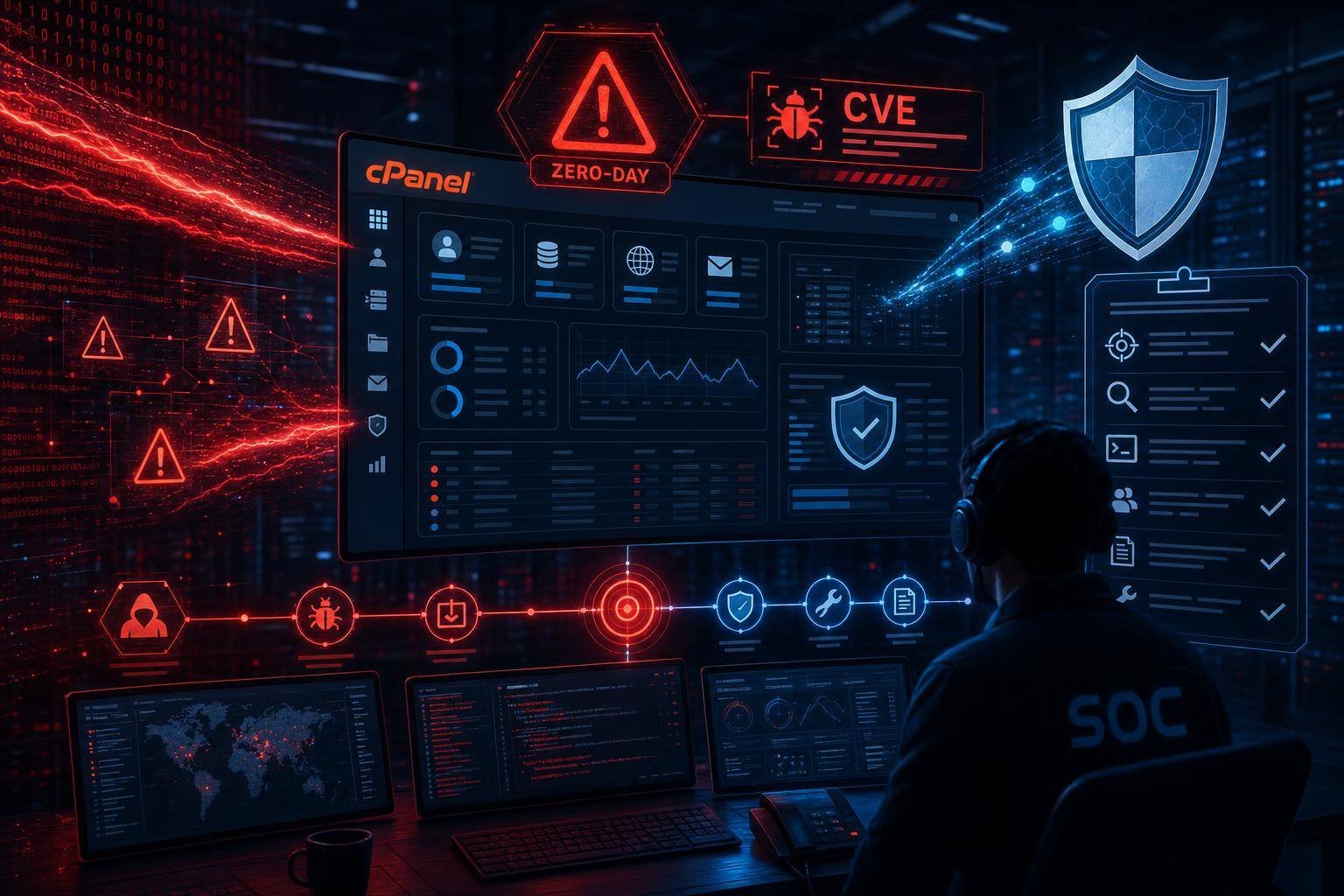
If you run cPanel/WHM on any internet‑reachable host, take these steps in order. Treat this as a rolling playbook you can reuse for any similar control‑plane zero‑day.
1) Identify and inventory exposed instances – Enumerate all cPanel/WHM hosts, including test and staging. Don’t forget ephemeral cloud instances spun up for projects. – Track exposure: cPanel commonly uses 2082/2083 (cPanel) and 2086/2087 (WHM). Confirm inbound rules on security groups, firewalls, and upstream edge devices. cPanel documents required ports and firewall expectations in How to Configure Your Firewall for cPanel Services.
2) Contain exposure before patching – Temporarily restrict cPanel/WHM ports to admin IPs or via VPN/Zero Trust access; if possible, block the ports at the provider edge to reduce attack traffic while you patch. – Snapshot or back up the host and critical account data before any major changes.
3) Patch quickly and verify
– Use the official update mechanism. On most installs, running the cPanel update script (for example, /usr/local/cpanel/scripts/upcp --force) fetches and applies the latest fixed builds.
– After patching, reboot if recommended by vendor notes; then re‑run the updater to verify everything is current.
– Validate services: Can you still access WHM securely from an approved IP? Do Apache/Nginx, PHP-FPM, MySQL/MariaDB, Exim, Dovecot, and DNS start cleanly?
4) Run platform checks – In WHM, use Security Advisor to identify insecure defaults, weak settings, and missing controls. See cPanel’s Security Advisor documentation for guidance on remediation priorities. – Confirm MFA on all administrative users and disable unnecessary admin accounts.
5) Begin compromise assessment (see the next section for depth) – Even after patching, assume the potential for prior exploitation. Start log review and IOC scans before reopening ports.
6) Communicate – Notify internal stakeholders that urgent patching is complete but verification is in progress. – For hosting providers and MSPs, prepare customer‑facing comms with clear timelines and actions required from site owners (password rotations, plugin updates, restore procedures if needed).
7) Reopen access cautiously – When you’re confident on patch status and compromise assessment, remove temporary ACLs gradually. Prefer making WHM accessible only via VPN or Zero Trust and keep cPanel user portals restricted by geography or IP where possible.
How to hunt for compromise on cPanel/WHM hosts
The key risk with CVE-2026-41940 is that attackers could have achieved admin control prior to your patch. Focus on persistence artifacts and unusual changes. Triaging a busy hosting node is noisy; prioritize the following checks.
Account and access anomalies – New or modified WHM/cPanel users: Review recent account creations and privilege escalations. Look for unexpected reseller accounts or accounts with shell access. – SSH keys and users: Inspect /root/.ssh/authorized_keys and users in /etc/passwd for additions. Check the lastlog and wtmp for unusual logins and times. – MFA bypass: Verify that MFA is still enforced on admin accounts and that MFA devices weren’t replaced.
File system and webroot integrity – Recent file changes across all vhosts: Look for obfuscated PHP files, odd index.php replacements, stray .ico or .jpg files that are executable, and new .htaccess rewrite rules injecting external scripts. – Cron jobs: Inspect /etc/cron.* and individual user crontabs for unauthorized scheduled tasks, especially those invoking curl/wget or PHP CLI. – Service configuration drift: Review Apache/Nginx includes and PHP-FPM pool configs for unknown directives, unexpected auto_prepend_file settings, or hidden includes.
Network and process review – Listening services: Confirm only expected daemons are bound; a new listener on high ports can indicate a backdoor or SOCKS proxy. – Outbound connections: Review netstat or ss output and firewall logs for connections to suspicious external IPs, particularly on atypical ports or to bulletproof hosting ranges.
Logs to examine – cPanel/WHM access and login logs: /usr/local/cpanel/logs/access_log and login_log. Search for unusual source IPs or bursts of failed logins followed by success. – Webserver logs: /usr/local/apache/logs/access_log (or Nginx logs) across all vhosts. Filter for POSTs to admin or upload endpoints, strange query strings, or base64 chunks. – Mail logs (Exim) and auth logs for signs of spam bursts or privilege escalations.
Integrity and malware scanning – Run a file integrity check against known‑good baselines if you keep them. – Use your preferred EDR/antivirus engine for Linux to scan common webshell patterns. Combine with grep routines for functions like eval, base64_decode, gzinflate, and system in new or modified PHP files.
If you uncover evidence of compromise, escalate to an incident response path: isolate the host, preserve forensic artifacts, consider restoring from a known‑good backup, and reset all secrets. For a structured process, NIST’s Computer Security Incident Handling Guide (SP 800‑61r2) remains a reliable framework.
Hardening your cPanel estate for the long term
The next zero‑day is inevitable. Your job is to make exploitation harder, detection faster, and recovery cheaper. Use this as a hardening checklist.
Reduce attack surface – Gate admin interfaces: Restrict WHM and cPanel ports to a management VPN or Zero Trust service. Avoid exposing 2082/2083/2086/2087 directly to the open internet whenever possible. cPanel’s firewall configuration guide details the required ports; lock them down to known ranges. – Enforce HTTPS-only access with strong TLS. Redirect plaintext admin endpoints to TLS and disable legacy ciphers.
Strengthen authentication and authorization – Mandatory MFA for all administrative and reseller accounts. – Disable password‑based SSH for root; require key‑based auth and, ideally, SSH certificates. – Review reseller privileges and remove unused or overly broad roles. Apply least privilege to service accounts.
Apply compensating controls – Web application firewall (WAF) at the edge: While not a silver bullet for auth bypasses, a WAF can filter commodity exploit traffic, apply virtual patches, and block obvious payloads while you roll out updates. See Cloudflare’s WAF documentation for patterns and deployment modes. – Rate limiting and geo fencing for admin endpoints to reduce high‑volume brute forcing and automated scraping.
Improve visibility and detection – Centralize logs: Ship cPanel, webserver, mail, and auth logs to your SIEM. Create alerts for admin logins from new geographies, sudden spikes of POSTs to upload endpoints, and large auth failure bursts followed by success. – Baseline and alert on config drift in webserver and PHP-FPM includes. Track changes to /etc and /usr/local/*/conf paths. – Enable and tune native protections: Leverage cPHulk, ModSecurity, and Security Advisor, and confirm they’re actually in preventive modes, not only reporting.
Modernize patch and asset management – Adopt a channeling and ringed deployment model: patch non‑critical hosts first, then critical ones after a short soak period—balanced against the urgency of KEV‑listed vulnerabilities. – Maintain a current CMDB for hosting nodes and a defined recovery runbook per environment. Tie it to your CI/CD or infra‑as‑code so network and ACL changes are consistent and auditable.
Backup and recovery discipline – Keep versioned, off‑host, immutable backups of system configs and customer data. Test restores quarterly. – For shared hosting, consider per‑tenant backup segmentation to prevent cross‑contamination during restores.
Map to recognized controls for continuous improvement – The CIS Controls v8 provide a pragmatic, prioritized roadmap for most organizations. Align your cPanel environment with CIS Controls across inventory, secure configuration, continuous vulnerability management, and incident response.
Governance, communication, and third‑party risk
- Vendor relationships: Document SLAs for vulnerability response with your hosting or platform providers, including timelines to block risky ports, apply patches, and communicate status updates.
- Customer comms: If you’re a provider, publish a clear post‑incident report that separates exposure from confirmed compromise, and lay out required customer actions (e.g., credential resets, plugin updates). Transparency builds trust.
- Legal and compliance: If compromise is confirmed with potential data exposure, coordinate with legal on notification requirements in relevant jurisdictions. Preserve forensic artifacts and maintain a defensible timeline of actions taken.
- Third‑party modules and themes: The control plane patch is necessary but not sufficient. Remind site owners that CMS, plugin, and theme vulnerabilities are often exploited in tandem. Provide curated guidance or managed patching services where feasible.
What this episode teaches about zero‑day readiness
CVE-2026-41940 is a textbook demonstration of why zero‑day preparedness is an operational capability, not a document in a wiki. A few lessons to internalize:
- Assume exploitation without public proof. The absence of a public PoC doesn’t mean safety. Telemetry often shows active abuse well before disclosure.
- Design for failure at the control plane. Limit who can reach admin paths, enforce MFA, and segment management interfaces behind VPN/Zero Trust.
- Practice temporal containment. Your ability to quickly block ports, push ACL updates, and enable emergency WAF rules buys time to patch without bleeding risk.
- Standardize the response. A predefined playbook for discovery, containment, patching, hunting, and comms reduces errors and downtime.
Practical response checklist for CVE-2026-41940
Use this quick list to drive action in the next 24–72 hours.
- Inventory: Identify every cPanel/WHM instance, including ephemeral and staging.
- Contain: Restrict ports 2082/2083/2086/2087 to admin networks or VPN temporarily.
- Patch: Run the cPanel updater on all hosts; verify versions are current.
- Validate: Check core services and re‑enable MFA everywhere.
- Hunt: Review cPanel/WHM logs, webroot changes, cron jobs, SSH keys, and suspicious listeners.
- Clean: Remove any rogue users, keys, and webshells; rotate credentials, API tokens, and reseller passwords.
- Monitor: Set short‑term heightened alerts for admin logins and anomalous outbound traffic.
- Communicate: Notify stakeholders and, if you’re a provider, your customers. Provide steps and timelines.
- Harden: Keep admin interfaces gated; implement WAF/virtual patching as an added layer; centralize logs.
FAQ
What is CVE-2026-41940 and why is it critical? – It’s a critical authentication bypass in cPanel/WHM (CVSS 9.8) that can give an attacker administrative control of the host and all managed websites. Control panels are high‑impact targets because they centralize credentials, configuration, and data access.
How do I know if my server was exploited before I patched? – Look for new admin or reseller accounts, unexpected SSH keys, modified vhost webroots with obfuscated PHP files, suspicious cron jobs, and unusual admin logins in /usr/local/cpanel/logs/login_log. If in doubt, treat the host as compromised and follow a formal incident response process.
Can a WAF protect me from this cPanel zero‑day? – A WAF can reduce opportunistic attacks and buy time with virtual patches, but it is not a guaranteed fix for authentication bypasses. Use it as a compensating control while you patch and tighten network access. See Cloudflare’s WAF documentation for implementation options.
Which ports are risky, and should I block them? – cPanel and WHM commonly use 2082/2083 and 2086/2087. Restrict these to management networks or VPN access at all times, not just during emergencies. cPanel’s guide on firewall configuration for cPanel services lists the relevant ports.
Is CVE-2026-41940 actively exploited? – Yes. The vulnerability was added to CISA’s Known Exploited Vulnerabilities catalog, signaling confirmed exploitation and the need for immediate remediation.
How should I prioritize this against other patching? – Treat it as top priority because it impacts an internet‑facing admin interface with potential for full host compromise. Apply emergency containment (ACLs, WAF rules), then patch and verify. For broader triage, lean on NIST CVSS guidance and KEV listings to rank urgent fixes.
Conclusion: treat cPanel zero-days like fire drills—then make them routine
CVE-2026-41940 shows how quickly a control‑plane zero‑day can go from rumor to mass exploitation. If your cPanel/WHM ports are open to the internet, assume probing happened and act accordingly. Patch immediately, restrict access, and hunt for persistence. Then harden for the future: gate admin paths, enforce MFA, centralize logs, and script your emergency controls so you can flip them in minutes.
The strongest defense is preparedness. Build the muscle memory now—because the next cPanel zero‑day, or a critical flaw in another control pane you rely on, will come. Align with well‑known frameworks, from OWASP’s focus on access control to NIST’s incident handling and the CIS Controls, and keep a close eye on CISA’s KEV catalog for prioritization signals. If you embed these practices into your operations, you’ll turn a fire drill into a manageable routine—and keep CVE-2026-41940 from becoming a long‑term, hidden breach.
Discover more at InnoVirtuoso.com
I would love some feedback on my writing so if you have any, please don’t hesitate to leave a comment around here or in any platforms that is convenient for you.
For more on tech and other topics, explore InnoVirtuoso.com anytime. Subscribe to my newsletter and join our growing community—we’ll create something magical together. I promise, it’ll never be boring!
Stay updated with the latest news—subscribe to our newsletter today!
Thank you all—wishing you an amazing day ahead!
Read more related Articles at InnoVirtuoso
- How to Completely Turn Off Google AI on Your Android Phone
- The Best AI Jokes of the Month: February Edition
- Introducing SpoofDPI: Bypassing Deep Packet Inspection
- Getting Started with shadps4: Your Guide to the PlayStation 4 Emulator
- Sophos Pricing in 2025: A Guide to Intercept X Endpoint Protection
- The Essential Requirements for Augmented Reality: A Comprehensive Guide
- Harvard: A Legacy of Achievements and a Path Towards the Future
- Unlocking the Secrets of Prompt Engineering: 5 Must-Read Books That Will Revolutionize You