Inside the Python Backdoor DEEP#DOOR: How Tunneling Services Enable Stealthy Browser and System Data Theft
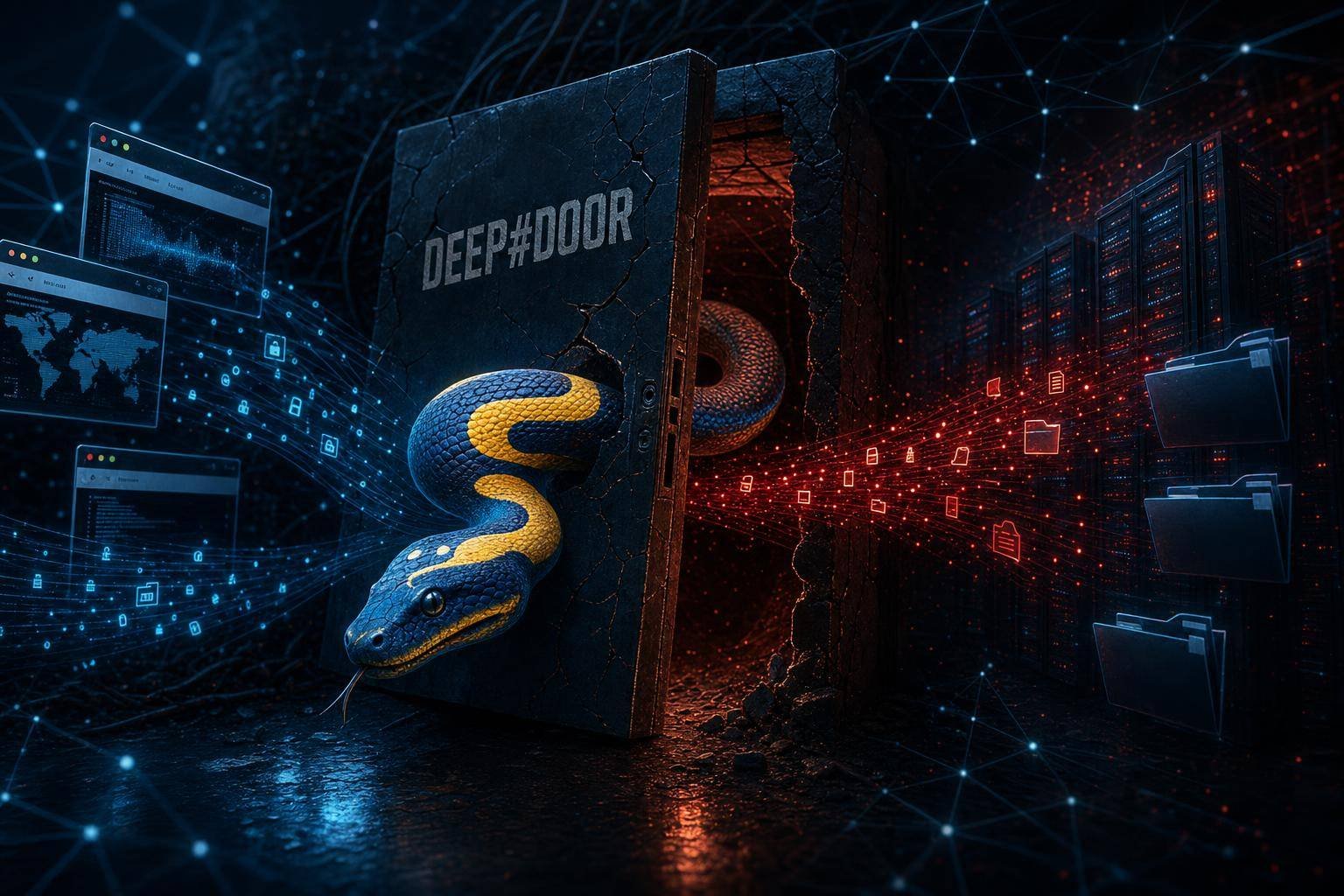
A newly observed Python backdoor framework dubbed DEEP#DOOR shows how quietly modern malware can burrow into Windows systems, persist across reboots, and siphon off sensitive browser and system data—without raising many alarms. It doesn’t rely on flashy zero-days or exotic implants. Instead, it weaponizes well-known Windows persistence mechanisms and blends its outbound traffic into common developer tooling and IT workflows by abusing tunneling services.
Why this matters now: tunneling has become a standard part of software delivery and remote work. That gives adversaries cover. When a backdoor like DEEP#DOOR sets up persistence through Startup folders, Run keys, scheduled tasks, and optional WMI subscriptions, even robust endpoint monitoring can miss its quieter behaviors. The result is a durable foothold and a reliable path to exfiltrate cookies, credentials, and session tokens—assets that unlock far more than a single endpoint.
Below, we unpack what’s known about the Python backdoor DEEP#DOOR, map its techniques to common frameworks, explain how tunneling services complicate network detection, and provide a practical, prioritized defense playbook for security and IT teams.
What is the Python backdoor DEEP#DOOR?
Security researchers report that DEEP#DOOR is a Python-based backdoor framework delivered primarily via phishing. The initial access phase uses a Windows batch script (install_obf.bat) that disables built-in protections and extracts an obfuscated Python payload (svc.py). Once resident, DEEP#DOOR establishes multiple layers of persistence and quietly harvests browser and system data, exfiltrating it through a tunneling service to remote operators.
A few important context points: – Distribution appears limited. Public reporting suggests DEEP#DOOR is not part of a widespread campaign at the time of writing, and observed use looks selective and somewhat targeted. – It exemplifies the evolution of Python malware. Python remains attractive to threat actors thanks to rapid development, easy packaging, and a deep ecosystem of libraries for credential theft, data collection, and networking. – The persistence model is defense-aware. By setting several redundant autostart points, the framework raises the attacker’s odds of surviving reboots and partial remediation.
In short, DEEP#DOOR is a modern, practical backdoor that relies on legitimate features of Windows and the developer ecosystem rather than any single flashy exploit.
The DEEP#DOOR intrusion chain, step by step
The specifics of each intrusion can vary, but the observed chain has common building blocks. Think of it as an assembly line: social engineering to gain execution, defense evasion, payload staging, multi-pronged persistence, and stealthy exfiltration.
Initial access: familiar phishing, familiar risks
DEEP#DOOR arrives the way so many intrusions do—through social engineering. Lures may be HR notices, invoices, delivery slips, or internal memos. Attackers count on a recipient to double-click a batched installer (install_obf.bat), granting them an initial execution foothold under the user’s context.
For defenders, this is a reminder that phishing remains the fastest path to code execution on endpoints. Proactive anti-phishing measures—email authentication, safe link rewriting, and targeted awareness—still blunt the majority of attempts. CISA maintains accessible guidance on recognizing and reporting social engineering and phishing attempts to help reinforce basic hygiene across teams: CISA phishing guidance.
Defense evasion: tampering with built-in protections
The batch script aims to disable or weaken Windows security controls before staging the Python payload. Tactics may include stopping security services, toggling registry policies, or turning off real-time protection.
Organizations should harden against this class of tampering. Enforcing endpoint security policies, least privilege, and modern EDR, combined with features like Microsoft Defender’s Tamper Protection, makes it significantly harder for batched scripts to alter or disable protections at scale. See Microsoft’s guidance on Tamper Protection: Microsoft Defender for Endpoint – Tamper Protection.
Payload extraction: deploying the Python agent (svc.py)
Once controls are degraded, the script extracts and runs an embedded Python agent (svc.py). Because Python payloads can be packed, frozen, or obfuscated in several ways, detections that rely on static signatures alone may miss early variants. Runtime telemetry—process hierarchy, command-line flags, network destinations—becomes vital.
Look for suspicious parent-child sequences such as cmd.exe → powershell.exe or cmd.exe → python.exe, especially if the parent process is a just-opened attachment, a newly created script, or an Office process via a macro-enabled document.
Persistence: redundant autostarts across Windows features
DEEP#DOOR establishes multiple persistence hooks to survive reboots and partial removal. Common mechanisms include:
- Startup folder and Run keys
- Attackers often drop links or scripts into Startup folders or set Run keys under HKCU/HKLM to guarantee autostart at logon. These are classic techniques cataloged by MITRE ATT&CK as Boot or Logon Autostart Execution: Registry Run Keys/Startup Folder (T1547.001).
- Scheduled tasks
- Creating or modifying scheduled tasks provides reliability and timing control (e.g., run at logon or hourly). This is documented as Scheduled Task/Job: Scheduled Task (T1053.005).
- WMI event subscriptions (optional)
- WMI subscriptions persist in the WMI repository and trigger code based on system events or timers. They are stealthy and survive reboots, aligned with Event-Triggered Execution: Windows Management Instrumentation Event Subscription (T1546.003).
Well-run enterprises monitor and routinely audit these autostart points. Simple hygiene—knowing “what should run at boot or logon” in your environment—pays off here.
Command-and-control and exfiltration through tunneling
Rather than beaconing directly to a suspicious C2 IP or domain, the backdoor leverages tunneling services. These services create an outbound-initiated, encrypted path between the compromised host and a relay exposed on the internet. That path often mimics legitimate developer behaviors (previewing webhooks, exposing a local service for testing, etc.). The effect is a stealthy channel for data theft, difficult to distinguish from normal development or remote work.
MITRE ATT&CK characterizes this broadly as Protocol Tunneling (T1572). For defenders, it means relying on simple domain or IP-based blocking is not enough.
Why tunneling services complicate detection and response
Tunneling services exist to make internal resources reachable from the outside without reconfiguring firewalls or opening inbound ports. Developers use them to demo apps, test webhooks, or share previews. Admins use them for quick remote access. That normalizes the traffic pattern attackers need.
Three reasons this undermines traditional network-based detections: – Outbound-initiated, TLS-wrapped traffic looks normal. Data exfiltration blends into HTTPS egress. Without deep inspection and context, it’s “just another encrypted session.” – Ephemeral endpoints frustrate allow/block lists. Tunnel endpoints rotate, relay via reputable infrastructure, and can be spun up under random subdomains in seconds. This narrows the visibility window for indicators of compromise. – Overlapping with legitimate workflows raises policy friction. If your CI/CD or developer teams depend on tunnels, bluntly blocking them can break productivity. That tension often leads to permissive defaults that attackers exploit.
Stronger controls help. Segment tunnel usage to dedicated developer VMs. Require justification and review for long-lived tunnels. Tag and inventory sanctioned tunnel clients. And treat outbound tunnels as privileged network actions, not casual conveniences.
What data is at risk? Browser and system artifacts
Backdoors that target “browser data” typically aim for three valuable categories:
- Session cookies and tokens
- High-value web app sessions can be hijacked if tokens are stolen, enabling access to cloud consoles, email, CRMs, and file storage without passwords or MFA re-prompt. Attackers may quickly pivot to cloud resources from a single endpoint.
- Saved credentials and autofill data
- On Windows, browsers rely on the Data Protection API (DPAPI) to encrypt stored secrets under the user context. If malware runs as that user, it can potentially request decryption via DPAPI calls to extract stored credentials or cookies. For foundational details, see Microsoft documentation on data protection (DPAPI).
- Browser history and form data
- Though less immediately powerful than tokens, these provide reconnaissance: service URLs, admin panels, internal dashboards, sensitive search queries, and lateral movement leads.
System artifacts also matter: – System inventory and environment variables (hostnames, domains, user profiles, PATH). – Installed software lists and versions (for targeting follow-on exploits). – Network configuration and proxy settings (for tuning C2 routes). – File system scans of Documents/Downloads/Desktop for sensitive files.
The practical takeaway: once a Python backdoor runs as the logged-in user, strong disk or browser encryption may not protect “live” secrets. The security boundary moves to preventing execution, containing privilege, and detecting exfiltration.
Detecting and eradicating DEEP#DOOR: a practical playbook
Teams need a response that balances speed with care. The following prioritized actions reduce risk quickly while building toward sustained resilience.
1) Immediate containment and triage
- Identify suspected hosts
- Use your SIEM/EDR to search for recent execution of .bat files sourced from email attachments, downloads, or temp directories—especially those spawning cmd.exe or powershell.exe followed by python.exe.
- Flag recent scheduled tasks or WMI subscriptions created by non-admin users or newly seen binaries.
- Isolate before you inspect
- Place suspected machines in a restricted VLAN or use EDR containment to block outbound network activity while keeping investigative access.
- Snapshot volatile data
- Capture EDR process trees, command-line arguments, recent network connections, and a list of autostart entries before rebooting or cleaning.
- Monitor for credential misuse
- If browser tokens or passwords are suspected stolen, monitor for anomalous cloud logins, new OAuth grants, unfamiliar IP addresses, and unusual access patterns.
2) Hunt for common persistence artifacts
Map your hunting to the likely hooks used by DEEP#DOOR:
- Startup folders and Registry Run keys
- Look for new items added within the incident timeframe, especially references to python.exe, .py, or suspicious batch scripts. Cross-check with MITRE T1547.001.
- Scheduled tasks
- Inspect tasks created or modified recently. Flag those that run scripts from user-writable paths or with obscure names and descriptions. See MITRE T1053.005.
- WMI event subscriptions
- Query for newly created filters, consumers, and bindings. Many EDR agents and Sysmon instrumentation surface these. For hands-on defenders, Microsoft Sysinternals’ Sysmon can log WMI filter/consumer events when properly configured: Sysmon documentation.
- Autoruns overview
- Use Microsoft Sysinternals Autoruns to enumerate and disable suspicious autostart entries across all known locations. It’s a fast, comprehensive view when time matters: Autoruns for Windows.
3) Watch the wire: tunneling indicators and anomalies
- Unusual TLS destinations
- Hunt for endpoints that recently began sending sustained volumes of HTTPS to unfamiliar domains. Compare against known developer tooling inventories.
- Developer tunnel clients on non-developer endpoints
- Identify tunnel binaries or processes on machines that shouldn’t be using them (e.g., finance workstations). Unexpected tunnel client execution is a strong signal.
- Long-lived outbound connections
- Persistent HTTPS connections from user devices during off-hours can indicate beaconing or exfiltration. Correlate with process lineage; tunnels often appear as child processes of scripting hosts or Python.
- Protocol tunneling behaviors
- Cross-check with ATT&CK for context and pattern matching of tunneling techniques: MITRE T1572.
4) Harden your endpoints
- Lock down security settings
- Enforce EDR/AV policies that prevent end users and scripts from disabling protections. Enable tamper protection features wherever available: Microsoft Defender Tamper Protection.
- Reduce script abuse
- Enable PowerShell script block logging and constrain PowerShell language mode for non-admins. Block or audit execution of scripts from user-writable directories via ASR-like policies.
- Prefer application control
- Use application allowlisting for high-risk user groups. Prevent unsigned or unknown scripts and binaries from executing unless explicitly approved.
- Tighten Python usage
- Inventory where Python is required. For other endpoints, block python.exe or require signed, vetted packages and virtual environments pinned to known-good sources.
5) Control tunneling service usage with guardrails
- Sanctioned vs. unsanctioned
- Publish a policy: Which tunnel clients are allowed, on which machines, for what purpose, and for how long?
- Network segmentation
- Restrict tunnel usage to dedicated development or staging subnets. Do not allow production data to traverse ad hoc tunnels.
- Egress and logging
- Use SSL inspection where policy permits and risk-appropriate to observe tunnel metadata. At a minimum, log SNI/ALPN and user-agent strings to identify unusual patterns.
- Just-in-time approvals
- Require time-bound approvals for tunnel creation. Auto-expire tunnels after short windows.
6) Patch the human layer: phishing defenses that work
- Modern email protections
- Enforce DMARC/DKIM/SPF, sandbox attachments, and rewrite/safe-click links. Pre-execution filtering stops many batched installers before the user sees them.
- Targeted security awareness
- Show employees real, recent examples of phishing that mimic your internal workflows. Reinforce report-first behaviors rather than blame.
- Rapid reporting loop
- Make it trivial to report suspicious messages. Ensure the SOC quickly communicates verdicts back to reporters to encourage participation. Reference CISA’s practical guidance to frame internal training: CISA phishing guidance.
7) Clean-up and recovery: do it once, do it right
- Remove all persistence hooks
- Clear Startup entries, Run keys, scheduled tasks, and WMI subscriptions linked to the backdoor. Verify after reboot.
- Credential hygiene
- Rotate passwords and revoke active browser sessions for affected users. Force re-authentication to critical SaaS apps.
- Assurance and documentation
- Follow a structured incident handling methodology to document findings and lessons learned. NIST provides a widely used framework in SP 800-61r2: Computer Security Incident Handling Guide.
- Post-incident monitoring
- Increase telemetry sensitivity for a defined window after cleanup. Watch for re-creation of tasks or subscriptions, and for renewed outbound tunnels.
Executive takeaways and strategic guidance
- Tunneling is a blind spot you likely have. Many organizations allow developer tunnels by default, with little inventory or time bounding. Treat outbound tunnels as privileged capabilities, not routine utilities.
- Python backdoors are here to stay. They are fast to develop, portable enough, and packed with libraries for credential access and exfiltration. Assume a threat actor can pivot from endpoint to cloud quickly once browser tokens are stolen.
- Redundancy is the attacker’s friend. DEEP#DOOR’s reliance on multiple persistence mechanisms increases dwell time. Designing controls and hunts that cover Registry Run keys, Startup folders, Scheduled Tasks, and WMI subscriptions is essential—not optional.
- Invest in endpoint telemetry over static signatures. Process lineage, command-line capture, script logging, and autostart monitoring will catch more real-world intrusions than blocklists alone.
- Standardize clean tunnel patterns. If your business needs tunnels, define the blessed clients, contexts, and durations. Alert on everything else.
FAQ
Q1: Is the Python backdoor DEEP#DOOR a widespread threat? A: As of current reporting, distribution appears limited and somewhat targeted. That said, the techniques DEEP#DOOR uses—phishing delivery, redundant persistence, and tunneling-based exfiltration—are common across many campaigns, so defensive steps have broad value.
Q2: Why do attackers steal browser data specifically? A: Browser session tokens and stored credentials can grant immediate access to cloud services without triggering password or MFA prompts. With a single endpoint compromise, attackers can pivot into email, file storage, and admin consoles.
Q3: How does tunneling help DEEP#DOOR avoid detection? A: Tunneling wraps outbound connections in standard TLS, often to reputable relays, and creates ephemeral, developer-like traffic patterns. This hides data exfiltration within normal HTTPS egress and frustrates blocklists.
Q4: What are the most reliable ways to detect DEEP#DOOR-like persistence? A: Regularly audit Registry Run keys and Startup folders, enumerate Scheduled Tasks for recent or suspicious entries, and inspect WMI event subscriptions. Tools like Microsoft Sysinternals Autoruns and Sysmon-based logging dramatically improve visibility.
Q5: If my EDR didn’t alert, does that mean I’m safe? A: Not necessarily. Quiet, script-based implants can evade signature-based detection. Hunt proactively for process chains (e.g., script → python.exe), new autostarts, and unusual outbound HTTPS connections. Strengthen prevention with tamper protection and application control.
Q6: Are encrypted browsers or password managers safe against this? A: Local encryption helps at rest, but if malware runs under the user context, it can often request decryption (e.g., via DPAPI) or steal active session tokens. Defense-in-depth—preventing execution, monitoring exfiltration, and revoking sessions—remains crucial.
The bottom line on the Python backdoor DEEP#DOOR
DEEP#DOOR doesn’t rely on spectacular exploits. It relies on us being busy. A batched installer lands via phishing. Security settings are weakened. A Python agent is staged. Redundant persistence is set across Startup folders, Run keys, Scheduled Tasks, and sometimes WMI subscriptions. Then, through a tunneling service that looks a lot like legitimate developer traffic, browser and system data quietly flows out.
The practical move is to close the easy doors. Enforce tamper protection on endpoints. Maintain an autoruns baseline. Instrument task creation and WMI subscription events. Treat outbound tunneling like a privileged operation with explicit approvals and short lifetimes. Build hunts for script-to-Python process chains and long-lived outbound HTTPS from unusual endpoints.
Organizations that do these basics well will blunt DEEP#DOOR and its inevitable imitators. Start with one action today: verify that you can enumerate and alert on new Scheduled Tasks and WMI event subscriptions in your environment. If you can’t, add Sysmon with the appropriate configuration and set up routine reviews. Each small control reduces the room a Python backdoor like DEEP#DOOR has to operate—and limits the chance it can turn a single click into a full-blown breach.
Discover more at InnoVirtuoso.com
I would love some feedback on my writing so if you have any, please don’t hesitate to leave a comment around here or in any platforms that is convenient for you.
For more on tech and other topics, explore InnoVirtuoso.com anytime. Subscribe to my newsletter and join our growing community—we’ll create something magical together. I promise, it’ll never be boring!
Stay updated with the latest news—subscribe to our newsletter today!
Thank you all—wishing you an amazing day ahead!
Read more related Articles at InnoVirtuoso
- How to Completely Turn Off Google AI on Your Android Phone
- The Best AI Jokes of the Month: February Edition
- Introducing SpoofDPI: Bypassing Deep Packet Inspection
- Getting Started with shadps4: Your Guide to the PlayStation 4 Emulator
- Sophos Pricing in 2025: A Guide to Intercept X Endpoint Protection
- The Essential Requirements for Augmented Reality: A Comprehensive Guide
- Harvard: A Legacy of Achievements and a Path Towards the Future
- Unlocking the Secrets of Prompt Engineering: 5 Must-Read Books That Will Revolutionize You