
Wearable AI in Construction: What Capitol Hill Just Signaled About the Future of Smart PPE, Safety, and Productivity
What if your hard hat could warn you about a blind-spot forklift before you see it? What if a vest could detect early signs of heat stress and ping a supervisor—seconds before a near-miss turns into an incident? That’s the promise of wearable AI in construction, and it just took center stage in Washington.
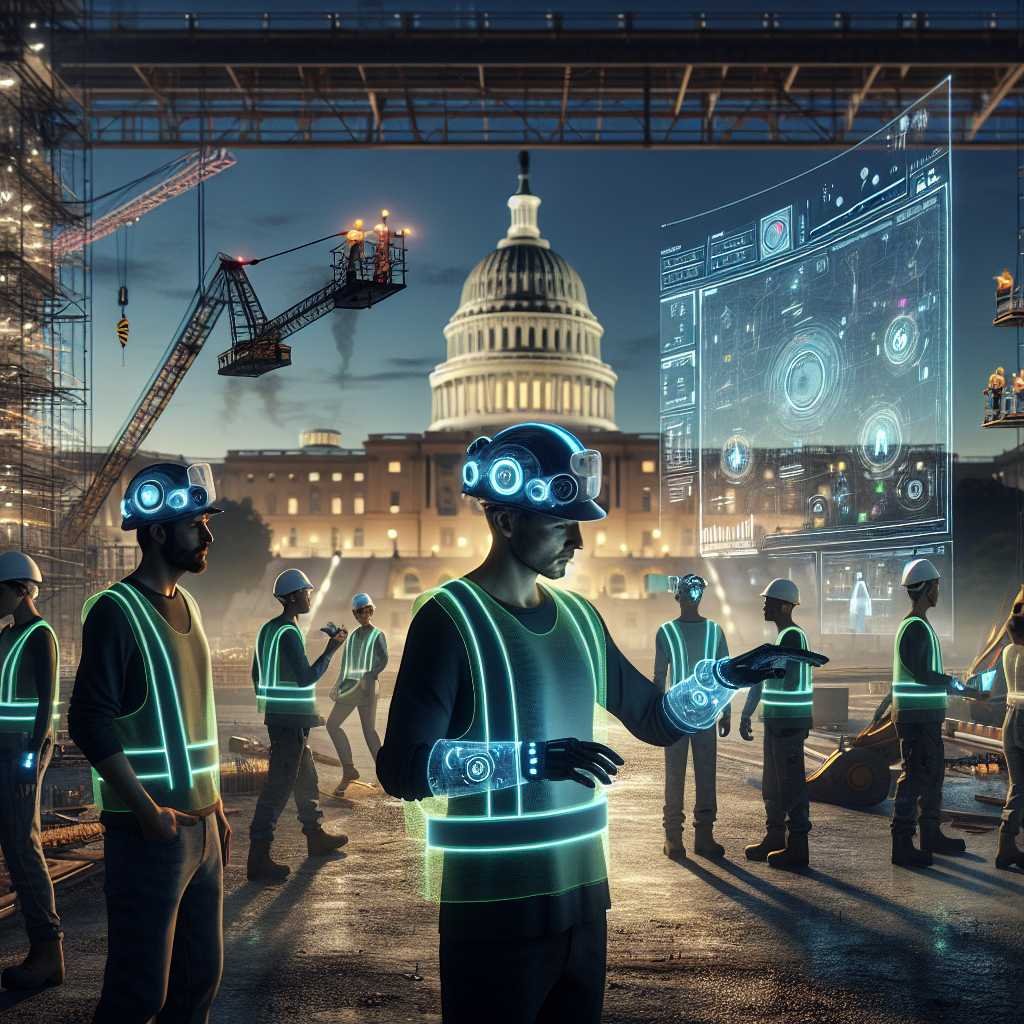
On February 18, 2025, Patrick Scarpati of Associated Builders and Contractors (ABC) briefed policymakers on Capitol Hill about the future of wearable artificial intelligence for construction—why it matters, where it’s heading, and how to deploy it responsibly. The conversation reflects a broader shift: construction, long considered slow to digitize, is now poised to leap ahead by embedding AI directly into the gear workers already wear.
If you’re a contractor, owner, safety pro, or tech leader, here’s what you need to know—and how to get started with smart PPE the right way.
Capitol Hill’s Message: Wearable AI Is Moving From Pilot to Playbook
ABC’s Capitol Hill briefing put a spotlight on practical, jobsite-ready AI that lives in personal protective equipment—hard hats, vests, safety glasses, badges, and smartwatches. The focus wasn’t hype. It was about safer, faster, more consistent work, and about the policies that will help—or hinder—responsible rollout.
- ABC’s Patrick Scarpati outlined how wearable AI can enhance worker safety, elevate productivity, and accelerate training—while surfacing new responsibilities around privacy and data security.
- Policymakers, owners, and contractors explored how rules and standards might evolve to guide adoption without slowing innovation.
- The core message: wearables are becoming an essential layer in the construction tech stack, not a gimmick.
Read ABC’s recap of the briefing here: ABC: Wearable AI in Construction Highlighted at Capitol Hill Briefing.
Wearable AI: What It Is (and Isn’t)
Let’s demystify the term.
- Wearable = devices a worker wears (hard hats, vests, glasses, belts, badges, watches).
- AI = software that draws insights from data (e.g., sensor signals, video, biometrics), then recommends or automates actions—ideally in real time.
- Wearable AI = smart PPE that senses, analyzes, and assists on the spot. Think edge AI on a headset that flags a fall hazard, or a vest that synthesizes multiple sensors to detect heat stress risk before symptoms manifest.
What wearable AI is not: – It’s not surveillance for surveillance’s sake. Responsible solutions are about hazard detection and worker assistance, not micromanagement. – It’s not just “IoT.” Basic sensors collect data. AI interprets and prioritizes it so workers get the right alert at the right time. – It’s not a silver bullet. It works best when integrated with safety programs, training, and continuous improvement.
Why Now? The Industry Is Ready for Real-Time, Jobsite-First Tech
Construction has massive potential upside from digitization—especially at the point of work. Studies consistently highlight that better data and real-time feedback can reduce rework, improve safety outcomes, and boost productivity in the field. See, for example, McKinsey’s perspective on construction’s digital future: Imagining construction’s digital future.
But the differentiator here is proximity: wearable AI lives where risk and work actually happen. That means: – Faster signal-to-action loops (alerts in seconds, not end-of-day reports). – Context-rich assistance (situational awareness based on who, where, and what task). – Less friction (hands-free, voice-enabled, designed for rugged, noisy, low-visibility environments).
As a result, safety performance and productivity improvement can move from reactive and lagging to proactive and leading.
The Top Wearable AI Use Cases on Jobsites
Real-Time Safety Monitoring and Alerts
- Proximity detection for equipment, vehicles, and restricted zones.
- Fall, slip, and trip detection with automatic alerts to supervisors.
- Heat stress and physiological monitoring using multi-sensor fusion.
- Hazard recognition via AI-enabled cameras on helmets or glasses.
Resources: – OSHA safety guidance: OSHA – NIOSH research on occupational safety and health: NIOSH
Assisted Work: Hands-Free Guidance and Documentation
- Voice-controlled headsets that deliver step-by-step procedures.
- Automatic capture of photos/video for QA and as-built records.
- On-the-spot translations for multilingual crews.
- AI co-pilots that surface checklists, materials info, and permits right when you need them.
Explore an example of hands-free industrial headsets: RealWear
Training and Upskilling in the Flow of Work
- AR overlays that help new workers perform complex tasks with confidence.
- “See-what-I-see” remote expert support for troubleshooting.
- Automated coaching: AI flags when steps are skipped or done out of sequence.
Coordination and Workflow Acceleration
- Location-aware task updates and time stamping without manual logging.
- Job hazard analysis (JHA) prompts tied to specific zones and activities.
- Automatic notifications to crane ops, riggers, and ground crews when conditions change.
Health and Wellness
- Fatigue risk indicators (pattern anomalies, micro-pauses).
- Early indicators of heat illness (skin temp, motion, context).
- Ergonomic coaching and strain alerts for repetitive motions.
Note: Worker wellness data requires extra care on privacy and consent. More on that below.
Quality and Compliance
- AI-driven anomaly detection during inspections.
- Automated, time-stamped proof of work for pay apps and closeout.
- Better documentation for OSHA recordkeeping and insurance reporting.
The Policy and Governance Conversation (Without the Jargon)
Wearable AI can be transformative, but only if trust, transparency, and security come first. Capitol Hill’s interest signals the need for practical guardrails contractors can use now.
Here’s a workable governance blueprint:
Privacy by Design
- Data minimization: collect only what the use case requires.
- Purpose limitation: be explicit about why data is collected and how long it’s kept.
- Worker consent and clear notices: use plain language; no surprises.
- Role-based access: supervisors and safety pros get what they need—no open firehose.
Consider aligning with privacy and AI risk frameworks: – NIST AI Risk Management Framework: NIST AI RMF – NIST Cybersecurity Framework: NIST CSF
Note: State privacy and biometric laws may apply; consult counsel for specifics. This article is not legal advice.
Security That Matches the Stakes
- Encryption in transit and at rest.
- Device hardening and remote wipe.
- Least-privilege access with MFA.
- Vendor SOC 2/ISO 27001 certifications and third-party pen tests.
Transparency and Explainability
- Human-in-the-loop for critical safety calls.
- Event logs that show what triggered alerts and why.
- Model performance monitoring and bias checks.
Interoperability and Open Integrations
- APIs to connect with EHS systems, project management, and BIM.
- Data portability if you change vendors.
- Standards-based data schemas where possible.
Labor and Worker Engagement
- Involve crews, safety committees, and union reps early.
- Co-design acceptable use policies; agree on where, when, and how devices are used.
- Offer opt-outs for non-essential data types where feasible.
Regulatory Context
- OSHA does not certify wearables, but your program should align with OSHA requirements: OSHA
- Owners and insurers may set additional expectations or incentives.
- Keep an eye on evolving AI policy conversations following briefings like ABC’s.
A Practical 90-Day Pilot Plan You Can Steal
Pilots succeed when they’re narrow, measurable, and co-owned by the field.
Phase 0: Define and Align (Week 0) – Use case: Choose one or two pain points (e.g., heat stress alerts, proximity detection, hands-free work instructions). – Success metrics: Leading indicators (alerts per 1,000 hours, time-to-respond), adoption (daily active users), and outcomes (reduced exposure hours in high-risk zones). – Governance: Draft a short acceptable use policy; specify data collected, retention, and access.
Phase 1: Prepare (Weeks 1–3) – Select a project or yard with a supportive superintendent. – Identify 15–40 pilot users across roles and shifts. – Conduct worker briefings and get written acknowledgments. – Validate Wi-Fi/LTE/CBRS coverage; test offline fallbacks. – Train super users and set up a rapid feedback channel.
Phase 2: Run (Weeks 4–10) – Deploy devices in waves; fix friction fast (fit, charging, mounting). – Weekly standups: shortlist top 3 issues to resolve. – Track alert quality: signal vs noise; tune thresholds. – Capture short wins and worker testimonials.
Phase 3: Review and Decide (Weeks 11–13) – Analyze metrics against your baseline. – Document safety learnings and productivity impacts. – Decide: scale, pivot to a different use case, or pause. – If scaling, write a one-page standard: roles, data, training, and KPIs.
Vendor Evaluation Checklist for Smart PPE
Don’t buy on demo alone. Use this checklist to pressure-test solutions:
Safety and Performance – Evidence of reliable detection (validated pilots, third-party studies). – Configurable thresholds and geofencing for site-specific risks. – False positive/negative rates disclosed where applicable.
Hardware and Ergonomics – Intrinsically safe options (e.g., C1D1/C1D2) if needed. – Battery life that survives double shifts; hot-swap or fast charge. – Ruggedized to relevant IP/impact standards. – Comfortable fit with existing PPE; winter/summer gear compatible.
AI and Software – On-device (edge) AI for low-latency alerts; offline capability. – Explainability: alert rationale available to admins. – Continuous model updates with version control and rollback.
Security and Privacy – Encryption, MDM support, remote wipe. – Data minimization and retention controls. – Audit logs; SOC 2/ISO 27001.
Integration and Support – APIs to connect with Procore, Autodesk Construction Cloud, Oracle Primavera, or your EHS/HRIS. – Admin console that field teams can actually use. – Local support, RMA process, spare pool options.
Commercials – Transparent pricing (hardware, software, services). – Pilot-friendly terms and success criteria. – Replacement program and lifecycle cost clarity.
Examples of solution categories and providers to explore: – Smart PPE platforms and wearables: Guardhat, Blackline Safety – Hands-free headsets: RealWear Note: Evaluate multiple vendors; selection depends on your use case, environment, and compliance needs.
Connectivity Without Headaches
Wearable AI thrives on reliable connections—but can still work offline if designed well.
- Preferred: site Wi-Fi, carrier LTE/5G, or private cellular (CBRS) for large campuses.
- Offline mode: devices should cache alerts and sync later.
- Edge AI: run critical models on-device for instant feedback.
- Consider private LTE/5G for big industrial sites: FCC CBRS
Measuring ROI: From Safety Wins to Schedule Gains
Tie your program to metrics you already track. Blend leading and lagging indicators:
Safety Leading Indicators – Time from hazard detection to alert. – Near-miss capture rate (and quality of context). – Exposure hours in red zones (before/after). – Heat stress warnings versus medical incidents.
Safety Lagging Indicators – Recordable incidents and severity. – Lost-time injuries related to targeted hazards.
Operational Metrics – Rework due to missed steps or miscommunication. – Wrench time on complex tasks (with hands-free guidance). – Time to close punch-list items with auto-captured evidence.
Adoption and Experience – Daily active users and session length. – Worker satisfaction (short pulse surveys). – Alert acknowledgment rates and supervisor follow-ups.
Financial Tie-Back – Insurance premiums or credits (where applicable). – Avoided downtime from early hazard detection. – Productivity gains on repeatable workflows.
Common Barriers (And How to Beat Them)
- Cultural resistance: Co-design pilots with crews; celebrate worker-sourced wins. Position tools as assistance, not surveillance.
- Alert fatigue: Start with a narrow set of high-value alerts; tune aggressively; measure signal quality.
- PPE compatibility: Choose devices that fit your existing hard hats, vests, and eyewear; involve safety managers in selection.
- Battery and charging: Standardize docks; assign charging duty; keep hot-swap spares.
- Connectivity gaps: Use edge AI and store-and-forward syncing; supplement with temporary Wi-Fi cells.
- Data and legal concerns: Publish a simple acceptable use policy; get signoffs; align with NIST AI RMF and your counsel’s guidance.
- Budget pressure: Pilot on one crew or area; pursue owner/insurer support; quantify rework and downtime avoided.
The Next 24 Months: What to Expect
- On-device, multimodal AI: Fusing video, audio, motion, and location for richer, faster insights.
- Safety co-pilots: Context-aware assistants that suggest next best actions.
- Standards and playbooks: Industry-aligned guidelines on privacy and performance.
- Insurer engagement: More incentives for verified risk reduction.
- Integration-first ecosystems: Smart PPE feeding Procore/Autodesk automatically.
- Worker-centric design: Lighter, cooler, and more comfortable gear with longer battery life.
- Federated and privacy-preserving learning: Improving models without centralizing sensitive data.
Key Takeaways From the ABC Capitol Hill Briefing
- Wearable AI is not theoretical—it’s jobsite-ready and improving fast.
- The real promise is proactive safety and in-the-moment assistance, not just more data.
- Governance matters: privacy-by-design, secure by default, human-in-the-loop.
- Start narrow, measure rigorously, and scale with crew buy-in.
- Policy momentum is building; responsible adopters will help shape what “good” looks like.
FAQs: Wearable AI in Construction
Q: What’s the difference between a “wearable” and “wearable AI”? – A: Wearables collect data (movement, location, biometrics). Wearable AI interprets that data in real time and provides actionable alerts or guidance—ideally right on the device.
Q: Do I need perfect connectivity for wearable AI to work? – A: No. Look for solutions with on-device (edge) AI and offline modes. Connectivity improves analytics and coordination, but critical safety alerts should trigger even without a live connection.
Q: Are these devices OSHA-approved? – A: OSHA does not “approve” wearables. Choose devices that comply with PPE standards and integrate them into your OSHA-aligned safety program. Learn more at OSHA.
Q: How is worker privacy protected? – A: Use privacy-by-design: collect only necessary data, limit access by role, set clear retention periods, and communicate openly with workers. Align with frameworks like NIST AI RMF.
Q: What about unions and worker councils? – A: Engage early, co-create acceptable use policies, and focus on hazard reduction and worker assistance. Transparency and opt-outs for non-essential data build trust.
Q: What’s a realistic starting budget? – A: Start with a pilot—often a few thousand dollars for hardware plus software subscriptions. Costs scale with device count and features. Prioritize high-value use cases (e.g., proximity or heat stress alerts) to demonstrate ROI.
Q: Which projects benefit most? – A: High-risk, high-activity sites (heavy equipment, complex logistics, heat exposure) see quick wins. But even small projects gain from hands-free guidance and better documentation.
Q: How do I know if a vendor’s AI is any good? – A: Ask for validated metrics (e.g., false positive/negative rates), references from similar environments, and a pilot structure with clearly defined success criteria. Ensure you can tune thresholds and review alert explanations.
Q: Can wearable AI integrate with our existing systems? – A: It should. Look for open APIs and tested integrations with your EHS platform and project management tools (e.g., Procore, Autodesk Construction Cloud).
Q: What if the alerts become noise? – A: Start small. Limit to one or two critical hazards, calibrate, and measure signal quality. Expand only when your precision and recall are acceptable for the site.
The Bottom Line
Wearable AI is shifting construction from reactive safety and fragmented workflows to real-time awareness and assisted execution—right where the work happens. The Capitol Hill spotlight underscores a simple truth: the winners won’t be the loudest marketers; they’ll be the builders who pair practical use cases with worker trust, strong governance, and relentless iteration.
Start with one high-value problem, run a crisp 90-day pilot, and measure what matters. Do it right, and your “smart PPE” won’t just check a tech box—it will help your crews go home safe, your schedules run tighter, and your projects deliver with confidence.
Discover more at InnoVirtuoso.com
I would love some feedback on my writing so if you have any, please don’t hesitate to leave a comment around here or in any platforms that is convenient for you.
For more on tech and other topics, explore InnoVirtuoso.com anytime. Subscribe to my newsletter and join our growing community—we’ll create something magical together. I promise, it’ll never be boring!
Stay updated with the latest news—subscribe to our newsletter today!
Thank you all—wishing you an amazing day ahead!
Read more related Articles at InnoVirtuoso
- How to Completely Turn Off Google AI on Your Android Phone
- The Best AI Jokes of the Month: February Edition
- Introducing SpoofDPI: Bypassing Deep Packet Inspection
- Getting Started with shadps4: Your Guide to the PlayStation 4 Emulator
- Sophos Pricing in 2025: A Guide to Intercept X Endpoint Protection
- The Essential Requirements for Augmented Reality: A Comprehensive Guide
- Harvard: A Legacy of Achievements and a Path Towards the Future
- Unlocking the Secrets of Prompt Engineering: 5 Must-Read Books That Will Revolutionize You
