82% of Phishing Emails Now Use AI: What It Means for Your Inbox—and How to Fight Back
If you got an email from your CEO at 8:17 a.m., asking you to jump on a “quick vendor payment” before the board meeting, would you catch the one clue that it’s fake? What if the message is grammatically perfect, references a project you actually worked on, and even follows up with a convincing voicemail that sounds exactly like your boss?
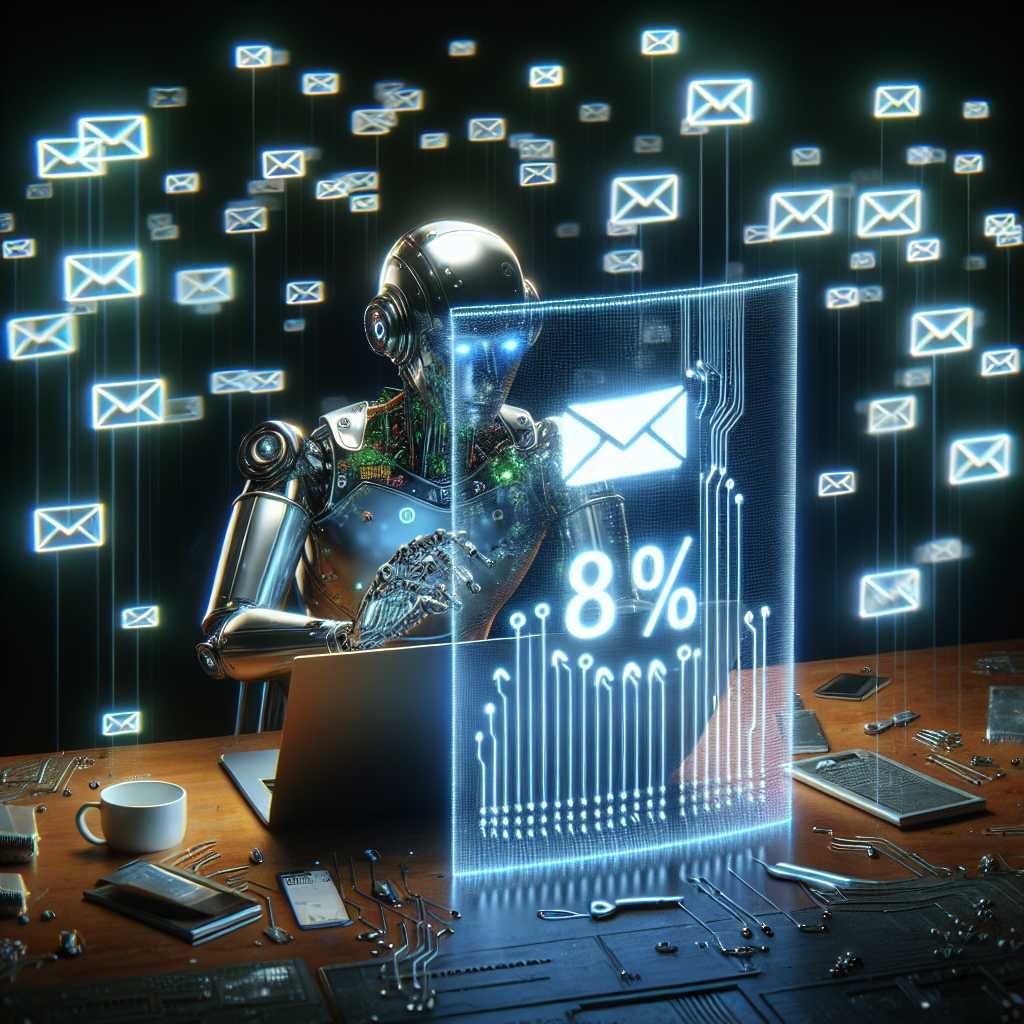
That’s not a thought exercise anymore. According to a new report highlighted by Security Magazine, 82% of phishing emails analyzed between September 2024 and February 2025 leveraged AI—and overall phishing volume rose 17.3% in that window. Attackers are using generative models to write flawless, tailored lures, spin up deepfake audio and video, and generate dynamic content that evades legacy filters. In short: the bad guys have scaled persuasion.
This post breaks down what that means for your organization—why traditional defenses are failing, how attackers are using AI in practice, and exactly how to mount an AI-augmented, people-centric defense. We’ll finish with a practical 90-day roadmap, metrics that matter, and a clear takeaway you can share with leadership today.
The stat that should jolt every inbox
Security Magazine’s February 14, 2025 coverage reports that 82% of phishing emails now incorporate AI, and overall phishing volume rose 17.3% across the study period. The story: AI democratizes high-quality social engineering. What used to require native language skills, long research time, or technical know-how is now a prompt and a click away. Attackers can:
- Generate perfect grammar and tone for any role or language
- Personalize messages with details scraped from public profiles
- Clone voices and faces for vishing (voice phishing) and video scams
- Dynamically mutate content to side-step static detection rules
- Run “live” chat cons with AI bots posing as help desk or finance
Read the source: Security Magazine: 82% of all phishing emails utilized AI
This aligns with broader findings: phishing remains the leading initial access vector for breaches, and Business Email Compromise (BEC) continues to drive outsized financial losses. See the FBI IC3 2023 report and Verizon’s 2024 DBIR.
How AI supercharges phishing
Personalization at scale
Attackers prompt generative models with your job title, projects, vendors, writing style, and even calendar references. The result is a message that feels native to your day-to-day—down to the greeting and sign-off. That specificity boosts click and reply rates.
Flawless language and style transfer
Classic red flags—awkward grammar and odd phrasing—fade away. AI translates, localizes, and mimics tone (from “friendly PM” to “urgent CFO”) with frightening precision.
Deepfake voice and video for vishing
Voice cloning can now replicate an executive after a few minutes of audio, enabling convincing callback cons and “CEO voice” authorization attempts. Video deepfakes are emerging in high-stakes fraud, especially in remote-verification workflows.
Dynamic, evasive content
AI can paraphrase messages continually, swap synonyms, and reframe pretexts—creating near-infinite variants that dodge signature-based detection. Some lures embed text in images (evading content filters), use QR codes (“quishing”) to route around URL scanners, or employ adversarial tweaks that confuse classifiers.
Real-time AI chat cons
Attackers deploy chatbots to impersonate IT, HR, or vendors in real time, adjusting responses based on your replies. These bots escalate persuasion with authority and emotional cues—because they’ve been trained to.
Why your traditional email security misses AI phishing
- Signatures and static rules are brittle. If the content mutates and the sending infrastructure rotates, old-school filters have little to match against.
- Domain lookalikes and typosquats keep slipping by. Without enforced DMARC plus deep identity checks, spoofed sender visuals (name, logo) can mislead.
- Psychology beats technology. Urgency, authority, reciprocity, and fear still work. AI simply makes those levers more convincing and context-aware.
- Compromised accounts bypass trust assumptions. If a real partner or internal account is taken over, your heuristics that “know” the sender are weaponized.
- “Banner blindness” is real. Generic warning banners often become background noise, especially when the message otherwise looks spot-on.
The business impact: BEC, ransomware, and supply chain fraud
- Business Email Compromise (BEC): Still the costliest social-engineering category, with adjusted losses in the billions annually per the FBI IC3. AI makes vendor and executive impostors more precise.
- Ransomware entry: Phishing continues to be a top initial access vector. One click can pivot to credential theft, lateral movement, and data exfiltration.
- Supply chain abuse: Vendor invoice fraud, bank detail changes, and “urgent renewal” scams thrive when attackers can convincingly mimic real partners.
- Compliance and trust: Regulated data exposure triggers reporting, fines, and reputational damage that compound beyond direct financial loss.
Build an AI-augmented, people-centric defense
You won’t block your way out of this with filters alone. The winning playbook combines identity-first security, modern email controls, AI-powered analytics, and human-centered processes.
1) Reinforce identity with phishing-resistant MFA
- Prioritize phishing-resistant MFA for high-risk users: FIDO2/WebAuthn security keys and platform passkeys resist replay and push fatigue.
- Kill legacy authentication (IMAP/POP/SMTP basic) that bypasses MFA.
- Tackle MFA fatigue with number matching, rate limiting, and step-up prompts for risky sign-ins.
Helpful resources: – CISA fact sheet: Implementing Phishing-Resistant MFA – FIDO Alliance overview: FIDO2/WebAuthn – NIST SP 800-63B Digital Identity Guidelines: Authenticator Assurance Levels – Microsoft guidance on number matching: Strengthening Authenticator
2) Harden email authentication and brand trust
- Enforce SPF, DKIM, and DMARC at p=reject for your domains.
- Monitor DMARC reports and close third-party send loopholes.
- Add BIMI with Verified Mark Certificates to tie brand visuals to authentication.
Learn more: – DMARC.org – BIMI Group
3) Upgrade your secure email gateway and detection stack
Look for capabilities designed for AI-era threats: – Relationship and communication graphing (who talks to whom, how often) – Style and intent analysis to detect impersonation without obvious indicators – URL protection at time-of-click; sandboxing of attachments and links – OCR and computer vision to inspect images, PDFs, and QR codes – LLM-assisted classification with strong guardrails and transparency – Behavioral baselining of senders and recipients to flag anomalies – Protection for collaboration tools (chat, file share), not just email
Independent perspectives: – Verizon 2024 DBIR – ENISA Threat Landscape
4) Protect the human layer (because people are the new perimeter)
- Micro-train on real pretexts: executive wire requests, vendor bank changes, DocuSign/SharePoint lures, help desk MFA resets, QR-code phish.
- Target high-risk roles: finance, executives and assistants, procurement, HR, IT admins, and anyone handling payments or sensitive data.
- Use a standard “pause and verify” protocol: If money, data, or MFA is involved—stop, switch channels (phone/Teams), and verify with a known-good contact.
- Make reporting effortless: Add a “Report Phish” button that routes to security and auto-sanitizes suspected messages.
Helpful guidance: – NCSC UK: Phishing guidance – Proofpoint: State of the Phish (vendor report, useful benchmarks)
5) Secure browsing and link defense
- Enforce DNS filtering and block newly registered and known-malicious domains.
- Consider remote browser isolation for untrusted links and attachments.
- Use endpoint protections (EDR) and attack surface reduction rules to blunt payloads if a click happens.
6) Detect and disrupt account takeover (ATO)
- Monitor for impossible travel, suspicious OAuth grants, mass forwarding rules, and atypical inbox rule changes.
- Apply conditional access with device health checks and continuous risk-based authentication.
- Auto-expire sessions and tokens when risk spikes or admin toggles are detected.
7) Prepare for deepfake vishing and callback scams
- Establish and train on callbacks: Financial approvals and MFA resets require two-person verification using known numbers—never numbers in the email.
- Use shared passphrases or transaction codes for high-value approvals.
- Encourage staff to hang up and call back via your published directory if anything feels off—even if the voice sounds like an executive.
8) Deception and honeytokens
- Plant canary credentials and decoy inbox rules to detect credential stuffing or mailbox tampering.
- Seed “trap” vendor change requests that alert if touched.
- Use mailbox “canary emails” (non-public aliases) to catch harvesting and list abuse.
9) Incident response that assumes AI speed
When a phish lands or is clicked, minutes matter. Pre-build these steps:
- Contain
- Revoke active sessions for affected users and reset credentials.
- Block sender domains and infrastructure indicators across email and proxy.
- Trigger tenant-wide search and purge of the malicious message.
- Investigate
- Review OAuth consents, inbox rules, and sign-in telemetry.
- Isolate endpoints, capture forensic artifacts, and analyze URLs/attachments in a sandbox.
- Remediate
- Rotate API keys and service credentials potentially exposed.
- Validate financial changes with vendors/clients via out-of-band contact.
- Communicate
- Notify impacted users swiftly with what to do next.
- Escalate to legal/compliance if regulated data is involved; consider FBI IC3 reporting.
- Learn
- Update detection rules and awareness content based on the pretext and lure used.
A 90-day roadmap to materially reduce risk
Days 0–30 (Foundations) – Enforce MFA tenant-wide; block legacy auth. – Turn on number matching for push MFA; set fatigue rate limits. – Publish SPF and DKIM for all domains; implement DMARC at p=quarantine and start monitoring. – Deploy a “Report Phish” add-in; test the triage workflow. – Run a tabletop exercise on an executive-impersonation/BEC scenario.
Days 31–60 (Detection and controls) – Enable time-of-click URL protection and attachment sandboxing. – Roll out basic DNS filtering; block newly registered domains. – Configure risky-sign-in policies and conditional access. – Tune mailbox anomaly detections (forwarding rules, mass deletions, OAuth grants). – Launch targeted micro-trainings for finance, exec assistants, and procurement.
Days 61–90 (Resilience and hardening) – Move to phishing-resistant MFA (security keys or passkeys) for admins, finance, execs. – Shift DMARC to p=reject; onboard third-party senders properly. – Implement BIMI for brand trust. – Pilot remote browser isolation for high-risk users or links. – Introduce dual-control for bank changes and payments; formalize callback procedures. – Run a red team–style phishing simulation with AI-generated lures; capture metrics.
Metrics that matter (and drive behavior)
- Mean Time to Report (MTTR) suspected phish (target: minutes, not hours)
- Report-to-click ratio (more reports than clicks is progress)
- Click rate on simulations (segment by role and pretext)
- Time-to-contain compromised accounts (goal: sub-hour)
- % of domains at DMARC p=reject (target: 100%)
- % of high-risk users on phishing-resistant MFA (target: 100%)
- MFA fatigue prompts per user per week (should trend toward zero)
- Volume of malicious emails removed post-delivery (should decline over time)
- Number of risky OAuth consents blocked or removed
For small and mid-sized businesses on a budget
- Turn on what you already have: Cloud email suites include strong baseline protections—enable them fully.
- Enforce MFA everywhere; give admins security keys first.
- Publish SPF/DKIM/DMARC and move to p=reject for your domains.
- Use a free or low-cost DNS filtering service and endpoint protection.
- Train quarterly with real pretexts; add the Report Phish button.
- Adopt a simple payment verification checklist with phone callbacks.
Helpful public resources: – CISA resources and guidance – NCSC UK: Phishing guidance – ENISA Threat Landscape
What’s next: The AI phishing horizon
- Multimodal lures as default: Expect emails that reference your social posts, attach tailored docs, then follow up by phone with a cloned voice.
- Smarter agents: Live AI “help desk” impostors that pull context from leaked databases or public sources to answer your questions convincingly.
- Supply chain impersonation: Attackers will build and reuse vendor personas across industries, improving success rates with each campaign.
- Defender AI catches up: Organizations that pair human judgment with AI-powered detection, correlation, and response will cut time-to-detect and time-to-contain dramatically.
The arms race is real, but it’s winnable—especially for teams that align identity, email authentication, behavioral analytics, and human processes.
Key takeaways
- 82% of phishing emails now leverage AI, and overall volume is up 17.3%—expect more convincing, personalized, and fast-evolving lures. Source: Security Magazine
- Traditional, signature-based defenses miss AI-mutated content. You need identity-first controls, DMARC at p=reject, and AI-enhanced detection.
- Move high-risk users to phishing-resistant MFA (FIDO2/passkeys), enforce callback verification for payments and MFA resets, and make reporting effortless.
- Measure what matters: time to report, report-to-click ratio, DMARC enforcement, and phishing-resistant MFA coverage.
- Build for resilience: assume a click will happen, then minimize blast radius and speed containment.
FAQ
Q: What exactly is “AI-generated phishing,” and how can I tell? A: It’s phishing content created or enhanced by generative models. You’ll notice fewer typos and better personalization. Don’t rely on grammar as a tell—verify requests involving money, credentials, or MFA through a trusted channel. Look for subtle inconsistencies: unfamiliar tone, unusual urgency, unexpected file types, or requests to bypass normal process.
Q: Does MFA stop phishing now that attackers use AI? A: MFA helps a lot, but not all MFA is equal. Push-based MFA can be abused via fatigue attacks and social engineering. Phishing-resistant MFA (FIDO2/security keys, passkeys) offers the strongest protection against credential replay and adversary-in-the-middle kits. See CISA’s phishing-resistant MFA guidance.
Q: Are QR-code (“quishing”) attacks really a thing? A: Yes. QR codes can evade some URL scanners and lure users to credential pages on mobile devices. Train employees to treat QR codes like links: don’t scan unsolicited codes; use managed mobile browsers and DNS filtering; and consider blocking QR code–only emails in high-risk contexts.
Q: Will DMARC stop AI phishing? A: DMARC at p=reject prevents direct spoofing of your exact domain, which reduces brand abuse and internal impersonation. But attackers can still use lookalike domains or compromised accounts. DMARC is essential, not sufficient—pair it with behavioral analytics and strong identity controls.
Q: Are email warning banners helpful? A: Sometimes—but generic banners often become background noise. Context-sensitive, specific alerts (“Unusual request pattern from a new domain”) work better. Don’t rely on banners alone; combine with training and verification protocols.
Q: How should we verify executive or vendor payment requests? A: Use a documented, two-person verification process. Independently call a known-good number from your directory (not the email), confirm details, and require dual approval for bank changes or large transfers. No exceptions—even for the CEO.
Q: What should I do immediately if I clicked a suspicious link? A: Disconnect from the network (if instructed by your policy), inform security via the Report Phish button or hotline, change your password if entered, and watch for suspicious MFA prompts. Security should revoke sessions, check inbox rules, review OAuth grants, and perform a tenant-wide search and purge of the email.
Q: Are secure email gateways obsolete in the AI era? A: No—but they must evolve. Look for ML-driven behavioral analytics, content and style analysis, time-of-click protection, OCR for images/QR codes, and integrations that correlate across identity, endpoint, and network telemetry.
Q: How real is the deepfake phone risk, and what’s the counter? A: It’s increasingly real for high-value targets. Counter with callback protocols using published numbers, shared passphrases for sensitive tasks, and training employees that “familiar voice” is not authentication.
Q: We’re a small team. What’s the highest-impact first step? A: Enforce MFA everywhere (start with admins and finance), publish SPF/DKIM/DMARC, enable built-in URL/attachment protections in your email suite, and institute a strict callback verification process for payments and MFA resets.
Bottom line: AI has tilted the scales in favor of phishers—but it can tilt them back for defenders who act now. Combine phishing-resistant identity, DMARC enforcement, AI-powered detection, and human-centered processes. Teach everyone to pause and verify. Measure what matters. And assume an AI-crafted lure will land—then design your environment so a single click isn’t catastrophic.
Discover more at InnoVirtuoso.com
I would love some feedback on my writing so if you have any, please don’t hesitate to leave a comment around here or in any platforms that is convenient for you.
For more on tech and other topics, explore InnoVirtuoso.com anytime. Subscribe to my newsletter and join our growing community—we’ll create something magical together. I promise, it’ll never be boring!
Stay updated with the latest news—subscribe to our newsletter today!
Thank you all—wishing you an amazing day ahead!
Read more related Articles at InnoVirtuoso
- How to Completely Turn Off Google AI on Your Android Phone
- The Best AI Jokes of the Month: February Edition
- Introducing SpoofDPI: Bypassing Deep Packet Inspection
- Getting Started with shadps4: Your Guide to the PlayStation 4 Emulator
- Sophos Pricing in 2025: A Guide to Intercept X Endpoint Protection
- The Essential Requirements for Augmented Reality: A Comprehensive Guide
- Harvard: A Legacy of Achievements and a Path Towards the Future
- Unlocking the Secrets of Prompt Engineering: 5 Must-Read Books That Will Revolutionize You