
Chromex’s Browser Extension Delivers Real‑Time AI Audio Translation to Any Site with GPT Real‑Time 2: How It Works, Risks, and Enterprise Best Practices
Language shouldn’t be a wall in a world where work, learning, and culture move at the speed of a live stream. Chromex, a browser‑extension developer, has launched a tool that turns monolingual audio on the web into multilingual experiences—translating speech on the fly, overlaying synchronized subtitles, or playing back translated audio using OpenAI’s GPT Real‑Time 2 model.
The pitch is straightforward: join a cross‑border sales call, watch a foreign news broadcast, or sit in on an online lecture in another language—without missing context or tempo. The strategic implications run deeper. Extensions like this shift the translation layer closer to the user, rather than waiting for platforms to add native support. The payoff is flexibility; the price is complexity around privacy, security, and trust.
This article examines how real-time AI audio translation inside the browser actually works, where it shines, where it falls short, and how to deploy it responsibly—especially in regulated or security‑sensitive environments.
What Chromex Shipped—and Why It Matters Now
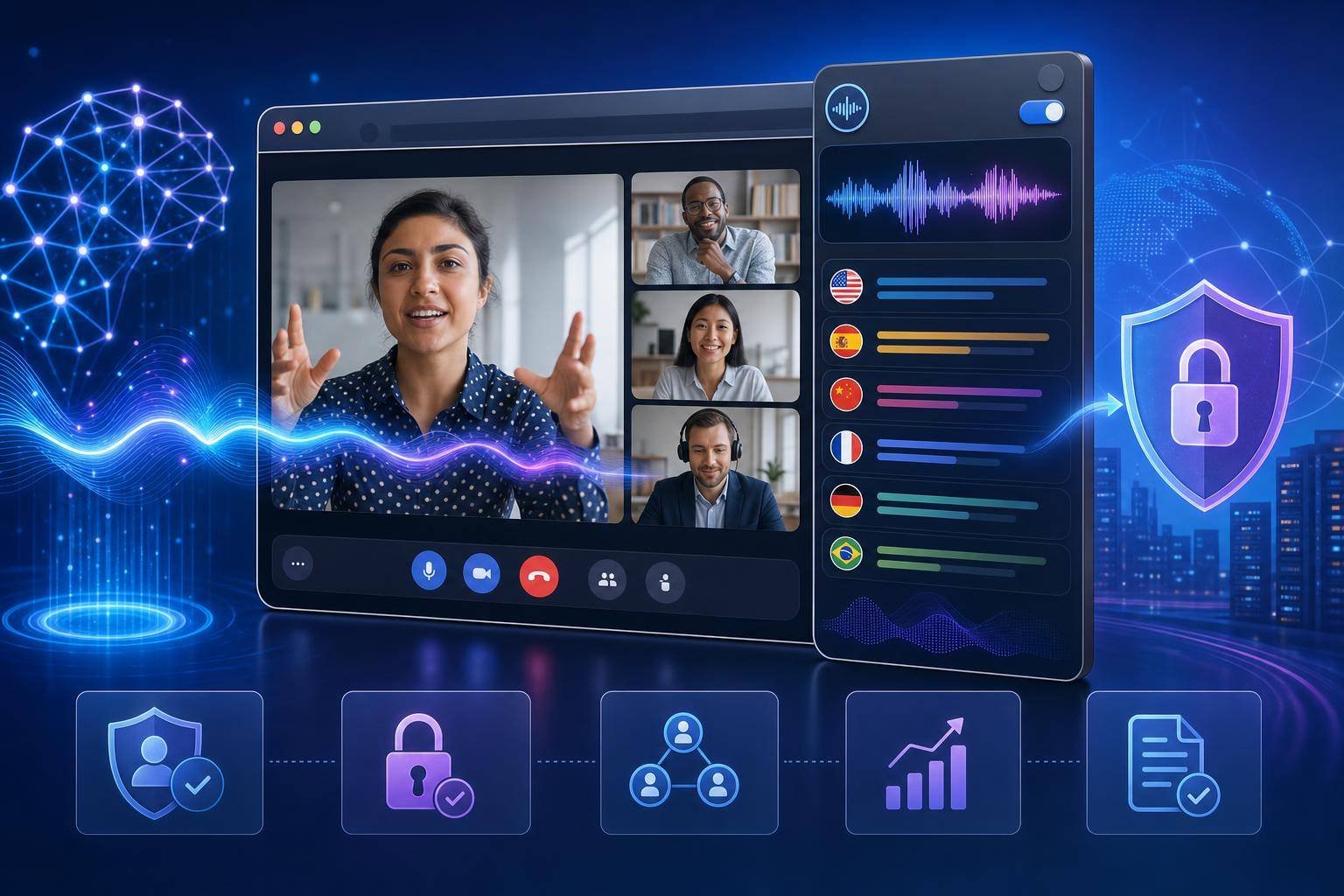
Chromex’s extension captures audio from web content or live calls in the browser, streams it to OpenAI’s GPT Real‑Time 2 for near‑instant translation, and returns either synthesized speech or timed subtitles. The company is targeting international professionals, students, and content consumers who frequently hit language barriers across video calls, webinars, and streaming platforms.
Why this matters:
- The conversational threshold: Real‑time translation that preserves rhythm and turn‑taking is the difference between “usable” and “disruptive.” Chromex emphasizes latency low enough to keep human conversation intact.
- Platform‑agnostic reach: Unlike platform‑specific solutions (e.g., a meeting app with built‑in translation), a browser extension can follow users anywhere—from niche LMS portals to live news streams.
- Accessibility and inclusion: Subtitles and translated audio broaden access to content for multilingual teams and learners, aligning with accessibility guidance such as the W3C’s Web Content Accessibility Guidelines (WCAG).
The flip side is responsibility. Always‑listening tools trigger consent, surveillance, and data‑handling questions. Chromex states it encrypts audio in transit, doesn’t store raw audio or transcripts beyond short‑term buffering, exposes clear UI indicators while recording, and is building a local‑only subtitle mode for high‑sensitivity scenarios. That’s a pragmatic start. But secure-by-design deployment is a shared burden: vendors, organizations, and end users each own part of the risk surface.
Under the Hood: How Real‑Time AI Audio Translation Works in the Browser
Real‑time translation is a pipeline problem. Four parts have to click together: capture, stream, transform, and render.
1) Capture: Getting clean audio from websites or calls
- Source selection: The extension taps audio from a specific browser tab, a media element (e.g., a video), or system input (e.g., microphone during a call). Modern browsers expose media capture via APIs like
getUserMediawith explicit user permission prompts. - Pre‑processing: The Web Audio API enables real‑time DSP, such as gain normalization, high‑pass filtering to reduce rumble, noise suppression, and voice activity detection (VAD). Small, well‑chosen windows (e.g., 10–30 ms frames) help downstream models maintain low latency without sacrificing intelligibility. See the Web Audio API for the primitives most extensions rely on.
- Echo handling: For two‑way calls, echo cancellation and automatic gain control (AGC) keep the model from transcribing the other party’s voice twice or chasing feedback loops.
Capture fidelity sets your ceiling. If the signal is noisy or clipped, the model has to “guess.” Quality inputs make for faster, more accurate outputs.
2) Stream: Secure, low‑latency transport to the AI model
Chromex sends audio to OpenAI’s live model endpoints, which accept streaming audio and return tokens as they’re generated. OpenAI’s Realtime API supports bidirectional streams suitable for speech recognition, translation, and synthesis.
- Transport and encryption: Audio frames travel over TLS‑secured channels to the API. Chunk sizes and pacing matter; pushing frames at consistent intervals helps the model’s partial hypotheses stabilize.
- Backpressure and buffering: A small jitter buffer on the client smooths network variation. Too small and you stutter; too large and latency spikes. Chromex’s claims about “conversational flow” suggest they’ve tuned this carefully.
3) Transform: Speech‑to‑text, translation, and speech synthesis
At the AI layer, three operations unfold—sometimes overlapping:
- Automatic speech recognition (ASR): Incoming speech is transcribed to text in the source language. Modern models produce partial hypotheses nearly instantly, then stabilize the text over the next few hundred milliseconds.
- Machine translation (MT): The source text is translated to the target language. State‑of‑the‑art systems handle idioms, code‑switching, and colloquialisms well—but not perfectly.
- Text‑to‑speech (TTS): If users opt for voice output, the translated text is synthesized back to audio and sent downstream in frames. The extension can instead display timed captions for a more discreet or bandwidth‑efficient experience.
Chromex inherits OpenAI’s built‑in safety filters. That helps moderate abusive or sensitive content in transcribed text, but it’s not a silver bullet. Organizations will still want policy‑driven controls around where and when translation is appropriate.
4) Render: Subtitles and/or translated audio in sync
- Subtitles: Timed captions can be rendered as WebVTT‑like cues or via custom overlays anchored to the video player or tab. A rolling window helps readers follow context without flooding the screen.
- Audio: The client stitches frames into a continuous stream for playback. Many implementations lean on the Web Audio API or MediaSource Extensions to manage jitter and keep A/V lock.
- Controls: Visible UI indicators—an always‑on indicator while audio is captured, a per‑site on/off toggle, language selectors—are not just good UX. They’re guardrails against misuse.
Where latency accumulates—and how to minimize it
End‑to‑end delay is the sum of capture (frames), transport (network), model (ASR→MT→TTS), and render (buffering) latencies. Tactics that help:
- Use aggressive but intelligible frame sizes (e.g., 20 ms) to feed the model continuously.
- Apply VAD to avoid sending silence; that also reduces cost.
- Keep jitter buffers tight and adaptive; expand during spikes, shrink quickly after.
- Prefer wired or stable Wi‑Fi to keep round‑trip times predictable.
- For speech‑to‑speech, select a “fast” TTS voice when conversation timing matters more than timbre.
Security, Privacy, and Compliance: What “Good” Looks Like
Chromex says audio is encrypted in transit and not stored beyond short‑term buffering for quality metrics, with logging features users can disable. They’ve also committed to a local‑only subtitle mode in development for zero‑egress scenarios. That design direction aligns with prominent privacy and security frameworks.
- Privacy‑by‑design: Map data flows and minimize what leaves the device. The NIST Privacy Framework encourages engineering for data minimization, purpose specification, and user agency—principles that apply directly to always‑listening tools.
- Consent and transparency: Audio capture triggers consent requirements in many jurisdictions. The European Data Protection Board’s guidelines on consent spotlight informed, specific, and unambiguous user action. Chromex’s visible indicators are necessary, but enterprises should add written notices in meeting invites or intranet banners.
- Jurisdictional variance: In the U.S., state‑level “one‑party” vs. “all‑party” consent laws for recordings differ. The National Conference of State Legislatures maintains a reference on state wiretapping and eavesdropping laws. Train users and configure defaults that err on the strict side for mixed‑jurisdiction meetings.
- Security controls and logging: Translate governance into technical controls. NIST SP 800‑53 Rev. 5 (e.g., AU‑2/6 for audit, AC‑4 for information flow enforcement) provides control families organizations can map to browser‑integrated tools (NIST SP 800‑53 Rev. 5).
Risks to anticipate—and mitigate
- Surreptitious capture or surveillance: The extension is capable of recording; clear UI signals and enterprise domain controls reduce accidental or intentional misuse. Restrict capture on sensitive internal sites by default.
- Data leakage from transcribed text: Even if audio isn’t retained, transient text could appear in logs or be exposed to third‑party extensions. Isolate browsers for sensitive workflows and restrict extension install policies.
- Prompt or output manipulation: If subtitle text flows into other automations, you inherit AI security risks. Consult the OWASP Top 10 for LLM Applications to pressure‑test downstream integrations.
- Adversarial or noisy inputs: Open streams can be poisoned by background audio, cross‑talk, or prank content. Default to subtitles for unknown sources; require user confirmation before voice re‑synthesis in shared spaces.
- Model limitations: Even the best translation models can miss cultural nuance, domain jargon, or named entities. Chromex cautions against relying on machine translation for legal or medical decisions without human oversight—a wise boundary.
Enterprise governance patterns
- Domain allow/deny lists: Use Chromex’s domain‑level controls to disable usage on HR portals, finance systems, R&D tools, and any app housing sensitive IP.
- Meeting policies: For calls, publish a simple rule of engagement. Example: “Translation allowed only if all participants consent in writing or via recorded meeting notice.”
- Data egress segmentation: Consider a dedicated browser profile or managed browser with constrained network egress for AI extensions.
- Retention and telemetry: Disable optional logging unless you have a defined retention schedule. Where audit is required, centralize minimal metadata (who/when/where), not content.
The Benefits—and the Fine Print—vs. Platform‑Native Translators
Chromex’s cross‑site promise is its superpower. But it’s not a drop‑in replacement for native features everywhere.
Benefits:
- Universal coverage: Use it on any site—news, learning platforms, niche webinar tools—not just Zoom or Teams.
- Mode flexibility: Switch between subtitles and voice output per event. Subtitles can be more discreet in shared spaces; voice is better for flows where hands and eyes are occupied.
- User control: Per‑tab toggles, per‑site rules, and per‑language settings give end users autonomy within guardrails.
Limitations and considerations:
- Terms of service: Some platforms prohibit third‑party recording or transcription. Violating TOS can lead to account sanctions—educate users.
- Audio fidelity: DRM‑protected streams or apps with aggressive A/V pipelines may limit what an extension can capture.
- Ecosystem friction: A few sites may detect extension activity and try to block it. Domain allow/deny lists help organizations self‑govern regardless.
- Integrated meeting features: Native translation in enterprise platforms often includes compliance tooling (e.g., policy‑driven notices, admin reporting). An extension may need orchestration around it to match those controls.
The pragmatic strategy is “both‑and”: use native capabilities where they exist and meet policy needs; use the extension to fill gaps elsewhere.
Implementation Guide: Rolling Out Real‑Time AI Translation Responsibly
Whether you’re an individual user or an IT admin, a thoughtful setup pays dividends in clarity and compliance.
For individual professionals and students
- Install and permissions – Install the extension from a reputable source. Review the requested permissions carefully (tab capture, microphone, storage). – On first use, test in a low‑stakes setting (e.g., a public lecture) to calibrate expectations and defaults.
- Quick‑start settings – Choose your source and target languages; enable “auto‑detect” only if you regularly encounter code‑switching. – Start with subtitles on. Add voice re‑synthesis for content you consume solo (e.g., news, lectures).
- Respect consent and context – In calls, announce translation at the top and get explicit approval if you’re not sure of the policy. – Use visible indicators. If you’re screen‑sharing, ensure the indicator is visible to participants.
- Troubleshooting basics – If subtitles lag, switch off voice output and lower the subtitle window size. – Check your network. Latency spikes often trace to Wi‑Fi congestion—move closer to the router or plug in. – Close other tabs doing heavy media or machine learning.
For IT and security teams
- Policy and training – Publish a short policy: allowed use cases, restricted contexts, consent expectations, and where to go with questions. – Offer a 10‑minute tutorial video: how to enable/disable, how to set languages, how to verify consent.
- Technical controls – Managed install: Distribute the extension via your enterprise browser management, pin a known‑good version. – Domain governance: Start with a deny‑by‑default posture for sensitive internal apps; maintain a request process for exceptions. – Network egress: Route model API traffic through egress gateways with TLS inspection disabled for model endpoints to avoid breaking encrypted streams.
- Data handling – Turn off optional logging and diagnostics unless you have a clear purpose and retention schedule. – Where audit is needed, centralize event metadata (time, domain, feature used) without content.
- Secure development and testing – If you integrate outputs with downstream automations (e.g., summary notes, CRM), align with the OWASP Top 10 for LLM Applications to avoid prompt injection or data leakage pathways. – Conduct tabletop exercises for misuse (e.g., unsanctioned capture of a confidential briefing) and test your detection and response.
- Compliance alignment – Map controls to a familiar framework (e.g., NIST SP 800‑53 Rev. 5) and your privacy program (e.g., NIST Privacy Framework). – For EU operations, confirm consent workflows align with EDPB guidance, and add supplemental notices where needed.
Configuration tips that make or break the experience
- Keep the translation mode visible: Place the floating UI near the playback or call controls so users can toggle quickly.
- Use voice activity detection: Don’t stream silence; your wallet and latency both benefit.
- Prefer text‑only during multitasking: Subtitles consume less bandwidth and reduce cognitive switching in meetings.
- Curate voice profiles sparingly: For speech‑to‑speech, a “neutral” fast voice for work sessions and a “natural” voice for media is often enough.
- Cache glossaries when supported: For jargon‑heavy domains (e.g., finance, medicine), a lightweight glossary helps maintain term consistency across a session.
Performance Tuning: Hitting the Conversational Threshold
Real‑time AI audio translation lives or dies on perceived delay and stability. A practical tuning checklist:
- Audio sampling: If you can choose, send 16 kHz or 24 kHz mono PCM for speech. Stereo doubles bandwidth without adding information for voice.
- Frame sizing: 20 ms frames are a common sweet spot. Smaller frames reduce buffering but increase overhead.
- Browser constraints: Disable power‑saving that throttles background tabs during active translation. Keep the translating tab foregrounded when possible.
- Network hygiene:
- Aim for <100 ms round‑trip time to the model endpoint.
- Avoid VPNs that hairpin traffic across oceans during live calls.
- Prefer Ethernet or high‑quality Wi‑Fi with low jitter.
- Latency budget: Allocate rough targets—capture (10–20 ms), uplink (50–100 ms), model (100–250 ms), downlink (50–100 ms), render (20–50 ms). If you’re consistently above 500–700 ms end‑to‑end, the conversation will feel “behind.”
- Fallbacks: If latency spikes, auto‑switch to subtitles only, then resume speech‑to‑speech when stable.
Security by Design for Always‑Listening Tools
Beyond baseline privacy and consent, think adversarially. ENISA has long highlighted AI‑specific threat vectors—data poisoning, model evasion, and privacy leakage—in its reporting on AI security challenges (ENISA AI cybersecurity challenges). While Chromex depends on OpenAI for the core model hardening, extension developers and enterprise adopters still need to:
- Harden permissions: Request the minimum viable set (e.g., tab audio capture rather than “all URLs” where feasible).
- Sandbox processing: Keep audio processing in dedicated workers, avoid sharing memory with unrelated scripts.
- Verify integrity: Sign extensions, pin versions, and enable automatic integrity checks in your browser management.
- Isolate secrets: If the extension requires API keys (some enterprise environments do), store securely and rotate regularly.
- Build clear affordances: Unmissable “recording” UI states, one‑click off switches, and per‑site memory (“don’t ask me again here”) reduce human error.
Accessibility and Inclusion: More Than a Feature
Real‑time subtitles and translation aren’t just conveniences; they’re also inclusion levers. For users who are deaf or hard of hearing, for language learners, and for teams operating across time zones and dialects, on‑the‑fly captions can dramatically increase comprehension and participation. If your organization tracks digital accessibility outcomes, aligning your usage with WCAG guidance on captions adds a measurable, policy‑friendly benefit.
The Road Ahead: Local‑Only and Edge‑Accelerated Translation
Chromex’s planned local‑only subtitle mode is a logical next step. With WebAssembly, WebGPU, and efficient on‑device models, we’ll see more “privacy‑first” translation that never leaves the machine—sacrificing a bit of quality or language coverage for zero‑egress guarantees.
Hybrid models are likely: – On‑device ASR for fast, private transcription; cloud MT and TTS only when needed. – Configurable policy: “Stay local unless latency exceeds X ms or accuracy falls below Y%.” – Enterprise edge: Co‑locate model endpoints regionally to cut round‑trip times and keep data residency in check.
Ultimately, shortcuts to multilingual understanding will be table stakes for global teams. The discussion will shift from “Can we translate in real time?” to “What’s the right trust envelope for each conversation and site?”
FAQs
How does real‑time AI audio translation in a browser extension differ from built‑in meeting app translators?
A browser extension works across sites and tools, not just inside a single platform. That flexibility is the main draw. Native translators in meeting apps may integrate more deeply with compliance features, notices, and admin reporting but won’t help on third‑party videos, LMS portals, or news sites.
Is the Chromex extension compliant with privacy laws like GDPR?
Compliance depends on how you use it. Chromex provides visible indicators, encrypted transport, and options to limit logging. Organizations still need consent workflows, domain restrictions, and data handling policies aligned with frameworks such as the NIST Privacy Framework and guidance from the EDPB.
Will real‑time translation be accurate enough for legal or medical contexts?
No. Machine translation can introduce errors and nuance loss. Chromex warns against using it for high‑stakes scenarios without qualified human oversight. Treat it as an assistive layer, not an authoritative record.
Can my organization restrict the extension on sensitive internal sites?
Yes. Chromex includes domain‑level controls so admins can disable capture and translation on designated sites or apps. Use an allow/deny list policy and managed browser profiles to enforce it.
What can I do if the translated audio feels “behind” the speaker?
Switch to subtitles only, reduce the TTS voice complexity, close other heavy tabs, and ensure your network path is stable. Aim for a total end‑to‑end latency below ~500 ms to preserve conversational flow.
Does the extension store my audio or transcripts?
Chromex says it does not store raw audio or transcripts beyond short‑term buffering for quality metrics, and users can disable optional logging. For zero‑egress needs, a local‑only subtitle mode is in development.
Conclusion: Real‑Time AI Audio Translation Is Here—Use It With Intent
Chromex’s extension brings real‑time AI audio translation to any website, powered by GPT Real‑Time 2, and it does so in a way that feels much closer to human tempo than previous generations. The clear benefits—universal coverage, flexible modes, and accessible experiences—are matched by clear responsibilities. Consent must be explicit. Policies must be practical. Controls must be enforceable.
For individuals, start with subtitles, be transparent in calls, and tune your setup for low latency. For enterprises, pair domain‑level controls with lightweight training, disable unnecessary logging, and map governance to frameworks you already use. Keep a watchful eye on local‑only capabilities as they mature; they’ll broaden where this technology can be safely deployed.
The next step is simple: pilot with a small, diverse group. Measure comprehension, latency, and user trust. With the right guardrails, real‑time AI audio translation can remove language as a blocker—to learning, to collaboration, and to equitable access—without sacrificing security or privacy.
Discover more at InnoVirtuoso.com
I would love some feedback on my writing so if you have any, please don’t hesitate to leave a comment around here or in any platforms that is convenient for you.
For more on tech and other topics, explore InnoVirtuoso.com anytime. Subscribe to my newsletter and join our growing community—we’ll create something magical together. I promise, it’ll never be boring!
Stay updated with the latest news—subscribe to our newsletter today!
Thank you all—wishing you an amazing day ahead!
Read more related Articles at InnoVirtuoso
- How to Completely Turn Off Google AI on Your Android Phone
- The Best AI Jokes of the Month: February Edition
- Introducing SpoofDPI: Bypassing Deep Packet Inspection
- Getting Started with shadps4: Your Guide to the PlayStation 4 Emulator
- Sophos Pricing in 2025: A Guide to Intercept X Endpoint Protection
- The Essential Requirements for Augmented Reality: A Comprehensive Guide
- Harvard: A Legacy of Achievements and a Path Towards the Future
- Unlocking the Secrets of Prompt Engineering: 5 Must-Read Books That Will Revolutionize You