Cyber Daily News (April 29, 2026): CISA KEV Adds Windows Shell and ScreenConnect; GitHub RCE CVE-2026-3854; Vect Ransomware Wiper Risk; Handala Targets US Troops
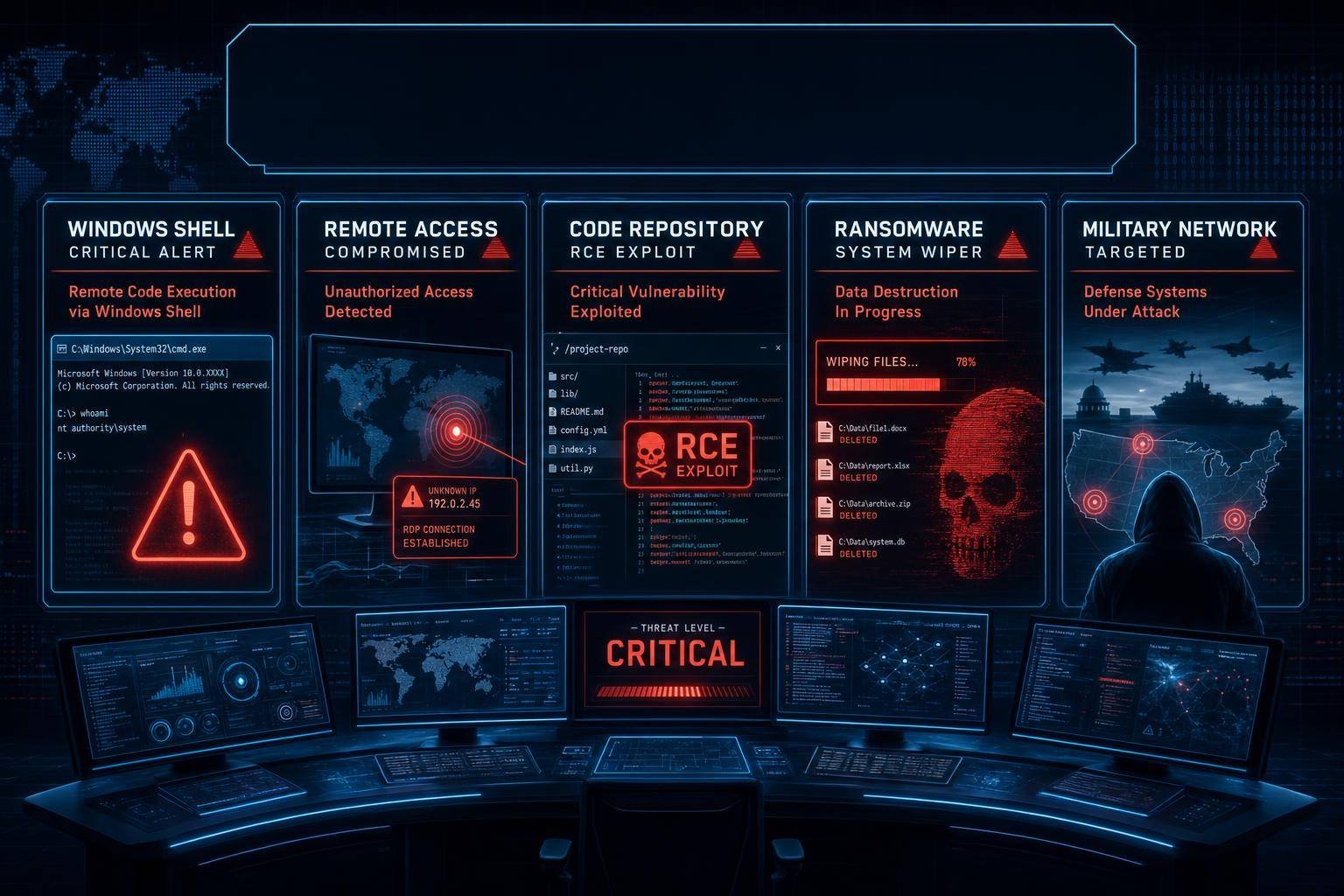
Security teams got a crowded docket this week. In fast succession, CISA added actively exploited Microsoft Windows Shell and ConnectWise ScreenConnect flaws to its Known Exploited Vulnerabilities catalog—triggering an aggressive federal patch deadline—while GitHub disclosed a critical remote code execution bug reachable via a crafted git push. At the same time, a critical flaw in the Vect ransomware family turns it into a data-destroying wiper, and an Iranian-aligned group dubbed Handala ramped spearphishing against U.S. military personnel in Bahrain.
If you own Windows endpoints, deliver software with Git, provide remote support via ScreenConnect, or protect high-value users abroad, the signals are unambiguous: patch with urgency, tighten controls where users and code intersect, and prepare for destructive outcomes. This Cyber Daily News brief breaks down why these four stories matter now—and what to do in the next 72 hours across IT, SecOps, and engineering.
What CISA’s KEV Additions Signal—and Why May 12 Matters
CISA’s Known Exploited Vulnerabilities (KEV) list is not a rumor mill; it’s a prioritized queue of flaws seen actively abused in the wild. When CISA adds entries to KEV, agencies and contractors know exploitation is happening today, not hypothetically next quarter. This week’s additions include a Microsoft Windows Shell vulnerability (CVE-2026-32202) and multiple ConnectWise ScreenConnect issues, with a federal patch deadline of May 12 for FCEB agencies. That deadline flows from CISA’s Binding Operational Directive 22-01, which compels U.S. civilian agencies to prioritize remediation of listed CVEs in the KEV catalog.
Why these two products? Windows Shell is ubiquitous, and Shell bugs can be powerful pivots—often enabling code execution via file type handlers, crafted shortcuts, or malformed metadata that triggers user or system-level actions. ConnectWise ScreenConnect, widely used for remote support and IT administration, is a chronic target because exposed instances can grant direct access to fleets of endpoints. Attackers love the combination of reach and privilege.
Practical guidance: Windows Shell
- Patch in normal and elevated contexts. Ensure endpoints apply the latest monthly cumulative updates; verify that patched OS images and golden images are refreshed. Check coverage for VDI pools, kiosk systems, and air-gapped networks that often lag general patching. The authoritative source for Windows security updates and CVEs is Microsoft’s Security Update Guide.
- Reduce exposure surface. Where possible, disable unnecessary Shell extensions and third-party context menu handlers; treat untrusted file shares and removable media as high risk; and enforce SmartScreen and application control policies to reduce click-through exploitation.
- Validate with exploit-centric testing. In addition to “patch deployed” telemetry, run validation: attempt to open known-bad file types from untrusted shares in throwaway test VMs to confirm prompts and controls behave as expected.
Practical guidance: ConnectWise ScreenConnect
- Update ScreenConnect servers immediately. Self-hosted instances should be advanced to the latest security-fixed build referenced in ConnectWise advisories. Cloud-hosted customers should confirm their tenant version and compensating controls. Check the ConnectWise security bulletins for current guidance.
- Shrink external attack surface. If possible, place ScreenConnect behind a VPN or zero-trust access proxy, enable MFA for all operators, and restrict administration from managed networks only. Review exposed ports and ensure web application firewalls are alerting on anomalous request patterns to ScreenConnect endpoints.
- Hunt and harden. After patching, query for unusual operator sessions, new or modified service accounts, and out-of-hours remote control sessions. Consider rotating ScreenConnect credentials and API keys in case of prior compromise.
GitHub CVE-2026-3854 (CVSS 8.7): Why a Crafted git push Is High-Risk
A critical remote code execution vulnerability in GitHub—CVE-2026-3854, CVSS 8.7—allows an attacker with push access to execute arbitrary code on a target via a crafted git push. At first glance, “attacker must have push access” might sound like a limiter. In reality, it’s a strong exploitation vector for two reasons:
1) Push access is common. In busy repos, hundreds of developers, contractors, or bots push code. Any compromised developer machine, token, or CI robot becomes a potential exploit source.
2) Push operations reach privileged services. Whether you run GitHub Enterprise Server (GHES) on-prem or rely on automation runners, processing a malicious push can trigger server-side hooks, indexing jobs, or CI/CD tasks that run with elevated permissions or sensitive secrets.
What this means for different environments
- GitHub Enterprise Server (GHES). Self-hosted GHES instances are the highest-risk profile, as they process pushes locally. Admins should apply the vendor’s fixed release as soon as it’s available and temporarily throttle access to sensitive repos if patching lags. GitHub’s official channel for remediation details and timelines is its security advisories documentation.
- GitHub Actions and runners. If the vulnerability can be chained into CI runners, an attacker may pivot from a crafted push into your build environment, where secrets (cloud credentials, signing keys) and artifact registries are accessible. Review permissions for GITHUB_TOKEN, pin actions by commit SHA, and ensure self-hosted runners are isolated per repo or environment.
- Developer workstations. Even though this CVE focuses on server-side processing, remember the edge: attackers often phish or malware-infect developers to gain push access. Hardening endpoints and enforcing hardware-backed MFA for GitHub SSO meaningfully lowers the chance of an attacker obtaining valid push rights.
Immediate mitigation checklist
- Patch and verify. Update GHES to the remediated version as soon as the fix lands; confirm version state and re-run install checks. If you rely on a managed GitHub service, follow provider guidance and monitor for incident communications.
- Tighten repo protections. Enable branch protections, require signed commits, and mandate pull request reviews on high-value repos. Pending a patch, restrict who can push to privileged branches and pause force-pushes.
- Limit secret exposure in CI. Use short-lived credentials, scope tokens to least privilege, and store secrets in platform-native vaults. Minimize secrets on shared, long-lived runners.
- Instrument for anomalies. Alert on unusual push patterns (sudden large binary blobs, atypical push hours, or pushes from new locations), spikes in repository hooks, or unexpected runner job types.
- Align to secure software development practices. Map improvements to NIST’s Secure Software Development Framework (SSDF) to formalize requirements across engineering, including code integrity, environment hardening, and build provenance.
Vect Ransomware’s Critical Flaw: When Cryptocurrency Extortion Becomes a Wiper
Ransomware operators hold data hostage. Wipers obliterate it. A critical flaw reported in the Vect ransomware family effectively makes it behave like a wiper under certain conditions—destroying data outright, not just encrypting it. Whether this bug is intentional sabotage, sloppy engineering, or a blunder is beside the point; defenders must treat Vect infections as potentially non-recoverable without backups, even if a decryption key is promised.
Why this is strategically different
- Recovery calculus changes. Historically, some organizations paid ransoms because decryption success rates were non-zero. With a wiper-like path, even paying won’t return lost data.
- Dwell time shrinks. If the malware is crash-prone or prone to data corruption, incident responders have less time to isolate systems before irreversible damage occurs.
- Blast radius widens. A wiper tendency transforms “one machine at a time” ransomware into destructive malware that can brick file servers and backup catalogs if privileges allow.
Ransomware-wiper resilience: practical safeguards
- Backups that survive. Implement immutable, versioned backups with offline or logically air-gapped copies. Periodically test bare-metal and application-consistent restores. Keep recovery time objectives realistic based on current infrastructure.
- Segmentation that works. Harden Windows domain controllers, segment management networks, and restrict lateral movement paths used for mass encryption (PSExec, RDP, SMB shares). Monitor for AD changes granting broad privileges.
- Endpoint and identity controls. Enforce MFA across admin accounts, rotate service account credentials, and deploy application control/EDR policies that block common ransomware behaviors (mass file rename, shadow copy deletion, unsigned binaries from user-writable paths).
- Preparedness playbooks. Pre-authorize decisions on isolation, failover, and executive communications. Align your response to CISA’s StopRansomware guidance and rehearse “data-wiper” scenarios where restoration, not negotiation, is the path to continuity.
- External communications and legal. Wiper events often trigger regulatory and contractual notifications. Know the thresholds and templates before you need them.
For strategic context on how ransomware tactics evolve and which sectors attackers prioritize, ENISA’s threat summaries offer a sober view of the ecosystem. See the ENISA threat landscape for ransomware.
Handala’s Targeting of U.S. Troops in Bahrain: Phishing at the Operational Edge
Iran-aligned operations frequently blend phishing, credential harvesting, and commodity malware to target government, defense, and diaspora communities. The reported Handala activity against U.S. troops stationed in Bahrain fits the mold: socially engineered lures, links to credential capture pages, and follow-on malware for persistence and collection.
Why it works:
- Mission tempo. Service members and contractors juggle official and personal communications across mobile and web channels, often from shared or constrained networks.
- Familiar contexts. Lures imitate logistics, leave paperwork, pay, health services, or family matters—subjects with an urgency premium.
- Device mix. BYOD realities mean iOS/Android devices sit alongside managed laptops; phishing protections are inconsistent and patch levels vary.
Key defensive moves:
- Harden identity. Enforce phishing-resistant MFA (FIDO2/WebAuthn) on official accounts; rotate and monitor for credential reuse across personal services.
- Optimize mobile protections. Ensure MDM baselines restrict side-loaded apps, inspect DNS traffic from mobile devices where possible, and deploy reputable mobile EDR for high-risk roles.
- Train on relevant lures. Awareness content should simulate real inboxes: family emergencies, unit logistics, local services off base. Limit abstract “don’t click” messaging in favor of practical triage habits.
- Correlate to ATT&CK. Map detections to social-engineering techniques like MITRE ATT&CK T1566 (Phishing). Use shared TTPs to guide both hunting and red-teaming.
- Coordinate with mission partners. Establish reporting channels from service members to cyber units where low-friction submissions (suspicious links, SMS screenshots) are triaged in hours, not days.
72-Hour Action Plan: Patch, Harden, Validate
When four different threats compete for attention, sequencing matters. Here’s a pragmatic, risk-weighted plan for the next three days.
Day 0–1: Confirm exposure and patch routes
- Inventory affected assets.
- Windows endpoints and servers: identify OS versions, patch status, isolated enclaves, VDI pools.
- ScreenConnect: enumerate self-hosted instances; confirm version and exposure (public vs. behind VPN).
- GitHub: determine if you run GHES; list critical repos, Actions runners, and who has push access.
- High-risk users: identify personnel in scope for Handala targeting; map MFA adoption and device protections.
- Apply available patches/mitigations.
- Deploy Microsoft’s latest cumulative updates covering Windows Shell via the MSRC Security Update Guide.
- Update ScreenConnect to a fixed build per ConnectWise security bulletins.
- For GHES, schedule the upgrade window; pre-stage rollback; alert engineering to brief repo restrictions during maintenance.
- Boost phishing protections for high-risk users (enforce MFA, enable safe-link rewriting where available, and block known-bad domains).
Day 1–2: Reduce blast radius and add detections
- Git and CI/CD hardening.
- Require pull requests and code owner reviews for protected branches on sensitive repos.
- Pin third-party GitHub Actions by commit SHA; reduce GITHUB_TOKEN scope.
- Isolate self-hosted runners per repo/environment; avoid shared runners for production pipelines.
- Endpoint and identity defenses.
- Enforce application control on Windows; block unsigned executables from temp and user dirs.
- Audit local admin rights; remove unnecessary admin memberships; rotate cached admin creds.
- Add detections for mass file operations, vssadmin/shadow copy deletion, and suspicious process chains.
- Remote access controls.
- Put ScreenConnect behind VPN or a zero-trust gateway; enforce MFA for all operators.
- Review and restrict firewall rules that expose administrative ports to the internet.
Day 2–3: Validate and prepare for the worst case
- Attack simulation.
- Use controlled test pushes to evaluate repo protections.
- Simulate a ScreenConnect session to a honeypot endpoint and monitor logs.
- Run a wiper tabletop: how quickly can you isolate affected segments and start restores?
- Backup restore drills.
- Restore a representative application from immutable backups to a clean environment.
- Validate RPO/RTO against business expectations and adjust runbooks.
- Incident response readiness.
- Update playbooks to include “wiper scenario” branches.
- Rehearse cross-functional comms and legal/regulatory notification workflows.
- Align escalation to NIST’s Computer Security Incident Handling Guide (SP 800-61r2).
Medium-Term Hardening: Controls, Automation, and Secure DevOps
Once the immediate fire drill subsides, aim for structural improvements that blunt entire classes of attacks.
- Standardize secure SDLC. Adopt the NIST Secure Software Development Framework (SSDF) as a cross-functional baseline. Emphasize artifact signing, reproducible builds, dependency governance, and provenance metadata for critical software.
- Normalize zero standing privilege. Use just-in-time access and PAM for admins, ephemeral credentials for CI/CD, and conditional access controls for risky contexts.
- Centralize secrets and remove hard-coding. Store API keys, tokens, and certificates in a managed vault; rotate on schedule; scan code and repos for leaked credentials.
- Invest in asset and exposure management. Maintain authoritative inventories for internet-exposed services, remote access tools, developer infrastructure, and third-party integrations. Automate discovery with both internal and external scans.
- Deception and canaries. Plant canary tokens in critical repos and sensitive shares; trip alarms on exfil attempts or lateral movement activity.
- Cross-org exercises. Blend cyber, IT, legal, comms, and business units in quarterly drills that include destructive malware and supply chain compromise narratives.
Indicators, Detections, and Playbook Enhancements
Even with patches, assume partial exposure for a time. Strengthen visibility and decision speed.
- Windows Shell exploitation cues
- Alerts on unexpected invocation of rundll32, wmic/cscript/wscript from user-writable directories.
- New file associations or Shell extension registrations without change tickets.
- Inbound email or chat messages delivering shortcut (LNK), SCF, or crafted archive files.
- ScreenConnect abuse hallmarks
- New operator accounts or privilege escalations, especially off-hours.
- Remote control sessions initiated from uncommon ASN/geolocations.
- Downloads of ScreenConnect MSI/EXE from atypical paths across the fleet.
- GitHub exploitation and CI compromise
- Sudden pushes from never-before-seen IPs or autonomous systems.
- Job logs indicating unexpected system-level commands or network beaconing from runners.
- Creation of new repository secrets or tokens without change control.
- Ransomware/wiper onset
- Rapid spikes in file rename/write operations, deletion of shadow copies, or tampering with backup agents.
- EDR detections for known ransomware tooling sequences; quarantine first, ask questions later.
- Phishing and Handala TTPs
- “Billing,” “leave,” or “health” themed lures with login links to lookalike domains.
- Mobile endpoints connecting to newly registered domains followed by credential prompts.
Codify the above in your SIEM and EDR with severity tied to data sensitivity and user risk tiers. Set hour-level SLAs for triaging these classes of events.
FAQ: Quick Answers to Common Questions
Q1: What is the CISA KEV catalog and why do deadlines like May 12 matter? A: The KEV catalog lists vulnerabilities confirmed to be exploited in the wild. Under CISA’s Binding Operational Directive 22-01, U.S. civilian agencies must remediate KEV-listed flaws by set deadlines. Even for private organizations, KEV entries are strong signals to prioritize patching now.
Q2: How dangerous is GitHub CVE-2026-3854 if attackers need push access? A: Very. Push access is common across teams and supply chains. If a compromised developer or bot account sends a crafted push, it can trigger server-side processing or CI jobs with elevated privileges, potentially leading to full environment compromise. Patch and tighten repo protections immediately.
Q3: How do I quickly check if our ScreenConnect deployment is vulnerable? A: Identify whether you’re cloud-hosted or self-hosted, then compare your version to the latest fixed release in ConnectWise’s security bulletins. If you’re self-hosted and internet-exposed, prioritize upgrading and consider placing it behind a VPN or zero-trust access layer with MFA.
Q4: What does it mean that Vect ransomware can act like a wiper? A: Due to a critical flaw, some infections may corrupt or destroy data outright instead of just encrypting it. That eliminates the possibility of recovery via decryption, making robust, tested, and immutable backups essential.
Q5: How can organizations protect service members and contractors from Handala-style phishing? A: Enforce phishing-resistant MFA, harden mobile devices with MDM and vetted EDR, tailor training to realistic lures, and ensure rapid-reporting channels. Map detections to common techniques such as MITRE ATT&CK T1566 to guide hunts and controls.
Q6: What if we can’t fully patch by the May 12 deadline? A: Implement compensating controls: disable or isolate affected components, enforce MFA and network restrictions, and enhance monitoring and alerting. Document risk acceptance and remediation timelines, and escalate to leadership; for agencies, coordinate with your CISA contacts.
The Bottom Line for Cyber Daily News Readers
This week’s Cyber Daily News underscores three truths: patch known-exploited vendor flaws swiftly, treat developer platforms as high-value targets, and prepare for ransomware to fail catastrophically into wiper territory. The KEV additions for Windows Shell and ScreenConnect demand near-term action; GitHub’s CVE-2026-3854 elevates supply chain risk; and Handala’s spearphishing reminds us that determined adversaries will meet users in their most human moments.
Your next steps: – Prioritize KEV remediation and verify Windows and ScreenConnect patches are actually installed. – Patch GHES and harden Git/CI pipelines—limit who can push where, pin actions, and reduce runner blast radius. – Assume a destructive malware scenario: test immutable backups and rehearse rapid restores. – Shield high-risk users with phishing-resistant MFA, mobile hardening, and tight reporting loops.
Security is a race you win by seconds and inches. Use this Cyber Daily News cycle to add both: close the patch gap, elevate controls where code and humans intersect, and practice the recoveries you hope you never need.
Discover more at InnoVirtuoso.com
I would love some feedback on my writing so if you have any, please don’t hesitate to leave a comment around here or in any platforms that is convenient for you.
For more on tech and other topics, explore InnoVirtuoso.com anytime. Subscribe to my newsletter and join our growing community—we’ll create something magical together. I promise, it’ll never be boring!
Stay updated with the latest news—subscribe to our newsletter today!
Thank you all—wishing you an amazing day ahead!
Read more related Articles at InnoVirtuoso
- How to Completely Turn Off Google AI on Your Android Phone
- The Best AI Jokes of the Month: February Edition
- Introducing SpoofDPI: Bypassing Deep Packet Inspection
- Getting Started with shadps4: Your Guide to the PlayStation 4 Emulator
- Sophos Pricing in 2025: A Guide to Intercept X Endpoint Protection
- The Essential Requirements for Augmented Reality: A Comprehensive Guide
- Harvard: A Legacy of Achievements and a Path Towards the Future
- Unlocking the Secrets of Prompt Engineering: 5 Must-Read Books That Will Revolutionize You