CISA Adds Microsoft Windows Shell CVE-2026-32202 and ConnectWise ScreenConnect to the KEV Catalog: Patch Deadlines, Active Exploits, and How to Respond
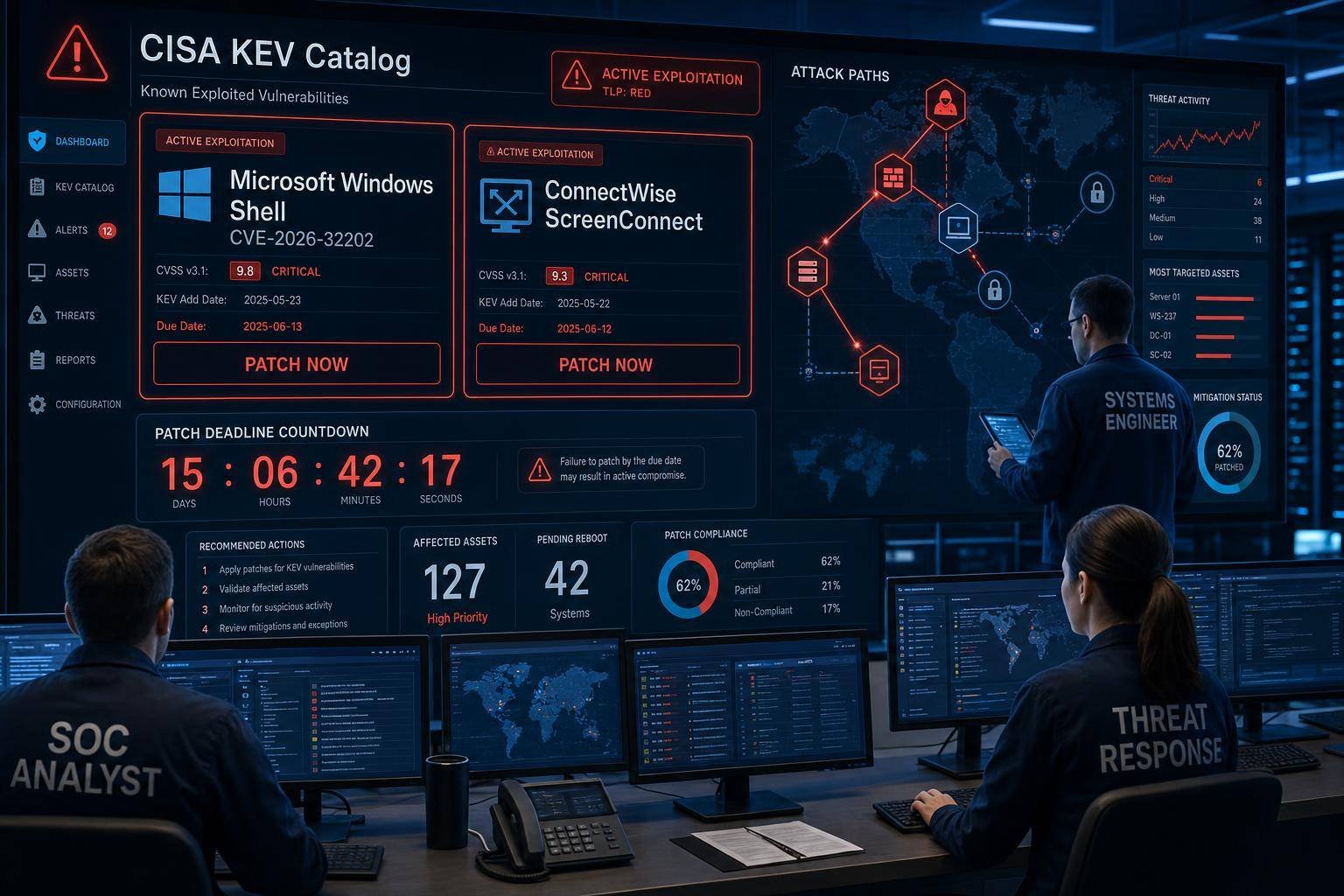
Two more high-risk holes just landed in the crosshairs. On April 29, 2026, the U.S. Cybersecurity and Infrastructure Security Agency (CISA) added a Microsoft Windows Shell vulnerability (CVE-2026-32202) and a ConnectWise ScreenConnect flaw to its Known Exploited Vulnerabilities (KEV) catalog based on confirmed in-the-wild exploitation. Federal Civilian Executive Branch (FCEB) agencies now have a hard patch deadline of May 12, 2026—an aggressive window that mirrors attacker speed.
Why it matters: both issues map to attacker-favorite techniques—authentication coercion and remote access takeover—that enable lateral movement, data theft, and potential ransomware staging. Microsoft marked the Windows bug as exploited on April 28 after tracing it back to a flawed fix for CVE-2026-21510, a patch that attackers had already poked holes in. Meanwhile, the ScreenConnect exposure echoes a familiar pattern seen with remote monitoring and management (RMM) tools: once an adversary gets in, every connected endpoint can quickly become fair game.
This analysis breaks down what’s new in the KEV entries, how these attack chains work, and the immediate steps security teams should take. You’ll get practical hunting guidance, mitigation priorities, and a repeatable playbook to convert KEV alerts into rapid, measurable risk reduction.
What CISA Added—and Why the KEV Catalog Is a Priority Signal
CISA’s Known Exploited Vulnerabilities catalog is more than a list—it’s a prioritization engine. When a CVE lands in KEV, it means exploitation is confirmed and the risk is real. Agencies must remediate by deadlines under CISA’s Binding Operational Directive 22-01, and private-sector defenders often adopt the same cadence to compress exposure windows.
- CISA KEV entry date: April 29, 2026
- Affected products: Microsoft Windows (Windows Shell), ConnectWise ScreenConnect
- Status: Active exploitation confirmed
- FCEB remediation deadline: May 12, 2026
Refer to: – CISA’s Known Exploited Vulnerabilities catalog – CISA’s Binding Operational Directive 22-01 (reducing risk of known exploited vulnerabilities)
For organizations that treat KEV as a patch “fast lane,” the message is straightforward: prioritize patch deployment, enable compensating controls, and hunt for evidence of compromise.
Inside CVE-2026-32202: Windows Shell Authentication Coercion via Network Spoofing
Microsoft tagged CVE-2026-32202 as an “authentication coercion” issue in Windows Shell that can lead to sensitive information disclosure when an attacker can spoof network responses. While this CVE is distinct from remote code execution, it’s operationally dangerous because it can be chained with other techniques—especially NTLM relay or credential capture—to escalate privileges and move laterally.
Microsoft traced the root cause to a flawed patch for CVE-2026-21510. Adversaries had already been abusing that earlier issue, and this mis-patch enabled fresh bypasses. According to Microsoft’s triage, exploitation has been observed, and the company marked the vulnerability as exploited on April 28, 2026. Reporting also connects the broader exploitation chain to APT28 operations that leveraged CVE-2026-21510 and another bug (CVE-2026-21513) as zero-days against targets in Ukraine and Europe since late 2025.
How authentication coercion works in practice
“Authentication coercion” describes a family of techniques where an attacker tricks a system into initiating or accepting a network authentication exchange under attacker-controlled conditions. Common patterns include:
- Luring a system or user to connect to a malicious network endpoint (e.g., a spoofed SMB share or WebDAV path) referenced by UI elements, shortcuts, or UNC paths.
- Poisoning name resolution (LLMNR/NBNS) or other broadcast queries, responding as though the attacker is a legitimate server.
- Forcing network-based authentication that leaks reusable hashes or enables NTLM relay.
Tactically, this sits near MITRE ATT&CK’s Adversary-in-the-Middle family. See MITRE’s T1557: Adversary-in-the-Middle for technique mapping and sub-techniques.
Why this class of bug is high-value to attackers
- It’s low-noise when blended with normal Windows behavior (e.g., file browsing, context menus, mapped drives).
- Coerced authentication often leaks credential material that can be reused if protections like SMB signing and Extended Protection for Authentication (EPA) aren’t enforced.
- It pairs well with social engineering and post-exploitation phases to pivot deeper into the environment.
Practical exposure scenarios
- Browsing to a malicious UNC path from a Windows Shell dialog (Open/Save-as) that triggers network authentication to an attacker-controlled host.
- Interacting with a malicious LNK or URL file that prompts a background authentication handshake.
- Internal name resolution poisoning that silently redirects Windows Shell lookups.
The endgame is often credential theft, session hijacking, or NTLM relay against high-value targets like domain controllers, file servers, or management consoles.
ConnectWise ScreenConnect: Remote Access as an Adversary Force Multiplier
The second KEV addition affects ConnectWise ScreenConnect, a widely used remote access and support tool. CISA flagged it following confirmed incidents of unauthorized access. Even without a fully public technical breakdown here, the risk profile is well understood from prior RMM abuses: once attackers get an admin foothold in remote support infrastructure, they can push tools, spawn sessions, and fan out to every managed endpoint—fast.
Remote access and RMM platforms are frequent targets because: – They centralize privileged control across many systems. – They often sit at the intersection of IT and vendor access, expanding the attack surface. – Misconfigurations, unpatched servers, and exposed internet portals create broad blast radii.
For context, CISA previously warned about mass exploitation of earlier ScreenConnect vulnerabilities in 2024. That episode highlighted how quickly threat actors can chain RMM access into lateral movement and ransomware staging. See CISA’s alert: Threat Actors Exploiting ConnectWise ScreenConnect Vulnerabilities.
If your organization runs ScreenConnect (self-hosted or cloud-managed), treat this KEV entry as a priority to: – Patch or update immediately per vendor guidance. – Audit all ScreenConnect users, roles, and access scopes. – Review recent sessions, file transfers, and tool deployments for anomalies.
Immediate Actions: Patch, Mitigate, and Contain
For FCEB agencies, the mandate is explicit: remediate by May 12, 2026. For everyone else, aim for a similar 10–14 day window at most, with critical segments patched sooner. Parallel to patching, apply compensating controls to shrink the blast radius.
Priority 1: Patch and validate
- For Windows environments:
- Apply the latest cumulative updates covering CVE-2026-32202 and follow any Microsoft hardening guidance released alongside the fix. Use Microsoft’s Security Update Guide portal to track build applicability.
- Validate update success across domain-joined devices, servers, VDI/VDA images, golden images, and offline build pipelines.
- For ScreenConnect:
- Update to the vendor-specified fixed version.
- Confirm the version on all nodes (including standby and high-availability pairs).
- If exposed to the internet, rotate all administrator credentials and API tokens post-patch.
Priority 2: Apply compensating controls
For Windows Shell authentication coercion: – Enforce SMB signing on clients and servers to break NTLM relay. See Microsoft’s guidance: SMB security and signing. – Restrict or disable NTLM where feasible, and enforce modern Kerberos flows with protections like EPA. Microsoft policy reference: Network security: Restrict NTLM. – Disable LLMNR/NBT-NS and harden name resolution to reduce poisoning opportunities. If you maintain a Windows security baseline, ensure these are off via GPO. – Implement Windows Defender Credential Guard on supported systems to reduce credential theft impact. Reference: Windows Defender Credential Guard.
For ScreenConnect and RMM platforms: – Enforce MFA for all admin and technician accounts. – Restrict network exposure: put ScreenConnect behind a VPN, SSO with conditional access, or a zero-trust-proxy with device posture checks. – Use IP allowlists for management portals where possible. – Separate tenant/workspace scopes and ensure least-privilege role assignments. – Require change tickets or just-in-time elevation for high-risk actions (e.g., pushing scripts, mass uninstall, registry edits).
Priority 3: Contain and reduce pivot paths
- Segment high-value assets (AD DS, identity providers, file servers). Limit who can authenticate where.
- Remove local administrator rights for standard users.
- Rotate credentials for privileged and service accounts—especially if you detect suspicious authentications.
- Clear cached credentials on shared or kiosk systems.
Threat Hunting: What to Look For Right Now
Even if you patch quickly, assume some systems could have been touched in the window between disclosure and remediation. Focus on two fronts: authentication coercion and RMM abuse. Align your response with established incident handling guidance such as NIST’s SP 800-61 Revision 2.
Windows Shell authentication coercion and NTLM relay indicators
Hunt for: – Unexpected outbound SMB, WebDAV, or HTTP/HTTPS authentications to rare or untrusted hosts, especially internal IPs that don’t normally serve file shares or web content. – LLMNR/NBT-NS traffic spikes; responders sending many answers to name queries. – SMB connections where SMB signing is not negotiated in environments that are supposed to require it. – Event and EDR signals indicating credential material exposure or token manipulation.
Examples of artifacts and telemetry to review: – Windows Event Logs: – Security logs for 4624/4625 (logon events) from unusual workstations to unusual servers. – 4648 (logon with explicit credentials) from workstations to servers not typically accessed. – Network telemetry: – DNS logs for unusual internal or short-lived hostnames. – NetFlow or firewall logs for outbound SMB/445 or WebDAV (port 80/443 OPTIONS/PROPFIND anomalies). – EDR detections: – Use-case rules for LLMNR/NBT-NS poisoning tools. – Alerts for NTLM relay patterns or Kerberos delegation abuse.
If you find coercion indicators: – Isolate hosts to snap off the attacker’s MitM surface. – Immediately enforce SMB signing domain-wide (audit then enforce), and disable LLMNR/NBT-NS where not yet implemented. – Rotate privileged credentials with suspected exposure.
ScreenConnect and RMM abuse indicators
Look for: – New or modified admin accounts, unexpected MFA enrollment changes, or tokens/keys minted outside change windows. – Suspicious ScreenConnect sessions initiated from rare geolocations or at atypical times. – Mass deployment or remote tool execution actions (e.g., pushing PowerShell scripts, custom binaries, or registry changes) without corresponding tickets. – File transfer logs showing archives, credential tools, or LOLBins moved to endpoints.
Recommended checks: – Review ScreenConnect server logs and audit trails for: – New or edited user roles. – Sessions from unrecognized source IPs. – Mass actions targeting many endpoints in a short time. – Correlate with EDR/AV quarantine events, script-block logging, and PowerShell Operational logs (4104). – Examine Windows Task Scheduler and services for persistence set shortly after any suspicious ScreenConnect session.
If you suspect compromise: – Disable external access to the ScreenConnect portal. – Force password resets and token revocation for all admins. – Re-enroll devices to a known-good management baseline before re-enabling remote control features.
Hardening to Close the Entire Class of Attacks
Point fixes are necessary; class-level defenses are better. Aim to remove entire attack paths that make authentication coercion and RMM takeover so potent.
Identity and authentication controls
- Enforce SMB signing everywhere and monitor for downgrades.
- Reduce or disable NTLM; prefer Kerberos with modern protections.
- Disable LLMNR/NBT-NS and use hardened DNS with authenticated updates.
- Adopt Windows Defender Credential Guard for supported devices to protect LSASS secrets.
- Use tiered administrative models and protected admin workstations. Consider “Protected Users” for high-value accounts to constrain legacy auth.
Network and segmentation
- Segment AD, file servers, backup infrastructure, and build systems with strict ACLs and firewall policies.
- Deny SMB and RDP lateral movement by default. Permit only explicit, audited admin paths.
- Place RMM portals behind identity-aware proxies, enforce device posture, and restrict source IPs.
Endpoint and configuration management
- Maintain security baselines for Windows that enforce:
- Credential Guard
- SMB signing
- LLMNR/NBT-NS disabled
- PowerShell constrained language mode where feasible for non-admins
- Normalize golden images and pipeline builds to bake in these baselines.
- Continuously verify configuration drift with compliance tooling.
Monitoring and detection engineering
- Instrument detection for LLMNR poisoning, NTLM relay, and SMB signing downgrades.
- Track RMM administrative actions as high-sensitivity events. Create notification channels for:
- New admin creation
- Policy changes
- Script deployments
- File transfers
- Calibrate risk scoring so that cross-signal correlations (RMM admin action + EDR suspicious process + unusual DNS) trigger triage within minutes.
Governance and frameworks
- Map these efforts to NIST CSF 2.0 categories for Identify, Protect, Detect, Respond, Recover to create executive visibility and funding support. Reference: NIST Cybersecurity Framework.
Turning KEV Updates into an Operational Habit
Every KEV update is an opportunity to test and improve your response muscle. Treat these entries as recurring, time-bound sprints with measurable outcomes.
A repeatable KEV response checklist
- Intake and triage – Confirm affected products and versions in your environment. – Assign a severity based on KEV presence, exposure, and potential business impact.
- Patch planning – Stage updates in a canary ring within 24–48 hours. – Pre-approve emergency change windows for KEV-class issues.
- Compensating controls – Apply SMB signing enforcement. – Disable LLMNR/NBT-NS via GPO if not already done. – Restrict external access to RMM portals; enforce MFA/SSO policies.
- Threat hunting – Launch targeted hunts for authentication coercion and RMM anomalies. – Review high-risk assets first: domain controllers, file servers, RMM servers.
- Response and recovery – If indicators surface, isolate, contain, and rotate credentials per incident runbooks. – Follow NIST-aligned processes for documentation and lessons learned.
- Verification – Validate patch coverage and control efficacy across all asset classes. – Confirm no lingering exposure (e.g., a forgotten ScreenConnect instance or lab subnet).
- Executive communication – Provide a concise update: exposure, actions taken, residual risk, and next steps.
Service-level agreements (SLAs) that reflect attacker speed
- Internet-exposed critical vulnerabilities: fix within 72 hours.
- KEV-listed vulnerabilities: fix within 7–14 days, with interim controls applied within 48 hours.
- Internal-only exposures: fix within 30 days if compensating controls are robust; faster if chaining risk is high.
Common pitfalls to avoid
- Assuming “information disclosure” is low risk. Credential leaks are often the first domino.
- Patching the core platform but forgetting golden images, VDI pools, or offline templates.
- Leaving RMM portals open to the internet without conditional access, posture checks, and allowlists.
- Not rotating credentials after suspected auth coercion or RMM abuse.
Practical Playbook: From Detection to Decision
When signals pop, move decisively:
- If you see SMB authentication to a suspicious endpoint shortly after CVE-2026-32202 disclosure:
- Isolate the host, enforce SMB signing, disable LLMNR/NBT-NS via GPO, and rotate the user’s credentials.
- Inspect the source process tree (e.g., explorer.exe, rundll32) for unusual command-line arguments and recently accessed UNC paths.
- If you see unexpected ScreenConnect sessions:
- Kill active sessions, disable external access, and snapshot logs.
- Review account changes and MFA status; force resets; revoke tokens.
- Audit endpoints touched by the sessions; hunt for dropped payloads and persistence mechanisms.
When in doubt, contain first and investigate second. Align actions with regulatory obligations and your incident response plan, drawing on NIST’s guidance for structured escalation and recovery.
FAQ
What is the CISA Known Exploited Vulnerabilities (KEV) catalog? – It’s CISA’s list of vulnerabilities confirmed as exploited in the wild. KEV entries trigger mandatory patch deadlines for federal agencies and serve as a strong prioritization signal for all organizations. See the CISA KEV catalog.
Why is CVE-2026-32202 in Windows Shell dangerous if it’s “only” information disclosure? – Because the information can be credential material or session context obtained via coerced authentication. Attackers pair this with NTLM relay or token theft to escalate privileges and move laterally.
How urgent is the ConnectWise ScreenConnect issue? – Very. Remote access tools concentrate administrative power. Confirmed exploitation means attackers may already be using this to push tools or access endpoints. Patch, lock down access, and review logs now.
What are the fastest mitigations if I can’t patch today? – Enforce SMB signing, restrict or disable NTLM, disable LLMNR/NBT-NS, and remove direct internet exposure for ScreenConnect while enforcing MFA/SSO. These controls significantly blunt common attack paths.
How should we hunt for signs of compromise? – For Windows Shell coercion: look for unusual outbound SMB/WebDAV auth, LLMNR/NBT-NS poisoning, and unsigned SMB sessions. For ScreenConnect: review admin changes, session logs, file transfers, and script execution events.
Which frameworks should guide our response and improvements? – Use NIST’s incident handling guidance (SP 800-61r2) for response process and the NIST Cybersecurity Framework to mature identify/protect/detect/respond/recover capabilities.
Conclusion: Treat KEV as a Stopwatch, Not a Story
CISA’s addition of Microsoft Windows Shell CVE-2026-32202 and a ConnectWise ScreenConnect vulnerability to the Known Exploited Vulnerabilities catalog underscores a simple reality: adversaries are moving faster than many patch cycles. The Windows flaw demonstrates how “fixed” can become “bypassed” if underlying trust assumptions remain; the ScreenConnect case reaffirms that remote access is a rich target that cuts across IT, vendors, and customers.
Your next steps: – Patch immediately and validate coverage—especially on images, pools, and nonstandard nodes. – Apply compensating controls that close the class of exploit: SMB signing, NTLM reduction, LLMNR/NBT-NS off, MFA/SSO and network restrictions for RMM. – Hunt like compromise already happened. Prioritize identity and RMM telemetry. – Turn KEV into cadence: pre-approved change windows, ringed rollout, measurable SLAs, and executive visibility.
Done right, KEV isn’t just another alert—it’s a forcing function. Use it to compress time-to-patch, strengthen identity controls, and convert urgent headlines into durable security posture improvements.
Discover more at InnoVirtuoso.com
I would love some feedback on my writing so if you have any, please don’t hesitate to leave a comment around here or in any platforms that is convenient for you.
For more on tech and other topics, explore InnoVirtuoso.com anytime. Subscribe to my newsletter and join our growing community—we’ll create something magical together. I promise, it’ll never be boring!
Stay updated with the latest news—subscribe to our newsletter today!
Thank you all—wishing you an amazing day ahead!
Read more related Articles at InnoVirtuoso
- How to Completely Turn Off Google AI on Your Android Phone
- The Best AI Jokes of the Month: February Edition
- Introducing SpoofDPI: Bypassing Deep Packet Inspection
- Getting Started with shadps4: Your Guide to the PlayStation 4 Emulator
- Sophos Pricing in 2025: A Guide to Intercept X Endpoint Protection
- The Essential Requirements for Augmented Reality: A Comprehensive Guide
- Harvard: A Legacy of Achievements and a Path Towards the Future
- Unlocking the Secrets of Prompt Engineering: 5 Must-Read Books That Will Revolutionize You