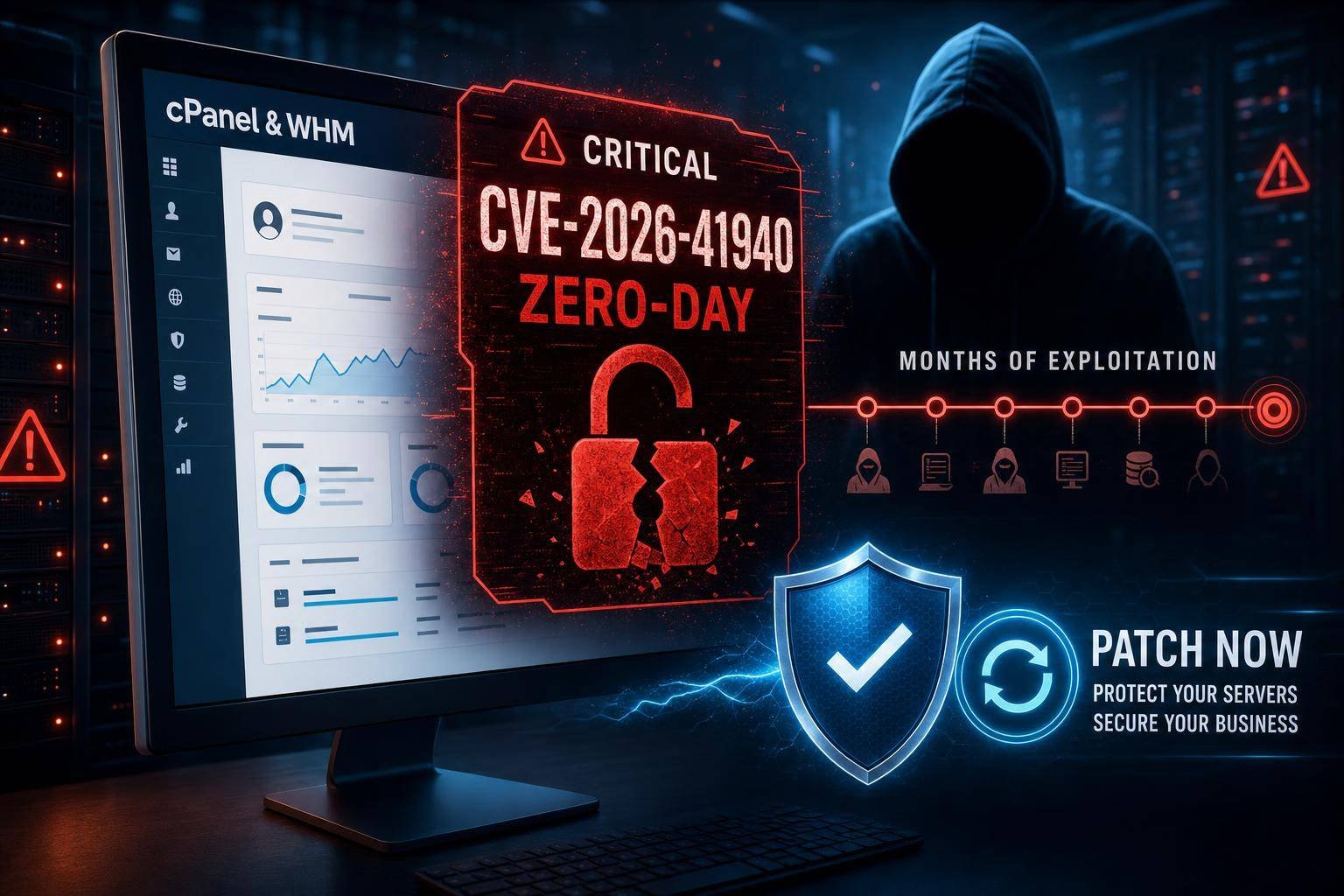
Critical cPanel & WHM Zero‑Day (CVE-2026-41940): Authentication Bypass Exploited for Months—and What to Do Now
A critical authentication bypass in cPanel & WHM (CVE-2026-41940, CVSS 9.8) has been exploited as a zero‑day since late February 2026. The flaw grants full control of the host, its configurations, databases, and all managed sites—turning shared hosting environments into high-value targets. cPanel disclosed the issue publicly on April 28 and urged immediate patching across all installations newer than version 11.40.
With an estimated 1.5 million internet‑accessible cPanel instances and active exploitation already observed by major providers, the exposure is broad and urgent. If you manage servers or sites on cPanel & WHM—whether you’re a hosting provider, agency, SaaS startup, or SMB—this is a drop‑everything-and‑patch moment. Below, you’ll find a plain‑English breakdown of the vulnerability, risk implications, and a step‑by‑step response playbook, plus hardening advice to reduce your blast radius for the next zero‑day.
What Happened: cPanel & WHM CVE‑2026‑41940 at a Glance
cPanel has confirmed a critical‑severity authentication bypass affecting all supported versions after 11.40, with exploitation active in the wild for months before disclosure. The company initially limited technical detail to reduce copycat attacks while patches propagated, but the risk profile is unambiguous: successful exploitation yields full administrative control of the host and downstream access to every account and website managed by that instance. For official updates and mitigation guidance, monitor the cPanel Security Advisories portal, which is the most authoritative source for fixes and known impacts: – cPanel Security Advisories
Exposure is nontrivial. Research teams note that large portions of the public internet run cPanel, and asset scans routinely identify hundreds of thousands to millions of reachable instances. For context on internet‑wide scanning and exposure analysis, see Rapid7’s long‑running Project Sonar. Attackers can also enumerate hosts with tools like Shodan, increasing the likelihood of mass scanning and opportunistic exploitation.
Multiple hosting companies temporarily restricted access to cPanel and WHM ports while deploying mitigations and updates. Some reported unauthorized access attempts across dozens of servers, though not all saw confirmed compromise. Given the severity and the nature of the bypass, any unpatched system should be treated as potentially exposed.
Why an Authentication Bypass in cPanel Is Catastrophic
An authentication bypass is not a “simple bug.” In a shared hosting control plane, it’s a skeleton key. Once an adversary bypasses auth in cPanel/WHM, they can: – Create or hijack accounts and escalate privileges. – Modify DNS records and mail routing (business email compromise enabler). – Exfiltrate databases and credentials across multiple tenants. – Plant webshells and persistence via cron, system daemons, or init scripts. – Pivot from the host to upstream infrastructure and cloud services.
From an application security standpoint, this falls squarely under OWASP’s highest‑risk category, Broken Access Control, which regularly tops breach root-cause analyses. From an attacker behavior perspective, exploitation of a public‑facing application to gain initial access is well documented in the MITRE ATT&CK framework: see T1190: Exploit Public‑Facing Application.
The compounded risk in cPanel environments stems from multi‑tenant density. One host often carries hundreds of websites and apps, many with sensitive databases, payment integrations, or OAuth secrets. A single bypass can snowball into cross‑tenant compromise, reputational damage, SEO penalties from defacements or malware flags, and incident response across an entire customer base.
Timeline, Signals, and Attack Surface
- Vulnerability class: Authentication bypass
- Identifier: CVE‑2026‑41940
- Severity: Critical (CVSS 9.8)
- Affected: All cPanel & WHM versions after 11.40
- Exploitation: Active since February 23, 2026 (observed in the wild)
- Disclosure: April 28, 2026
- Immediate response by providers: Port lockdowns, emergency patches, exposure reduction
Based on typical zero‑day dynamics, expect: – Wave 1: Targeted exploitation before public disclosure (already occurred). – Wave 2: Mass scanning and opportunistic abuse post‑advisory as exploit details circulate. – Wave 3: Automated bot campaigns, credential theft, SEO spam, webshell‑as‑a‑service payloads. – Secondary effects: Ransomware operators and data brokers leveraging initial footholds for monetization.
Your attack surface includes WHM and cPanel management ports, webmail interfaces, API endpoints, and any third‑party plugins or integrations that inherit trust. Even if you restrict panel access, exploitation might still occur through exposed services if the vulnerable components are reachable internally—so defense in depth is non‑optional.
Immediate Response: A Zero‑Day Playbook for cPanel & WHM
If you run or secure cPanel & WHM, treat this as an incident until proven otherwise. Move through these phases quickly and in order.
1) Contain and reduce exposure – Temporarily restrict public access to cPanel/WHM and webmail ports. Allow only via VPN or IP allowlist. – cPanel & WHM commonly use ports like 2082/2083 (cPanel), 2086/2087 (WHM), 2095/2096 (Webmail), 2089 (License server). Confirm and control these according to your environment and the vendor’s documentation on TCP and UDP ports used by cPanel & WHM. – If you offer customer access, communicate the temporary restriction with clear ETAs and support channels.
2) Patch aggressively – Update all cPanel & WHM instances to the latest fixed build available for your tier (LTS/Stable/Release/Current). Use the supported update path; avoid downgrades or partial syncs. – The canonical method to update on the host is via cPanel’s update utility; see official instructions for running the upcp script. – Ensure automatic updates are enabled across all servers, including staging and standby hosts. Verify post‑update version and build numbers.
3) Hunt for signs of compromise – Review authentication and access logs, admin actions, and system changes. Cross‑reference with your SIEM if available. – Look specifically for unusual logins, new admin users, modified DNS/mail settings, unexplained cron jobs, and unfamiliar PHP files in webroots.
4) Rotate secrets at scale – Reset WHM/cPanel root and reseller passwords, API tokens, and SSH keys. – Encourage or enforce credential resets for all hosted accounts. Assume shared passwords have leaked. – Refresh application secrets: database passwords, SMTP credentials, OAuth tokens, and any environment variables used by critical apps.
5) Strengthen front‑line controls – Require MFA for all administrative and reseller accounts. – Enforce IP allowlists for WHM/cPanel access where feasible. – Enable or tighten anti‑brute‑force controls and WAF rules; increase sensitivity temporarily.
6) Formalize the incident – Document timelines, affected assets, actions taken, and forensic findings. – Coordinate customer notifications if there’s a reasonable likelihood of exposure. – Engage legal and insurance partners as required by your contracts and jurisdictions.
For structured guidance through containment, eradication, and recovery, align with the CISA Incident Response Playbook, adapting it to hosting operations and customer communications.
Technical Deep Dive: Where to Look and What to Look For
Even if your instances are now patched, assume adversaries may have established persistence during the zero‑day window. Prioritize the following checks.
Log sources (host and cPanel specific) – /usr/local/cpanel/logs/access_log — Panel access attempts, suspicious endpoints, unusual IPs. – /usr/local/cpanel/logs/error_log — Application errors that may hide failed or probing attempts. – /var/log/secure and /var/log/auth.log — SSH/privilege escalations, new users, failed/successful logins. – /var/log/messages or journalctl — Service restarts, segfaults, or anomalies around WHM/cPanel services. – /var/log/exim_mainlog — Sudden outbound spikes or spam patterns. – Web server logs (Apache/Nginx) per vhost — Requests to upload directories, plugin endpoints, or known webshell patterns.
Indicators of compromise (IOCs) – Unfamiliar WHM/cPanel admin accounts or recent privilege changes. – Newly created cron jobs (system or user level), particularly with curl/wget/obfuscated shell. – Modified DNS (MX, SPF, DKIM, DMARC) or mail routing to attacker‑controlled hosts. – PHP backdoors in wp‑content/uploads, vendor cache directories, or “.well-known” paths. – Unexpected outbound connections to rare ASNs, TOR exit nodes, or IPs previously unseen in your environment. – SUID/SGID binaries recently added or modified in system paths.
Practical commands and fast triage tips
– List recent admin‑level changes in WHM and account creation timestamps.
– Check for new users: awk -F: '$3 >= 1000 {print $1}' /etc/passwd
– Enumerate cron jobs: for u in $(cut -f1 -d: /etc/passwd); do crontab -u $u -l 2>/dev/null; done
– Review listening services: ss -lntup | grep -E '208[23679]|209[56]' (adjust to your ports)
– Search for common webshell indicators: filenames like cmd.php, shell.php, or base64‑heavy code in uploads.
– Baseline compare critical configs: e.g., Apache/Nginx vhost files, named.conf, Exim configs, and CSF/Firewall rules.
If you find clear evidence of compromise – Isolate the host from public networks. – Preserve forensic artifacts (disk images, volatile memory if possible). – Stand up a clean environment, restore from known‑good backups, and reintroduce workloads after hardening and credential rotation. – Consider mandatory password resets for all tenant sites and system users.
Hardening cPanel & WHM for the Long Run
Even with a patched cPanel & WHM vulnerability, resilience requires layered controls. Use the following checklist to raise the floor against future zero‑days and misconfigurations.
Access and authentication – Enforce MFA for root/reseller accounts and require strong, unique passwords across all accounts. – Restrict WHM/cPanel access to VPN/IP allowlists. Don’t expose management interfaces broadly to the internet. – Disable password‑based SSH; require key‑based auth with passphrases. Move SSH off default port if it reduces noise.
Network and segmentation – Place cPanel/WHM behind a VPN or bastion host. Apply host‑based firewalls to restrict inbound to necessary ports only. – Isolate tenant data paths and apply filesystem confinement (e.g., CageFS or equivalent) to reduce lateral movement.
Update and vulnerability management – Enable automatic cPanel updates and monitor for failures. Validate successful updates against your config management source of truth. – Maintain an asset inventory of all cPanel hosts, tiers, and plugins. Treat abandoned plugins/themes as liabilities; remove or replace them. – Integrate a monthly cadence for known vulnerability reviews and ad‑hoc emergency patch windows. NIST’s guidance on patch governance is a solid foundation: SP 800‑40 Rev. 3.
Application layer defenses – Enable a WAF with a tuned rule set (e.g., OWASP CRS) for common CMS targets (WordPress, Joomla, Magento). – Disable insecure PHP functions where possible and keep PHP versions current; prefer PHP‑FPM with per‑user pools. – Log aggressively and centralize into a SIEM. Alert on anomalous admin actions, mass file changes, or outbound spikes.
Email and DNS hygiene – Lock down DNS changes to admins with MFA and change approval workflows. – Monitor mail queues for spikes. Implement outbound rate limits and DMARC enforcement.
Backups and recovery – Keep immutable or offline backups with tested restores. Tag backup snapshots by patch event windows for forensic reference. – Use per‑tenant backup policies to reduce recovery scope and downtime for unaffected customers.
Governance and drills – Subscribe to vendor advisories for cPanel and your OS/base image. Track high‑profile zero‑days in the CISA KEV Catalog and prepare fast‑track windows for those CVEs. – Run tabletop exercises that simulate a control‑plane auth bypass. Include customer comms and legal/regulatory paths.
Business Impact: What Agencies, SMBs, and SaaS Teams Need to Weigh
- Customer trust and SLAs: Even brief panel lockdowns and forced password resets can strain relationships. Communicate early, clearly, and with timelines.
- SEO and reputation: Defacements, injected spam links, or malware flags can crater rankings and ad integrity. Remediation at scale is costly.
- Compliance exposure: PCI‑DSS environments, HIPAA‑adjacent PHI, or contractual data protections may trigger reporting obligations and audits.
- Insurance and legal: Cyber insurance underwriters increasingly scrutinize patch cadences, MFA, and incident response maturity. Zero‑day readiness can affect premiums and payouts.
- Build vs buy: For high‑risk workloads, consider isolating critical apps on managed PaaS or hardened, dedicated infrastructure rather than dense shared hosting.
If you’re an agency managing dozens or hundreds of cPanel accounts across multiple providers, consolidate visibility. Keep a private registry of client domains, host providers, panel access methods, and emergency contacts. During advisories like CVE‑2026‑41940, you should be able to trigger bulk communications and policy changes (MFA, password resets, IP allowlists) in hours, not days.
Strategic Lessons: Getting Ready for the Next Zero‑Day
This incident is a reminder that control‑plane software is part of your core attack surface—not just “admin convenience.” Build your program like that’s true.
- Asset visibility first: Know every cPanel host, version, tier, and exposure path. Unknown assets are unpatchable assets.
- Standardized golden images: Keep hardened base images for quick rebuilds. If compromise is suspected, “nuke and pave” beats months of forensics.
- Change windows that flex: Have a pre‑approved emergency path for after‑hours patching and temporary service restrictions.
- Security champions in operations: Embed security expertise in hosting teams. Treat panel advisories like kernel or OpenSSL criticals.
- Customer communication playbooks: Draft templates now—port blocks, MFA rollouts, forced resets, post‑mortems—so you aren’t writing from scratch mid‑incident.
- External intelligence: Monitor the CISA KEV Catalog and vendor advisory feeds. Map your environment to entries weekly, then automate alerting.
Tools and Tactics: Practical Steps You Can Apply Today
If you own the servers – Lock down management ports to your office IPs and VPNs. Maintain an allowlist you can update rapidly. – Enable cPanel auto‑updates and verification. Audit monthly that your fleet matches the intended tier and build. – Push MFA to all admins and resellers; set a hard deadline and enforce it. – Centralize logs (cPanel, web servers, mail, system) and create a “spike dashboard” that highlights anomalies on a single screen. – Pre‑stage an incident box with scripts for mass credential rotation, DNS verification, and cron auditing.
If you’re a reseller, agency, or site owner on shared cPanel hosting – Ask your provider to confirm patch status for CVE‑2026‑41940 and whether they restricted panel ports during the window. – Immediately rotate your cPanel password, database credentials, API keys, and CMS admin passwords. Enable MFA where available. – Audit your websites for unfamiliar admin users, plugins, or themes. Remove abandonware. – Keep offline copies of critical configurations (DNS zone files, SMTP credentials, environment variables) for fast rebuilds.
Monitoring the Road Ahead: Exploits, Patches, and Secondary Abuse
Public disclosures are often followed by proof‑of‑concept code, then mass exploitation. Watch for: – Sudden increases in panel login attempts from single ASNs or newly registered IP ranges. – SEO spam outbreaks, webshell deployments, and redirect malware. – Domain and mail tampering leading to business email compromise. – Ransom notes on website roots or via mass emails claiming data theft.
Continue to monitor the cPanel Security Advisories page for any clarifications, updated mitigations, or post‑patch hardening guidance. Keep your communications team primed; proactive updates to customers can help preempt uncertainty and support load.
FAQ
What is CVE‑2026‑41940 and who is affected? – It’s a critical authentication bypass in cPanel & WHM, exploited as a zero‑day since February 2026. All versions after 11.40 are impacted. Any internet‑accessible instance is at risk until patched.
How do I patch cPanel & WHM safely? – Update to the latest fixed build for your tier using cPanel’s supported update utility. The vendor’s documentation for the upcp process is the authoritative source for commands and flags.
Should I block access to cPanel/WHM ports during mitigation? – Yes. Temporarily restrict access to management ports to VPN or allowlisted IPs while you patch and verify. Maintain permanent allowlists for administrative interfaces where feasible.
What logs and artifacts should I review for compromise? – cPanel access and error logs, system auth logs, web server logs per vhost, Exim mail logs, DNS changes, and cron entries. Look for new admin accounts, odd login patterns, and unexpected file changes or outbound connections.
Do I need to rotate all credentials? – Assume credentials may be exposed. Rotate WHM/cPanel root and reseller passwords, user passwords, API tokens, SSH keys, and application/database credentials. Enforce MFA for admins.
Is there a public exploit available? – Technical details were initially limited to slow exploitation. Expect proof‑of‑concepts to surface after disclosure; prepare for increased scanning and opportunistic attacks.
The Bottom Line on the cPanel & WHM Vulnerability
CVE‑2026‑41940 is exactly the kind of control‑plane zero‑day that cascades into large‑scale, multi‑tenant compromise. If you run cPanel & WHM, patch immediately, restrict access to management interfaces, and conduct a focused hunt for persistence. Rotate credentials broadly and enforce MFA for administrators and resellers. Then invest in durable improvements—asset visibility, automated patching, segmentation, and tested recovery—so the next critical advisory is a planned sprint, not a scramble.
Your next steps: – Confirm patch status on every cPanel host. – Lock down panel ports to VPN/IP allowlists. – Review logs for indicators of compromise and rotate secrets. – Enable auto‑updates and MFA. – Track advisories via cPanel and high‑confidence sources like NIST, CISA, and OWASP.
Handled decisively, this cPanel & WHM vulnerability becomes a forcing function for better operational security—one that protects your customers, preserves your brand, and shortens the path from alert to remediation the next time a zero‑day drops.
Discover more at InnoVirtuoso.com
I would love some feedback on my writing so if you have any, please don’t hesitate to leave a comment around here or in any platforms that is convenient for you.
For more on tech and other topics, explore InnoVirtuoso.com anytime. Subscribe to my newsletter and join our growing community—we’ll create something magical together. I promise, it’ll never be boring!
Stay updated with the latest news—subscribe to our newsletter today!
Thank you all—wishing you an amazing day ahead!
Read more related Articles at InnoVirtuoso
- How to Completely Turn Off Google AI on Your Android Phone
- The Best AI Jokes of the Month: February Edition
- Introducing SpoofDPI: Bypassing Deep Packet Inspection
- Getting Started with shadps4: Your Guide to the PlayStation 4 Emulator
- Sophos Pricing in 2025: A Guide to Intercept X Endpoint Protection
- The Essential Requirements for Augmented Reality: A Comprehensive Guide
- Harvard: A Legacy of Achievements and a Path Towards the Future
- Unlocking the Secrets of Prompt Engineering: 5 Must-Read Books That Will Revolutionize You