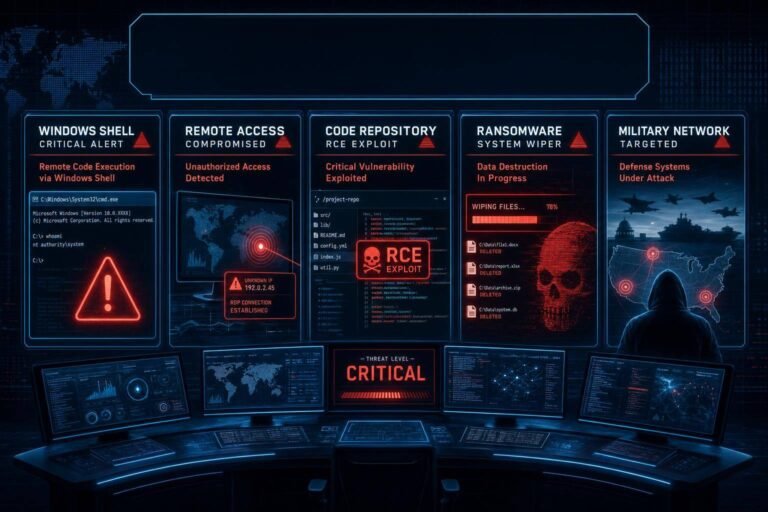
Microsoft Impersonation Phishing Spikes in 2026: How Hackers Are Breaching Microsoft 365—and How to Stop Them
Attackers are leaning hard on brand trust. In late April 2026, security teams saw a surge in hackers impersonating Microsoft to steal credentials and hijack enterprise Microsoft 365 tenants. The lures look convincing, the infrastructure is polished, and in some cases, the “Microsoft support agent” calling is a deepfake voice engineered by AI.
Why now? Two reasons. First, adversaries are piggybacking on recent Microsoft advisories and patches to make their emails feel timely and authentic. Second, human fatigue is real—after months of patch cycles and breach headlines, users are more likely to click “Verify account” on a plausible Microsoft notice or accept a caller posing as Microsoft support. The result is a run of credential theft and full-tenant compromise across sectors.
This report breaks down the latest Microsoft impersonation phishing tactics, how a single click can snowball into a multi-stage breach, and the concrete controls that reduce your risk fast. You’ll get an incident checklist, configuration-level advice for Microsoft 365, and a governance plan for the AI-enabled social engineering era.
The 2026 surge in Microsoft impersonation phishing: what’s really happening
Security teams are reporting a coordinated wave of Microsoft impersonation phishing (and vishing) campaigns that combine lookalike domains, spoofed support emails, and AI voice cloning. The campaigns map cleanly to known social engineering playbooks and MITRE ATT&CK techniques, especially Phishing (T1566).
Key observations:
- Convincing sender domains and headers
- Attackers register lookalike domains (e.g., micros0ft-support[.]com), abuse compromised senders, or leverage misconfigured email infrastructure to increase deliverability.
- Some messages originate from previously hijacked suppliers or community organizations, boosting credibility and bypassing simple allowlists.
- Polished Microsoft 365 lures and pages
- Messages reference authentic Microsoft notifications—sign-in risk alerts, mailbox full warnings, file-sharing notices, or “security updates required.”
- Landing pages mimic Microsoft’s sign-in flow with pixel-perfect CSS and brand assets, and in some cases proxy the real login (capturing credentials and tokens en route).
- OAuth consent phishing
- Instead of asking for a password, the phish seeks consent to a malicious Azure AD multi-tenant app. If granted, the app gets API access to mailboxes and files, often evading MFA because tokens are valid by design.
- Voice deepfakes for support scams
- Some enterprises report vishing calls that sound like legitimate Microsoft agents: crisp audio, native accents, agent names that match public Microsoft personnel, and contextual details scraped from LinkedIn or prior email threads.
- The “agent” asks the user to approve an MFA prompt, read out a one-time code, or install a “Microsoft security tool” that’s actually a remote access trojan.
- DNS and routing abuse as an enabler
- Reports of DNS tampering and hijacks earlier this month primed the environment. DNS-level manipulation can steer users to malicious infrastructure or degrade defenses if protective records aren’t enforced.
- “Recent vulnerability” anchoring
- Threat actors reference fresh CVE chatter and advisories to justify urgency. Security teams confirmed exploitation of a new zero‑click Windows information disclosure flaw this week. While details evolve, defenders should track the MSRC Security Update Guide and the CISA Known Exploited Vulnerabilities catalog for authoritative status.
The throughline: adversaries are blending technical detail, psychological pressure, and AI-generated realism to raise click-through and consent rates. A single user’s misstep can become an enterprise incident in hours.
From lure to full tenant compromise: how the attack chain unfolds
When “Microsoft” calls or emails, what happens next? Here’s a common sequence of events observed in 2026 incidents.
1) Initial contact – Email: A realistic Microsoft notice prompts the user to “Review unusual activity,” “Update your security information,” or “Reauthenticate to keep files synced.” – Phone: A “Microsoft support” call references a ticket number, recent failed logins, or an actual internal help desk thread (lifted from a mailbox compromise).
2) Credential or token capture – Credential phishing: User enters credentials on a cloned page. MFA may block immediate access—but not always. – MFA bypass: The caller coaches the user to approve an MFA prompt, read a one-time code, or install a “security helper” that steals session tokens. – OAuth consent phishing: User clicks “Accept” on a malicious app’s requested permissions (e.g., Mail.ReadWrite, Files.Read.All). No password needed.
3) Initial foothold inside Microsoft 365 – The attacker signs in (or uses app tokens) and sets up inbox rules to hide activity, exports mailbox contents, enumerates Teams/SharePoint, and identifies administrators and VIPs. – If OAuth tokens are obtained, the attacker can access mail and files via Microsoft Graph APIs with fewer login events to trip alarms.
4) Persistence and privilege escalation – Create forwarding rules to external addresses. – Add secondary authentication methods to the user’s account. – Attempt to add roles via a compromised administrator or pivot through delegated permissions. – Enroll their own device or add a rogue enterprise app to increase reach.
5) Lateral movement and internal phishing – Use the compromised account to phish colleagues (“internal trust”), request wire changes (BEC), or drop payloads through SharePoint links and Teams messages. – Target privileged accounts and service principals; attempt consent on additional malicious applications.
6) Data theft and extortion – Exfiltrate emails, files, and sensitive data to external storage. – In some cases, stage a ransomware or data-extortion event, threatening to leak sensitive material.
Pro tip: map your detections and prevention controls to each stage. Stopping OAuth abuse and detecting anomalous mailbox rules can be as impactful as catching the initial phish.
Why attackers succeed: trust, timing, and vulnerability fatigue
Microsoft is the enterprise’s default trust brand. That trust is an attack surface.
- Brand authority bias: Users are primed to comply with “Microsoft” requests about account health, updates, or license issues. In behavioral terms, authority bias and urgency combine to suppress skepticism.
- Recency anchoring: When security media and vendor advisories reference new Windows or Microsoft 365 issues, attackers immediately mirror the language. The lure sounds informed: “We’re applying a critical policy related to recent CVEs; re-verify your security info now.”
- MFA isn’t a silver bullet: SMS and mobile-app push MFA can be socially engineered (prompt bombing, OTP coaching). The rise in vishing and deepfake voices increases the success rate of these bypasses. NIST’s guidance favors phishing-resistant methods like FIDO2 and PIV over codes and pushes; see NIST SP 800‑63B.
- OAuth consent is underappreciated risk: Users and some admins think “consent” is safer than passwords. But if a malicious app gains Graph permissions, it can read mail and files without tripping sign-in policies—because there’s no sign-in.
- Defensive drift: Teams are stretched. Patch cycles, noisy alerts, and vendor UI changes lead to blind spots. Attackers exploit that drift with patient, well-sequenced campaigns.
This isn’t a novel attack; it’s a ruthlessly optimized one—tuned for how enterprises work in 2026.
Defensive playbook: concrete steps to stop Microsoft impersonation phishing
Great security aligns people, process, and platform. Below is a pragmatic, ordered playbook focused on material risk reduction in Microsoft 365 and adjacent channels.
1) Strengthen identity and access
- Enforce phishing-resistant MFA
- Adopt FIDO2 security keys for admins and high-risk roles first, then expand org-wide. FIDO2 counters OTP coaching and deepfake vishing because there’s no code to share.
- Align with NIST SP 800‑63B authentication guidance for assurance levels and authenticator selection.
- Kill legacy authentication
- Disable basic/legacy auth protocols (POP/IMAP without OAuth, older EWS endpoints). Legacy auth is exempt from many Conditional Access rules and is a staple of account takeover.
- Tighten Conditional Access policies
- Require MFA for risky sign-ins and admin roles.
- Block or restrict access from unmanaged devices; enforce compliant device or app protection policies for sensitive scopes.
- Leverage sign-in risk and user risk signals to challenge suspicious behavior.
- Harden token and session resilience
- Enable token protection mechanisms where available and shorten refresh token lifetimes for high-value roles.
- Turn on Continuous Access Evaluation to revoke tokens when risk changes.
- Constrain app consent
- Restrict user consent to verified publishers and least-privilege scopes.
- Require admin approval for high-privilege scopes (Mail.ReadWrite, Files.Read.All).
- Review enterprise applications regularly; disable unused or suspicious apps.
2) Raise the bar on email and web security
- Enforce email authentication correctly
- Implement SPF, DKIM, and DMARC with a policy of p=reject after a monitored rollout. This reduces direct spoofing risk and improves receiver filtering accuracy. See Microsoft’s guidance on using DMARC to validate email in Microsoft 365.
- Monitor DMARC reports to identify abusive sending sources and correct misconfigurations.
- Enhance inspection for links and attachments
- Use advanced link and attachment inspection in your secure email gateway or cloud email security. Rewrite and detonate links, sandbox attachments, and block newly registered domains.
- Apply domain and brand protections
- Register defensive lookalike domains when feasible.
- Consider BIMI for brand indicators as a weak signal; don’t rely on logos alone.
- Monitor for typosquats and phishing kits using your brand.
- Train for the “Microsoft support” trap
- Short, frequent, targeted training beats annual modules. Simulate Microsoft-themed lures and vishing calls.
- Provide a one-click phish-report button and measure time-to-report.
- Publish safe verification steps
- Mandate that users never approve MFA or share codes on inbound calls. If “Microsoft” calls, users must hang up and call back via the number listed on the official Microsoft support scam guidance. Normalize that behavior across the company.
3) Detect what others miss
- Alert on stealthy mailbox changes
- Monitor creation of forwarding rules, auto-archive changes, or rules that hide messages. These are high-fidelity signals for business email compromise.
- Track OAuth risk
- Alert on new enterprise app consents, especially those with sensitive Graph scopes.
- Flag unverified publishers or consent from unusual departments.
- Hunt for anomaly clusters
- Combine telemetry: unusual sign-in IP + sudden increase in “Download” operations in SharePoint + new app consent = likely compromise.
- Use UEBA and baselining to prioritize real deviations over noise.
- Follow authoritative exploit signals
- Subscribe to the CISA KEV catalog and auto-prioritize remediation of any listed Microsoft vulnerabilities in your environment. KEV-listed issues have active exploitation, so they often appear in phishing lures and post-exploitation toolchains.
4) Incident response checklist for a suspected Microsoft impersonation attack
Move fast, document faster. Here’s a field-proven sequence:
- Contain access – Force sign-out for the suspected user; revoke refresh tokens and invalidate sessions. – Require password reset and re-enroll MFA if you suspect theft of factors.
- Disable persistence – Remove malicious mailbox rules and forwarding addresses. – Review and remove recently granted app consents for the user and tenant.
- Scope the blast radius – Query for sign-ins, mail send/receive anomalies, file access spikes, and sensitive file downloads in the last 7–14 days. – Check adjacent accounts for similar patterns, especially admins and executives.
- Elevate logging – Set high-retention logging for the next 30 days. Preserve evidence to support legal and regulatory processes.
- Communications and legal – Coordinate with legal and privacy teams. Prepare stakeholder comms; do not reveal indicators that would help the attacker pivot.
- Patch and harden – Cross-check the MSRC Security Update Guide and KEV for relevant CVEs. Apply patches and policy changes as a matter of record.
- Learn and close gaps – Update Conditional Access, app consent policies, and training modules based on the incident’s root cause.
Documenting each step helps in potential regulatory reviews and insurance claims.
What else spiked this week: zero‑click Windows exploit, Medtronic breach, ransomware, and supply-chain risk
While Microsoft impersonation phishing dominated inboxes, several parallel developments matter for defenders:
- Zero‑click Windows information disclosure
- Security teams confirmed exploitation in the wild of a new Windows info disclosure vulnerability with zero user interaction. Details are still developing; track remediation status via the MSRC Security Update Guide and prioritize if or when it appears in the CISA KEV catalog. Expect adversaries to reference this CVE in phishing lures to heighten urgency.
- Medtronic data breach
- A major healthcare device and services provider reportedly saw records exposed, allegedly by the ShinyHunters group. Healthcare data’s high value—personal, medical, insurance—drives persistent targeting. Expect spearphishing lures referencing appointments, device updates, or insurance claims.
- Ransomware group name-checking “Kyber”
- Reports indicate a ransomware outfit using “Kyber” branding and touting “quantum-resistant” encryption. Criminal marketing aside, enterprise preparedness hasn’t changed: backups, segmentation, and credential hygiene still decide outcomes. For genuine cryptographic standards, track NIST’s Post‑Quantum Cryptography project. The attackers’ buzzwords don’t grant magical security; your defenses matter more than their algorithm.
- Supply‑chain compromise of a developer security tool
- An open-source infrastructure-as-code scanning tool used by developers was reportedly tampered with by a threat group. The lesson is persistent: developer tools and CI/CD pipelines are high-leverage targets. Adopt a modern software supply-chain discipline aligned to NIST SP 800‑218 (Secure Software Development Framework) to reduce blast radius.
Why connect these dots? Phishing lures are grounded in current events. Attackers will invoke “Medtronic,” “Windows zero‑click,” or “developer tool security hotfix” to push users into impulsive actions. When your staff already knows these headlines from internal briefings, the lures lose their edge.
Governance and the road ahead: AI deepfakes, verification norms, and resilience metrics
The technical fixes above are necessary—but insufficient without governance that scales.
- Normalize verification culture
- Publish a short, non-negotiable rule: No one approves MFA codes or installs tools based on inbound calls. All “Microsoft” communications must be validated through official portals or known ticketing systems.
- Provide the sanctioned routes and phone numbers. Create wallet cards or desktop stickers for high-risk teams (finance, executives, help desk).
- Make phishing-resistant MFA a KPI
- Track the percentage of users on phishing-resistant MFA methods (FIDO2/PIV). Tie leadership incentives to getting critical roles to 100% by a defined quarter. This operationalizes NIST SP 800‑63B beyond a policy PDF.
- Quantify response readiness
- Metrics that matter: time-to-report (user click to SOC ticket), time-to-contain (SOC ticket to session revocation), and time-to-recover (containment to restored baseline).
- Measure “control coverage” too: percentage of tenants with legacy auth disabled, Conditional Access in place, and restricted app consent.
- Invest in AI-aware risk management
- Deepfake vishing and AI-written lures raise social engineering success rates. Treat this as an enterprise AI risk, not just a security awareness issue. Use frameworks like the NIST AI Risk Management Framework to structure governance, assurance, and monitoring.
- Exercise the scenario
- Run a quarterly tabletop on “Microsoft impersonation phishing” mapped to your exact stack and org chart. Include legal, PR, finance, and exec assistants—because attackers will.
- Close the ransomware loop
- Align with the CISA Stop Ransomware guidance: tested offline backups, network segmentation, immutable snapshots, and privileged access hardening. These steps also reduce the blast radius of a compromised Microsoft tenant when attackers escalate.
Practical configuration checklist for Microsoft 365
Use this condensed, action-oriented list to harden your tenant this week.
Identity and access – Require FIDO2/PIV for admins and privileged roles; expand to finance, HR, and executives next. – Disable legacy authentication protocols across the tenant. – Enforce Conditional Access: – Block access from unmanaged devices for sensitive apps or require app protection policies. – Challenge unfamiliar sign-in risk and geographies. – Require compliant device or approved client for admin portals. – Enable sign-in risk and user risk policies to auto-remediate. – Restrict user consent; require admin approval for high-privilege scopes; limit to verified publishers. – Shorten refresh token lifetime for admin roles; enable Continuous Access Evaluation.
Email and collaboration – Implement SPF, DKIM, and DMARC to p=reject, with staged enforcement. – Enable advanced link and attachment protection; block uncommon file types. – Turn on mailbox auditing; alert on creation of forwarding rules and unusual send patterns. – Apply anti-spoofing and anti-phishing policies tuned for executive names and internal domains. – Educate users on reporting phishing; deploy a “Report Phish” add-in.
Monitoring and detection – Alert on new enterprise app registrations/consents. – Monitor SharePoint/OneDrive for mass downloads and sharing to personal accounts. – Baseline typical OAuth scopes per department; flag deviations. – Aggregate sign-in anomalies (impossible travel, unusual agent) with data exfil events.
Response readiness – Pre-stage IR runbooks for account takeover and OAuth abuse. – Ensure the SOC can force sign-out, revoke tokens, and wipe managed devices rapidly. – Test legal and PR comms for external notification scenarios.
Supply chain and endpoint – Harden developer accounts with FIDO2; restrict PAT scopes and token lifetimes. – Validate critical open-source dependencies and tools; lock versions; verify signatures. – Increase EDR sensitivity on help desk and IT admin workstations; these users are often targeted in “support” vishing.
FAQ
What is Microsoft impersonation phishing? – It’s a social engineering attack where adversaries pose as Microsoft—via email, phone, or web—to trick users into giving up credentials, approving MFA prompts, or consenting to malicious apps. The goal is access to Microsoft 365 data and administrative control.
How can I quickly verify if a “Microsoft” email or call is legitimate? – Don’t click links or follow instructions in the message. Instead, navigate directly to the Microsoft 365 portal you normally use, check for alerts there, or contact your IT team. For calls, hang up and call back using numbers from official Microsoft pages or your internal help desk. Microsoft offers end-user guidance on recognizing support scams on its official support site.
Does DMARC stop all spoofed Microsoft emails? – No. DMARC prevents direct spoofing of your own domains and helps receivers make better decisions, but attackers can still use lookalike domains or compromised senders. DMARC is essential hygiene—see Microsoft’s DMARC configuration guidance—but it’s not sufficient alone.
Are FIDO2 security keys worth the deployment effort? – Yes. FIDO2 is phishing-resistant by design and blocks common MFA bypasses like OTP sharing or push fatigue. NIST’s SP 800‑63B endorses phishing-resistant authenticators for high-assurance use cases.
What should admins do first after suspected Microsoft 365 credential theft? – Immediately force sign-out, revoke refresh tokens, reset the password, and remove malicious mailbox rules. Review recent OAuth app consents and disable suspicious apps. Then scope the incident—logins, data access, and lateral movement—and cross-check relevant CVEs on the MSRC Security Update Guide.
Does “quantum-resistant ransomware” change my ransomware defense priorities? – Not today. Whether criminals brand their crypto “post‑quantum” or not, your practical defenses remain the same: backups, segmentation, privileged access controls, and rapid detection. For authentic standards development, follow NIST’s Post‑Quantum Cryptography project, not threat actor marketing.
Conclusion: Microsoft impersonation phishing is surging—tighten identity, verify communications, and rehearse your response
Microsoft impersonation phishing thrives on brand trust, timely headlines, and human fatigue. In 2026, attackers are pairing convincing Microsoft 365 lures with AI-generated voices and OAuth consent abuse to jump from a single user action to full-tenant compromise.
Your best countermeasures are clear and implementable: move key roles to phishing‑resistant MFA, disable legacy auth, lock down Conditional Access and app consent, enforce DMARC/SPF/DKIM, and monitor for mailbox rule changes and suspicious OAuth activity. Track and patch issues that appear in the CISA KEV catalog and confirm remediation status via the MSRC Security Update Guide. Finally, institutionalize a verification-first culture so no one ever acts on a “Microsoft” request without validating it through official channels.
Start this week: pick one high-impact change (FIDO2 for admins, DMARC to p=reject, or killing legacy auth) and make it real. Then schedule a one-hour tabletop on Microsoft impersonation phishing. The attackers are iterating. With disciplined identity controls, resilient email defenses, and a rehearsed IR playbook, you’ll force them to move on.
Discover more at InnoVirtuoso.com
I would love some feedback on my writing so if you have any, please don’t hesitate to leave a comment around here or in any platforms that is convenient for you.
For more on tech and other topics, explore InnoVirtuoso.com anytime. Subscribe to my newsletter and join our growing community—we’ll create something magical together. I promise, it’ll never be boring!
Stay updated with the latest news—subscribe to our newsletter today!
Thank you all—wishing you an amazing day ahead!
Read more related Articles at InnoVirtuoso
- How to Completely Turn Off Google AI on Your Android Phone
- The Best AI Jokes of the Month: February Edition
- Introducing SpoofDPI: Bypassing Deep Packet Inspection
- Getting Started with shadps4: Your Guide to the PlayStation 4 Emulator
- Sophos Pricing in 2025: A Guide to Intercept X Endpoint Protection
- The Essential Requirements for Augmented Reality: A Comprehensive Guide
- Harvard: A Legacy of Achievements and a Path Towards the Future
- Unlocking the Secrets of Prompt Engineering: 5 Must-Read Books That Will Revolutionize You