CVE-2026-32202: Incomplete Windows SmartScreen Patch Enables Zero-Click Attacks and NTLM Hash Theft
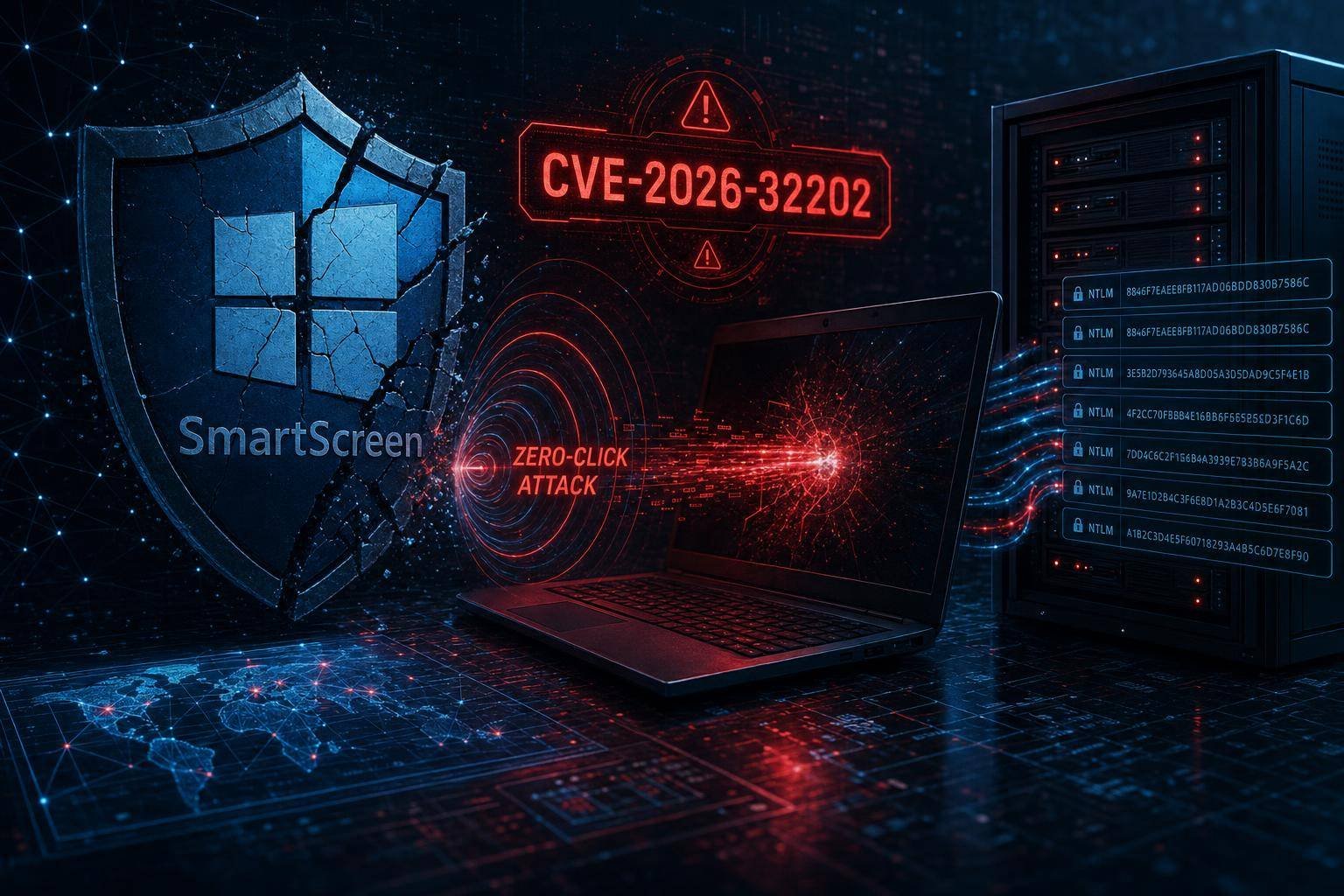
Akamai researchers uncovered that an incomplete Microsoft patch quietly opened a fresh zero-click pathway into Windows networks—and adversaries didn’t need a single user interaction to get in. Cataloged as CVE-2026-32202, the bug arises from a February 2026 fix that fell short, leaving a gap around Windows SmartScreen and Windows Shell security prompts that attackers could exploit to coerce authentication and siphon NTLM hashes.
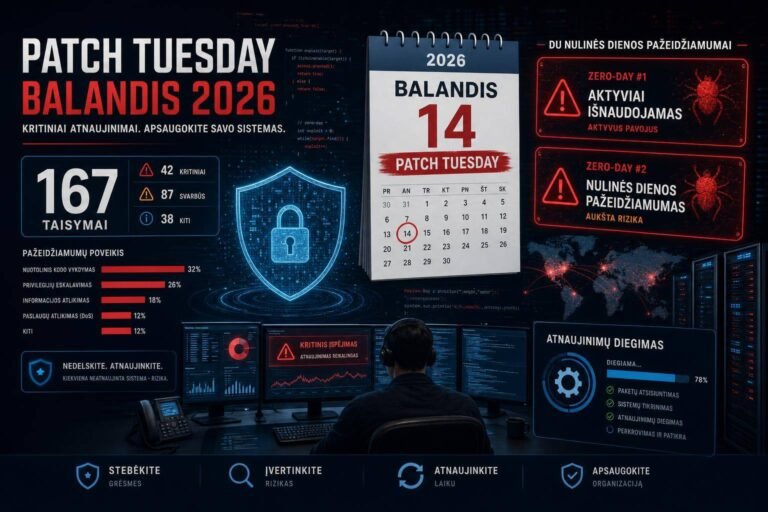
Why it matters now: Microsoft subsequently addressed CVE-2026-32202 in the April 2026 Patch Tuesday rollup and marked it as exploited in the wild. CISA added it to the Known Exploited Vulnerabilities (KEV) Catalog and ordered federal agencies to patch by May 12 under Binding Operational Directive (BOD) 22-01. For organizations that haven’t closed this hole, the window for stealthy credential theft and lateral movement remains uncomfortably open.
If your enterprise relies on Windows endpoints and servers, this is your prompt to do more than patch. Understanding how the zero-click vector works—and how NTLM hash theft cascades into full domain compromise—is the difference between a near-miss and a costly incident. This analysis explains the exposure, reconciles the “zero-click” debate, and provides pragmatic controls beyond emergency patching.
What changed: from a click-to-exploit to a zero-click coercion path
In February 2026, Microsoft shipped fixes for two issues Akamai had been tracking:
- CVE-2026-21510: a Windows shortcut handling flaw allowing remote code execution if a victim opened a malicious .LNK or related file.
- CVE-2026-21513: a security feature bypass in Windows’ MSHTML framework that could defang built-in prompts.
CERT-UA attributed exploitation of CVE-2026-21510 to Russia-linked APT28 (also tracked as Fancy Bear/Forest Blizzard/GruesomeLarch/Sofacy), with targeting focused on Ukraine. Microsoft’s patch addressed the direct execution path, but Akamai discovered an adjacent gap: Windows could still be induced to initiate outbound authentication—without any user clicks—via Windows Shell behavior and SmartScreen/security prompt logic. That oversight became CVE-2026-32202.
The result: an attacker could craft a file that, once it touched the user’s system in common workflows (syncing to a folder, appearing in a preview pane, being indexed, etc.), silently triggered outbound NTLM authentication to an attacker-controlled server. The net effect is a zero-click NTLM hash leak that can power pass-the-hash, lateral movement, and ultimately domain takeover.
Microsoft’s April 2026 patches closed this specific path. However, Redmond’s advisory language states that malicious files still require “execution,” a narrower view than Akamai’s “zero-click” label. We’ll unpack that distinction and what it means for defenders.
How the zero-click coercion works, in plain terms
Windows is designed to be helpful. When a file appears in a folder, Windows Explorer and related components often retrieve metadata, resolve icon paths, and generate thumbnails. If those attributes point to remote resources—via UNC paths (\server\share), WebDAV, or other handlers—Windows may automatically reach out to fetch them.
Here’s where credential theft enters:
- NTLM by design: If Windows thinks it’s talking to a Windows resource, it will often attempt NTLM authentication automatically. NTLM is a challenge-response protocol that doesn’t send plaintext passwords, but it does send a hashed representation (often netNTLMv2) that attackers can capture and replay or crack. See Microsoft’s overview of NTLM authentication.
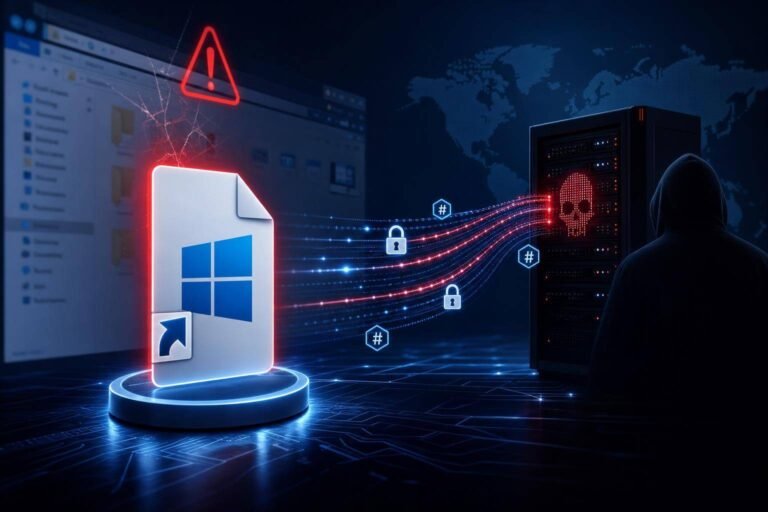
- Coercion via file attributes: An attacker can embed a reference to a remote icon or content in a shortcut or other file type. When Windows inspects the file—sometimes without a click—it may attempt to retrieve that resource, initiating NTLM negotiation to the attacker’s server.
- Silent leakage: If outbound NTLM isn’t constrained, the victim system hands over a reusable authentication token. From there, the attacker can mount a classic Pass-the-Hash technique (MITRE ATT&CK T1550.003) for lateral movement.
CVE-2026-32202 lives in the seam between SmartScreen/security prompts and Windows Shell’s background behavior. The original fix addressed an explicit user-open path; the follow-up addressed the implicit background fetch that could occur with zero interaction.
“Zero-click” or “requires execution”? Why the terminology matters
There’s a semantics gap between security researchers and vendors on what qualifies as “zero-click.” Microsoft’s position often defines “requires execution” broadly—any scenario where a file is processed by the system (indexing, preview, metadata fetch) could be considered “execution,” and thus not strictly zero-click.
Researchers, on the other hand, use “zero-click” to flag user-risk: if simply receiving, syncing, or viewing a folder listing can trigger exploitation without an explicit open or run action, the exploit requires no human interaction.
For security leaders, the takeaway isn’t who wins the vocabulary debate. It’s this: user training and phishing-resistant UX don’t help when OS background behaviors are the trigger. Only patching and system-level controls (NTLM restrictions, outbound controls, isolation) change the risk calculus here.
Threat model: what attackers can do with your NTLM hashes
If a threat actor captures NTLM challenge-response traffic:
- Replay and impersonate: With valid netNTLMv2 responses, attackers may authenticate to services that accept NTLM, depending on configuration and protections. Even if passwords aren’t cracked, tokens can be replayed in certain contexts.
- Move laterally: NTLM acceptance on SMB, HTTP (IIS/WinRM), or LDAP endpoints can enable stealth movement across your estate.
- Privilege escalation: If the stolen token belongs to a privileged account (local admin, service, or domain admin), the path to domain compromise shortens dramatically.
- Persistence and data theft: Attackers can use captured credentials to access file shares, SharePoint on-prem, and management tooling, exfiltrating data and staging persistence.
Microsoft’s identity protection stack (e.g., Windows Defender Credential Guard) and NTLM-hardening controls limit some abuse, but any leakage of reusable authentication material remains high risk—especially in hybrid or legacy-heavy environments still using NTLM.
Who is at risk right now
- Organizations that have not applied Microsoft’s April 2026 updates addressing CVE-2026-32202.
- Environments where NTLM remains enabled or widely accepted, including legacy application stacks and mixed-domain trusts.
- Endpoints with Windows Explorer preview/thumbnail features enabled by default and normal indexing behavior.
- Enterprises with unmanaged outbound NTLM to the Internet (e.g., laptops off-VPN, BYOD-like configurations).
- File-sharing workflows that sync files from untrusted sources into corporate endpoints (email attachments, cloud storage, collaboration platforms).
The risk is higher for domain-joined devices with cached credentials and single-sign-on to internal resources, where a captured hash represents access beyond the victim endpoint.
CISA’s public guidance underscores the urgency: CVE-2026-32202 is in the Known Exploited Vulnerabilities Catalog, with remediation mandated for U.S. federal civilian agencies under BOD 22-01. Even if you’re not bound by BOD timelines, treat the KEV listing as a strong signal to prioritize.
SmartScreen, Shell prompts, and Mark-of-the-Web: a quick refresher
Windows includes layers intended to reduce the chance that a user runs an untrusted file:
- SmartScreen checks reputation and can block/screen suspicious downloads. See Microsoft’s Windows Defender SmartScreen overview.
- Security prompts (e.g., Open File – Security Warning) rely on Mark-of-the-Web (MOTW), a zone identifier applied to files downloaded from the Internet.
- Windows Shell surfaces prompts and metadata in Explorer.
However, defense-in-depth mechanisms like SmartScreen and MOTW are not identity or network controls. They don’t govern whether the OS attempts to resolve remote content references embedded inside files. That boundary is where CVE-2026-32202 emerged: prompts protected explicit opens, but implicit metadata fetches still happened in background code paths.
Practical risk scenarios and examples
- Malicious shortcut planted in a synced folder: A .LNK file with an icon path pointing to \attacker.tld\share\icon.ico lands in a user’s OneDrive-synced folder. As Explorer renders the folder, it tries to resolve the icon. The system initiates NTLM auth to attacker.tld, leaking an NTLM response without a click.
- Email attachment auto-saved by a security gateway: A scanning workflow writes files into a quarantine or review folder on a file server. An analyst browsing that folder from a Windows endpoint triggers a background fetch that coerces outbound NTLM to attacker infrastructure.
- Supply chain or IT operations: A third-party maintenance package includes a shortcut/resource with a crafted remote reference. Administrative workstations browsing deployment shares leak privileged hashes.
These are illustrative patterns seen in past coercion classes of bugs; exact triggers differ by file type and patch state. The key is understanding that Windows does a lot of “helpful” background work and, historically, some of that work can leak credentials if not carefully fenced.
Defense-in-depth: patch, then remove easy paths to NTLM abuse
Patching closes the specific Windows Shell/SmartScreen path for CVE-2026-32202. To meaningfully reduce exposure to similar coercion classes, combine patching with systemic hardening:
- Reduce NTLM’s blast radius
- Audit and curtail NTLM usage using Microsoft guidance on NTLM blocking and auditing.
- Prefer Kerberos with modern protections; disable NTLM where feasible per application and domain policy.
- Require SMB signing and enforce mutual authentication on internal services where supported.
- Strengthen credential protections
- Enable Windows Defender Credential Guard on supported systems to limit credential theft and reuse.
- Use the Protected Users group and LSA protection where applicable to reduce reusable secret exposure.
- Control outbound authentication
- Block or proxy outbound NTLM to the Internet. Egress filtering that disallows NTLM negotiation to external hosts significantly limits hash leakage.
- Disable the WebClient service (WebDAV) on clients that do not need it to prevent certain remote resource resolution paths.
- Harden file handling
- Disable preview/thumbnail generation for untrusted locations.
- Isolate and detonate untrusted files in sandboxes or VMs before exposing them to user endpoints.
- Ensure MOTW propagation across collaboration tools so SmartScreen and prompts remain effective when needed.
These controls not only blunt CVE-2026-32202-style coercion but also mitigate adjacent classes of forced-auth vulnerabilities.
How to apply this now: a prioritized action plan
1) Patch with verification – Apply Microsoft’s April 2026 cumulative updates to all supported Windows endpoints and servers. – Validate coverage—with both your endpoint management data and a vulnerability scanner—from core devices to VMs and jump hosts. – Track exceptions explicitly; create temporary isolation/compensating controls for systems awaiting maintenance windows.
2) Hunt for exposure and suspicious NTLM flows – Turn on NTLM auditing (success and failure) in monitoring tools to baseline where NTLM is still in use. Microsoft documents policy options in NTLM blocking and auditing. – Monitor outbound connections to TCP 445/139 (SMB) and WebDAV/HTTP(S) endpoints resolving externally. Flag NTLM negotiations to non-corporate domains. – Look for unusual spikes in netNTLMv2 authentication attempts after the February patch window or in the days following April Patch Tuesday.
3) Contain and harden identity paths – Enable Credential Guard on capable client SKUs and privileged admin workstations first. – Restrict NTLM where Kerberos is possible; work with application owners to remediate legacy dependencies. – Enforce SMB signing on servers and clients; disable unsigned SMB where feasible.
4) Preempt recurrence with policy and process – Classify and isolate untrusted file ingress points (email, collaboration apps, vendor file drops). – Move risky analysis to cloud-based sandboxes or disposable VMs rather than admin workstations. – Align patch SLAs for KEV-listed issues with a shorter, emergency cadence. NIST’s guidance on patch management (SP 800-40 Rev. 3) is a practical baseline.
5) Train the right audience – Brief endpoint and identity teams on zero-click coercion patterns. This is not a user-awareness campaign; it’s an engineering one. – Ensure EDR rules and detections are tuned to surface coerced authentication attempts and pass-the-hash behaviors (e.g., lateral SMB connections following an external NTLM negotiation).
Implementation detail: testing and validation tips
- Validate NTLM hardening safely
- In a test OU, enable auditing for NTLM usage. Review Windows event logs and SIEM telemetry for legitimate NTLM consumers. Prioritize migration or exceptions.
- Block NTLM to Internet destinations at egress. Confirm critical apps continue functioning (e.g., legacy intranet sites) and tune exceptions narrowly.
- Check Credential Guard compatibility
- Inventory device models, virtualization-based security (VBS) support, and driver readiness. Roll out to admin workstations and security ops endpoints first.
- Review Windows Explorer configuration
- In high-risk environments (SOC workstations, admin jump boxes), disable preview panes and thumbnail generation via Group Policy. Evaluate if the reduction in user experience is acceptable given the risk profile.
- Exercise incident playbooks
- Simulate a captured NTLM token scenario. Validate response steps, including password rotations, revoking tokens/sessions, and isolating suspect endpoints.
- Ensure your team can trace which host initiated an unexpected NTLM negotiation to an external domain.
Reconciling vendor language with operational reality
Microsoft’s advisories sometimes frame exploitation in terms of “malicious files requiring execution.” From an engineering standpoint, they’re not wrong: Windows components processed the file to trigger the behavior. But operationally, defenders must plan for risks that do not rely on mistakes by users. CVE-2026-32202 resides squarely in that space.
The prudent approach is to accept both truths: – The specific bug is patched; deploy it. – The broader pattern—coerced outbound authentication via background handlers—will surface again. Build durable controls that make NTLM hash leakage and replay substantially harder.
Lessons for security leaders: patching isn’t a silver bullet
- Build muscle memory around KEV items. Treat a KEV listing like a production incident. The CISA KEV Catalog and BOD 22-01 provide prioritization signals that should flow straight into change management.
- Manage NTLM as technical debt. It’s often the unseen connector keeping legacy apps alive. Maintain an explicit NTLM exception registry, with owners and retirement dates. Use Microsoft’s NTLM overview and auditing guidance to inform decisions.
- Segment privileged workflows. Admin workstations and SOC endpoints deserve a stricter posture: Credential Guard, minimal outbound, no general web browsing, and reduced file-handling features.
- Favor architectural fixes over more training. No amount of phishing education stops a background shell handler from initiating NTLM. Invest where the risk actually lives: protocols, endpoints, and identity layers.
- Validate assumptions with independent research. Vendor advisories and researcher blogs each carry biases. When possible, reproduce in a lab and confirm what your controls actually stop. Following reputable research channels such as the Akamai Security Blog can help you anticipate how attackers chain bugs.
Common mistakes to avoid
- Assuming SmartScreen and MOTW are identity controls. They’re not. They’re download and reputation checks. They will not stop NTLM negotiations in background code paths.
- Patching only Tier 0 systems. Attackers love the path of least resistance. A single unpatched sales laptop off-VPN can be a credential fountainhead for lateral movement.
- Turning on NTLM blocking without a plan. You’ll break real apps if you do this blindly. Audit first, then phase in restrictions with surgical exceptions.
- Ignoring outbound control. If endpoints can negotiate NTLM to the Internet, you’ve outsourced part of your authentication to hostile infrastructure.
- Overrelying on EDR prevention. Behavioral prevention shines against code execution; credential coercion over the network is often stealthy. You need identity and network controls too.
FAQ
Q: What’s the difference between CVE-2026-21510 and CVE-2026-32202? A: CVE-2026-21510 allowed remote code execution via malicious shortcut files when a user opened them. CVE-2026-32202 stems from an incomplete fix that left a path for zero-click authentication coercion—Windows could send NTLM hashes to an attacker’s server without user interaction in some scenarios.
Q: Is this truly a “zero-click” vulnerability? A: From an end-user perspective, yes: a file can trigger an outbound authentication attempt without a user opening it. Microsoft frames it as requiring “execution” because a Windows component processes the file. For defenders, treat it as zero-click because user training won’t mitigate it.
Q: Does patching April 2026 completely remove the risk? A: It closes the specific CVE-2026-32202 path. But the broader class—coerced authentication via background behaviors—will persist in various forms. Combine patching with NTLM hardening, outbound restrictions, and credential protections for durable risk reduction.
Q: If we disable NTLM, are we safe? A: Disabling NTLM eliminates this specific credential leakage path, but it can disrupt legacy systems. A better approach is to audit, restrict, and segment NTLM use while migrating apps to Kerberos or modern auth. Use Microsoft’s guidance on NTLM blocking and auditing to plan the transition.
Q: How can we detect if hashes were already leaked? A: Look for outbound NTLM authentications to external domains/IPs, unusual SMB/WebDAV traffic, and a surge in netNTLMv2 events. Correlate with EDR telemetry for subsequent lateral SMB connections or admin share access originating from the same host.
Q: Do servers face the same risk as endpoints? A: Yes, especially file servers and RDS hosts that render Explorer views or process files with embedded remote references. Servers often hold higher-value credentials in memory or have broader access, increasing impact if hashes leak.
The bottom line on zero-click attacks tied to an incomplete Windows patch
CVE-2026-32202 is a textbook example of how partial fixes can leave powerful exploit chains intact. An incomplete Windows patch turned a click-to-exploit sequence into zero-click attacks that quietly bleed NTLM hashes—exactly the kind of material attackers need for pass-the-hash and lateral movement. Microsoft’s April 2026 updates close the immediate hole, and the KEV listing signals active exploitation pressure.
Your next steps: – Patch all supported Windows systems immediately, verifying coverage. – Reduce the value and reach of any future hash leakage by auditing and constraining NTLM, enabling Credential Guard, and enforcing outbound authentication controls. – Tune monitoring to surface coerced NTLM negotiations and follow-on lateral movement. – Institutionalize faster response for KEV-listed vulnerabilities and treat identity-layer hardening as a continuous program.
Zero-click attacks thrive in the gray areas between usability and security. Closing CVE-2026-32202 is essential, but making your environment resilient to the next coercion technique is the real win.
Discover more at InnoVirtuoso.com
I would love some feedback on my writing so if you have any, please don’t hesitate to leave a comment around here or in any platforms that is convenient for you.
For more on tech and other topics, explore InnoVirtuoso.com anytime. Subscribe to my newsletter and join our growing community—we’ll create something magical together. I promise, it’ll never be boring!
Stay updated with the latest news—subscribe to our newsletter today!
Thank you all—wishing you an amazing day ahead!
Read more related Articles at InnoVirtuoso
- How to Completely Turn Off Google AI on Your Android Phone
- The Best AI Jokes of the Month: February Edition
- Introducing SpoofDPI: Bypassing Deep Packet Inspection
- Getting Started with shadps4: Your Guide to the PlayStation 4 Emulator
- Sophos Pricing in 2025: A Guide to Intercept X Endpoint Protection
- The Essential Requirements for Augmented Reality: A Comprehensive Guide
- Harvard: A Legacy of Achievements and a Path Towards the Future
- Unlocking the Secrets of Prompt Engineering: 5 Must-Read Books That Will Revolutionize You