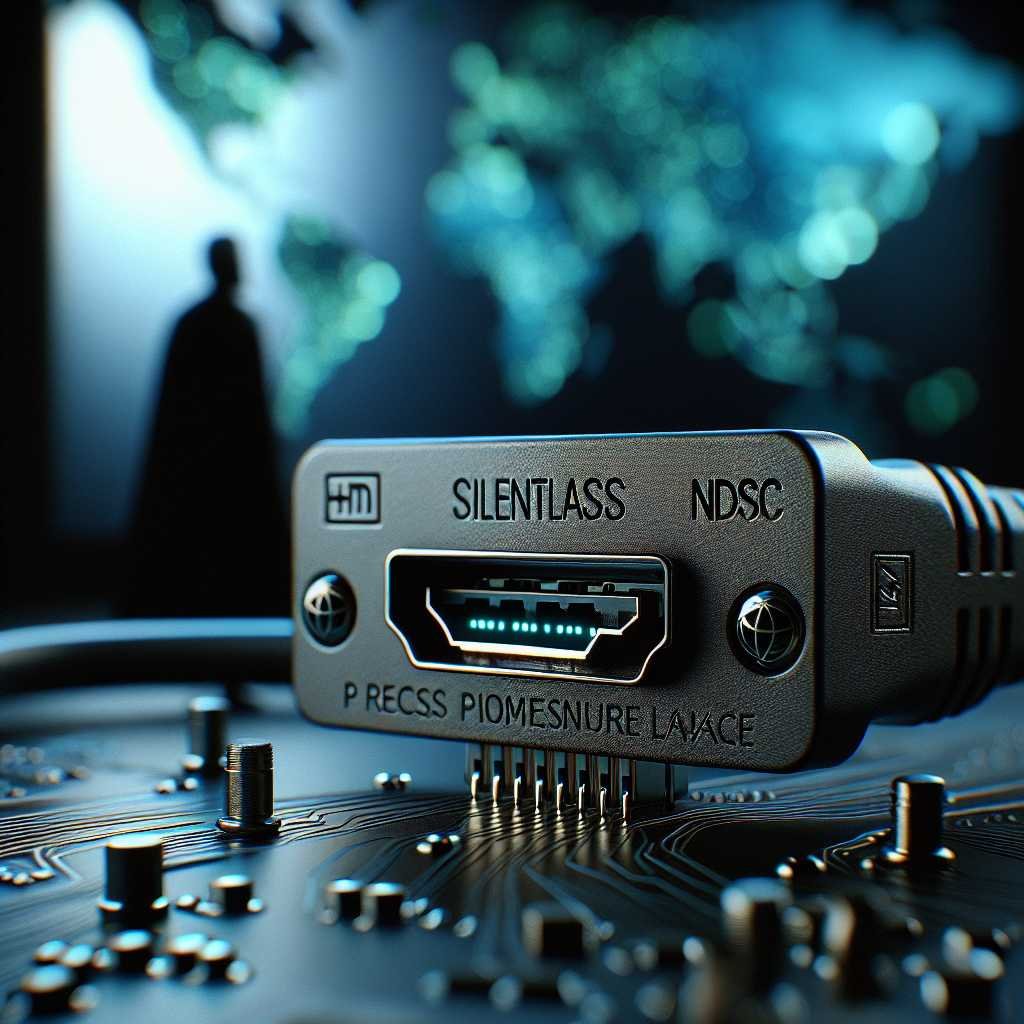
Worried About Cyber Espionage Over HDMI? NCSC’s SilentGlass Puts a Hardware Lock on Your Displays
Can a monitor cable become a spy? If that question makes you raise an eyebrow, you’re not alone—and you’re right to be curious. Display interfaces like HDMI and DisplayPort have quietly threaded their way into every corner of modern business, from incident response war rooms to trading floors and boardrooms. For years, they’ve been treated as “dumb” pipes—simple video connections that don’t warrant the same scrutiny we give to Ethernet jacks or Wi‑Fi. But that blind spot has been closing fast.
The UK’s National Cyber Security Centre (NCSC) just unveiled a purpose-built answer: SilentGlass, a plug‑and‑play device that sits inline on HDMI and DisplayPort links to stop cyber espionage and attacks abusing display paths. According to early reports, it filters malicious or unauthorized signals without breaking your video workflow, integrates with your SIEM for anomaly logging, and requires no configuration. In other words, it’s a hardware guard for a part of your environment you probably didn’t think needed guarding.
Here’s what that means, why display ports became an overlooked risk, and how to fold SilentGlass into your security operations without friction.
Source: Help Net Security coverage of NCSC’s announcement: NCSC SilentGlass shields HDMI and DisplayPort from cyber espionage
The Overlooked Attack Surface: HDMI and DisplayPort
Most defenders don’t think about malware riding a video cable. But attackers—and especially state‑sponsored APT threat actors—optimize for the places defenders overlook. Display interfaces are one of them.
- They’re everywhere: conference rooms, control centers, trading desks, labs, and the “air‑gapped” spaces you assume are safest.
- They’re physical and trusted: once a cable is plugged in, it tends to stay, and few organizations log or monitor what runs over it.
- They have side channels and metadata: beyond pixels, interfaces exchange capabilities and control signals. Those messages can be prodded, malformed, or abused.
If your mental model of HDMI/DisplayPort is “just video,” it’s time to update it.
How Display Links Become Threat Vectors
While the primary job of HDMI and DisplayPort is to carry images, they rely on a web of ancillary communications to negotiate resolutions, exchange device capabilities, and manage the link. Attackers look for opportunities in those supporting channels and in the firmware that processes them.
Common patterns include:
- Abusing link negotiation and device descriptors: Attack code can target how systems parse display identification data or other sideband messages, aiming for memory corruption in drivers or firmware.
- Firmware tampering in peripherals: Monitors, adapters, and “smart” display hubs ship with updatable firmware. If compromised in the supply chain or via a local foothold, they can become persistent, trusted implants.
- Covert data leakage: In high‑security spaces, malicious devices or modified adapters can encode sensitive data into seemingly benign visual patterns or metadata, exfiltrating information beyond the reach of your firewall and endpoint security controls.
- Bypassing traditional defenses: Packets never touch your network stack. That means no IDS/IPS inspection, no web proxy oversight, no EDR hooks—an appealing path for evading detection.
If that sounds theoretical, it isn’t. Red teams increasingly simulate these scenarios to test “secure rooms” and crisis response centers. Meanwhile, APT tradecraft has steadily gravitated toward hardware tampering, supply chain pivots, and novel covert channels that side-step your network security perimeter.
For fundamentals on these standards, see overviews from HDMI Licensing Administrator and VESA DisplayPort.
Meet SilentGlass: NCSC’s Inline Shield for HDMI and DisplayPort
SilentGlass is NCSC’s answer to the display-interface gap: a plug‑and‑play device that sits transparently between your video source and your display to filter out malicious or unauthorized content while preserving legitimate signals. Think “content guardrail for displays,” built for sensitive environments where a compromised cable or screen isn’t an acceptable risk.
What we know from the announcement:
- It protects HDMI and DisplayPort connections from cyber espionage and attacks exploiting display channels.
- It’s designed for government and enterprise use, including incident response rooms, critical information centers (CICs), and other high‑security setups.
- Deployment is simple: plug the unit between the source and the display; no configuration required.
- It maintains standard video resolutions to avoid breaking your workflows.
- It can integrate with your existing SIEM to log anomalies and suspicious events for correlation in your SOC.
- Early adopters report successful blocking of simulated attacks that mimic firmware exploit attempts.
- NCSC plans to open‑source aspects of the project to encourage community enhancements and collective defense.
This isn’t a replacement for your perimeter defenses or cloud security controls—it’s a hardware‑level complement that specifically addresses the blind spot where pixels cross trust boundaries.
You can follow NCSC guidance and updates at the NCSC official site.
What SilentGlass Is Not
It’s important to set expectations clearly:
- Not a KVM switch: SilentGlass doesn’t multiplex keyboards/mice or manage multiple systems; it sits inline as a guard on a single display path.
- Not a recording or monitoring tool: Its job is to filter and block, not capture or store your screen content.
- Not a silver bullet: It reduces risk in a particular layer (display interfaces). You still need strong identity security, network segmentation, EDR, and rigorous patching.
Why Displays Matter in Security Architecture
Security teams obsess (rightly) over endpoints, identities, and cloud services. But in high‑consequence environments—where analysts huddle over dashboards or execs review sensitive slides—display interfaces are part of the data path. If an attacker can plant a covert channel or exploit a parsing bug on that interface, they may bypass:
- The firewall that guards your egress routes.
- The endpoint security agent watching processes and network sockets.
- The DLP controls scanning files and emails.
- The segmentation policies isolating networks.
That’s why SilentGlass is targeted at spaces where the consequences of visual data exfiltration or firmware tampering are severe: defense, finance, national infrastructure, and incident response.
For a grounding in adversary techniques, browse MITRE ATT&CK, especially categories related to peripheral device abuse, supply chain compromise, and exfiltration via physical mediums.
How SilentGlass Likely Works (At a High Level)
NCSC has not publicly disclosed deep engineering specifics, but devices of this class typically apply a few core principles:
- Protocol normalization: Strip and rebuild the signal to a strict baseline, removing unexpected or non‑standard constructs that can carry payloads or trigger parsing bugs.
- Whitelisting of legitimate behavior: Allow only what conforms to well‑formed, expected patterns for video and control signals; block or drop everything else inline.
- Sideband filtering: Constrain or sanitize ancillary channels often used for capability exchange or device control.
- Rate and content controls: Prevent misuse of timing and content patterns that could be repurposed as covert channels.
The key is that it happens inline, transparently, and at hardware speed—so your users still get their pixels, but the attack surface is narrowed considerably. From the Help Net Security report, we know SilentGlass preserves standard resolutions and plugs directly between source and display with no configuration, which suggests the device is designed to drop in without operational friction.
Threats SilentGlass Helps Mitigate
A few representative scenarios where a display‑interface guard tangibly reduces risk:
- Firmware exploit attempts via malformed display metadata: Attackers test and fuzz how GPUs, drivers, or monitors handle edge cases. SilentGlass’s filtering can block malformed or out‑of‑profile constructs before they reach a vulnerable parser.
- Supply chain tampering in monitors or dongles: If a compromised display or “smart” adapter attempts non‑standard control sequences or sideband traffic, the guard can flag or drop the activity and log it to your SIEM.
- Covert exfiltration in air‑gapped zones: Malicious implants can try to encode data into video patterns or timing. Sanitizing and normalizing traffic reduces available covert channels, forcing attackers back onto monitored paths.
- Rogue embedded systems masquerading as video accessories: A micro‑PC packaged as a dongle may attempt to pivot. Inline filtering constrains what it can do over the display link, and logging creates an audit trail.
No single control fully defeats a determined adversary wielding zero‑day techniques. But SilentGlass adds a hardware barrier at a choke point attackers increasingly probe—raising the cost of exploitation and giving defenders visibility they previously lacked.
For context on “air‑gapped” environments and their limits, see Air gap (networking).
Where SilentGlass Fits in Your Stack
SilentGlass is a layer, not a replacement. It complements the safeguards you already run:
- Endpoint security: Keep EDR/anti‑malware agents in place. SilentGlass helps stop payloads delivered via display paths that endpoints don’t inspect.
- Network security: Your firewall, IDS/IPS, and segmentation still do the heavy lifting on IP traffic. SilentGlass handles the non‑IP corner case at the display boundary.
- Identity security: Strong MFA, least privilege, and session monitoring reduce the chance an attacker gains the access needed to attach rogue peripherals. Start with NCSC’s Identity and Access Management guidance.
- Cloud security: As workflows move to SaaS, sensitive dashboards still end up on screens. Protect the cloud and the screen. NCSC’s cloud security collection is a good reference.
- Security operations: SilentGlass can feed anomalies into your SIEM for correlation with endpoint and network signals, strengthening detection of multi‑stage attacks. If you’re new to SIEM, a primer is here: Security information and event management (SIEM).
Prime Deployment Targets
- Incident response rooms and CICs: Analysts work with live intelligence and sensitive forensics. Minimize the number of trusted interfaces and add a guard to each display path.
- Air‑gapped/classified environments: If visually reviewing classified outputs, treat the display link as part of the sensitive boundary and sanitize it with SilentGlass.
- Executive and trading spaces: High‑value targets, lots of displays, frequent cable swaps and adapters—conditions ripe for opportunistic tampering.
Deploying SilentGlass Without Disruption
One of SilentGlass’s strengths is a no‑config setup. Even so, a little planning ensures smooth rollout and maximizes value:
- Inventory display paths: – Identify every HDMI/DisplayPort link in sensitive rooms (including adapters and extenders). – Map sources to displays so you know where to interpose SilentGlass units.
- Prioritize by risk: – Start with rooms handling incident response, regulated data, or executive briefings. – Add units to any space connected to air‑gapped or restricted networks.
- Standardize and label: – Use high‑quality, certified cables and label each path “Guarded” once SilentGlass is in place. – Remove or lock away unused adapters and dongles.
- Enable SIEM integration: – Route SilentGlass anomaly logs into your SIEM with clear tags. – Create correlation rules that tie display anomalies to endpoint alerts or physical access events.
- Baseline and monitor: – After installation, capture a 30‑day baseline of “normal” alerts. – Tune your SOC playbooks to respond to new signal types without alert fatigue.
- Train and enforce: – Brief facilities and AV teams: no unvetted hardware on guarded display paths. – Update policy to treat display interfaces as controlled ports alongside USB and network jacks.
Integrating With Your SIEM and SOC
Treat SilentGlass like any other high‑signal sensor:
- Parse and normalize logs into your SIEM’s common schema.
- Create detections for:
- Repeated malformed negotiation attempts on a specific port.
- Anomalies correlated with room access badge events.
- Spikes in blocked sideband traffic coincident with red‑team exercises or suspicious meetings.
- Add runbooks: who investigates, who checks the physical room, who pulls the suspect dongle, and how you preserve evidence.
Best Practices to Reduce Display‑Interface Risk
Even with SilentGlass in place, tighten your overall posture:
- Control physical access:
- Lock unused ports in sensitive rooms with port blockers.
- Maintain a chain‑of‑custody for adapters, extenders, and splitters.
- Buy from trusted channels:
- Vet suppliers; beware of ultra‑cheap dongles with unknown provenance.
- Follow NCSC’s supply chain security guidance.
- Minimize attack surface:
- Disable unnecessary control features on displays (for example, vendor‑specific remote management) where possible.
- Standardize on known‑good models with consistent firmware.
- Update intentionally:
- Apply display and GPU firmware/driver updates via validated processes.
- Keep hashes and provenance records for any firmware used in secure rooms.
- Harden policies and training:
- Add HDMI/DisplayPort to your “approved interfaces” list with clear rules.
- Educate users: never plug in “found” adapters or accept unsolicited AV “help.”
- Test proactively:
- Include display‑path attack scenarios in red‑team exercises.
- Validate SilentGlass alerts and your SOC response end‑to‑end.
How SilentGlass Compares to Other Controls
- Secure KVMs: Great for switching between systems with strong separation and peripheral control. They don’t filter a single display path’s protocol details in the same way a specialized guard does.
- Data diodes: Provide one‑way data flow at the network or serial level. SilentGlass is more analogous to a “video diode,” sanitizing display traffic bidirectionally to stay usable while reducing risk.
- EDR and firewall controls: Essential, but blind to what happens on a direct display link. SilentGlass fills that exact gap.
- Video isolators and galvanic isolation: Can address electrical concerns and some noise issues; SilentGlass adds protocol‑level filtering aimed at cyber threats.
The right combination depends on your environment. In high‑security settings, KVMs, diodes, and SilentGlass can coexist to lock down different layers of the stack.
Governance, Procurement, and Questions to Ask
Before you buy, align stakeholders across security, AV/IT, and facilities. Then ask vendors (and yourself) the right questions:
- Coverage and compatibility:
- Which standards and resolutions are supported? (SilentGlass supports standard resolutions.)
- Are there any known incompatibilities with your current displays or GPUs?
- Operations and logging:
- What anomalies are logged? How are logs exported to your SIEM?
- Are there privacy protections to ensure content isn’t captured—only metadata and security events?
- Security posture:
- How is the device itself updated and secured?
- What’s the threat model and test coverage (e.g., red‑team validation, fuzzing)?
- Deployment model:
- What’s the physical footprint and environmental requirements?
- Can you pilot in a single room before broader rollout?
- Support and lifecycle:
- How long is support guaranteed?
- What’s the roadmap, especially given NCSC’s plan to open‑source aspects?
Loop in your legal/compliance teams if you operate in regulated sectors (defense, finance, healthcare) to document the control as part of your overall risk treatment plan.
Open Sourcing and Community Defense
One of the most intriguing parts of NCSC’s announcement is the intent to open‑source aspects of SilentGlass. If realized, that can accelerate:
- Peer review of sanitization and filtering logic.
- Third‑party integrations for SIEM and SOC platforms.
- Hardware reference designs and testing harnesses.
- Community‑maintained signatures or policies tuned to emerging threat patterns.
Open collaboration has propelled advances in areas like intrusion detection and cryptography. Applying that model to peripheral security could help defenders keep pace with rapidly evolving tradecraft targeting displays and other “unsexy” interfaces.
Why This Matters Now
Threat actors are steadily expanding beyond the well‑defended lanes of network and identity. Peripherals and physical‑adjacent channels are attractive precisely because they’ve enjoyed less scrutiny. SilentGlass is a rare, concrete move to close one of those gaps with a tool that security teams can actually deploy without a six‑month project plan.
It also signals a mindset shift: treat every pathway that carries sensitive information—even if it’s “just video”—as part of your security boundary. The organizations that adopt this mindset early will suffer fewer surprises when the next cleverly packaged covert channel makes headlines.
For broader foundational guidance to anchor these efforts, revisit NCSC’s 10 Steps to Cyber Security.
Key Takeaways
- HDMI and DisplayPort aren’t “dumb” pipes; they’re credible vectors for malware injection, data leakage, and firmware tampering that bypass traditional firewall and endpoint security layers.
- NCSC’s SilentGlass is a plug‑and‑play hardware guard that filters display traffic inline, supports standard resolutions, integrates with SIEM, and is aimed at high‑security government and enterprise use.
- Early testing shows it can blunt simulated firmware‑exploit attempts and provide valuable anomaly signals to your SOC.
- Start by auditing display paths in incident response rooms, CICs, air‑gapped networks, and executive spaces. Deploy SilentGlass where consequences are highest.
- Keep perspective: SilentGlass complements, not replaces, strong identity security, network segmentation, EDR, and cloud security controls.
FAQ: SilentGlass and HDMI/DisplayPort Security
Q: What exactly is SilentGlass? A: SilentGlass is an inline security device from the UK’s NCSC that sits between a video source and a display on HDMI or DisplayPort. It filters malicious or unauthorized signals while passing legitimate video, providing hardware‑level protection against cyber espionage and attacks exploiting display interfaces. Source: Help Net Security.
Q: Does SilentGlass replace my firewall, EDR, or other controls? A: No. It complements them by protecting a pathway (display interfaces) that traditional network and endpoint tools don’t inspect. You still need strong identity security, endpoint protection, and cloud security.
Q: Will it degrade image quality or add latency? A: SilentGlass is designed to preserve legitimate signals and supports standard resolutions. It operates inline, so user workflows shouldn’t be disrupted. If you run niche display modes, validate them during a pilot.
Q: Where should I deploy SilentGlass first? A: Prioritize incident response rooms, CICs, air‑gapped or classified environments, and any room where highly sensitive visuals are displayed (executive briefings, trading floors).
Q: Can SilentGlass help against zero‑day exploits? A: While no tool can guarantee prevention of all zero‑days, inline filtering and strict normalization reduce the attack surface for unknown display‑path exploits and can block malformed or out‑of‑profile traffic used in exploitation.
Q: How do I get SilentGlass logs into my SIEM? A: NCSC designed SilentGlass to integrate with existing SIEM platforms for anomaly logging. Consult deployment documentation to export logs, then parse them into your SIEM’s schema and build correlation rules. If you’re new to SIEM, here’s a primer: SIEM overview.
Q: Is this relevant for home users? A: SilentGlass targets government and enterprise use cases, especially high‑security spaces. Most home users won’t need it, though everyone benefits from buying peripherals from trusted vendors and keeping firmware up to date.
Q: How is this different from a secure KVM? A: A secure KVM manages multiple computers and enforces strict separation across peripherals. SilentGlass focuses specifically on filtering a single display path’s protocol and control signals to stop cyber‑centric abuse.
Q: Does it work with USB‑C displays? A: The announced scope focuses on HDMI and DisplayPort. Many USB‑C displays use DisplayPort Alt Mode under the hood, but verify compatibility with your specific hardware during a pilot.
Q: When will source code or specs be available? A: NCSC indicated plans to open‑source aspects for community enhancement. Watch the NCSC site and the original Help Net Security coverage for updates.
Q: How do we start? A: Audit your sensitive rooms, map display paths, run a pilot with SilentGlass in a single high‑risk space, integrate logs into your SIEM, and update your policies to treat display interfaces as controlled ports.
—
Bottom line: Display interfaces have quietly become a high‑leverage target for sophisticated threat actors. SilentGlass brings a practical, hardware‑level defense to that frontier—one you can deploy quickly to close a real gap. Audit your environments now, start with your most sensitive rooms, and make display‑path security a standard part of your security operations.
Discover more at InnoVirtuoso.com
I would love some feedback on my writing so if you have any, please don’t hesitate to leave a comment around here or in any platforms that is convenient for you.
For more on tech and other topics, explore InnoVirtuoso.com anytime. Subscribe to my newsletter and join our growing community—we’ll create something magical together. I promise, it’ll never be boring!
Stay updated with the latest news—subscribe to our newsletter today!
Thank you all—wishing you an amazing day ahead!
Read more related Articles at InnoVirtuoso
- How to Completely Turn Off Google AI on Your Android Phone
- The Best AI Jokes of the Month: February Edition
- Introducing SpoofDPI: Bypassing Deep Packet Inspection
- Getting Started with shadps4: Your Guide to the PlayStation 4 Emulator
- Sophos Pricing in 2025: A Guide to Intercept X Endpoint Protection
- The Essential Requirements for Augmented Reality: A Comprehensive Guide
- Harvard: A Legacy of Achievements and a Path Towards the Future
- Unlocking the Secrets of Prompt Engineering: 5 Must-Read Books That Will Revolutionize You